45
5. VIDEO SETTINGS
The video settings menu is explained on page 2. You can use the Test Pattern contained in this
menu to help calibrate your TV.
6. OSS ATTRIBUTIONS
This menu contains Open Source Scan attribution information and legal text.
7. SYSTEM STATUS
The System Status menu displays a variety of diagnostic information about your receiver,
including signal strength on each tuner, authorization status, current software version, and more.
8. PVR SETTINGS
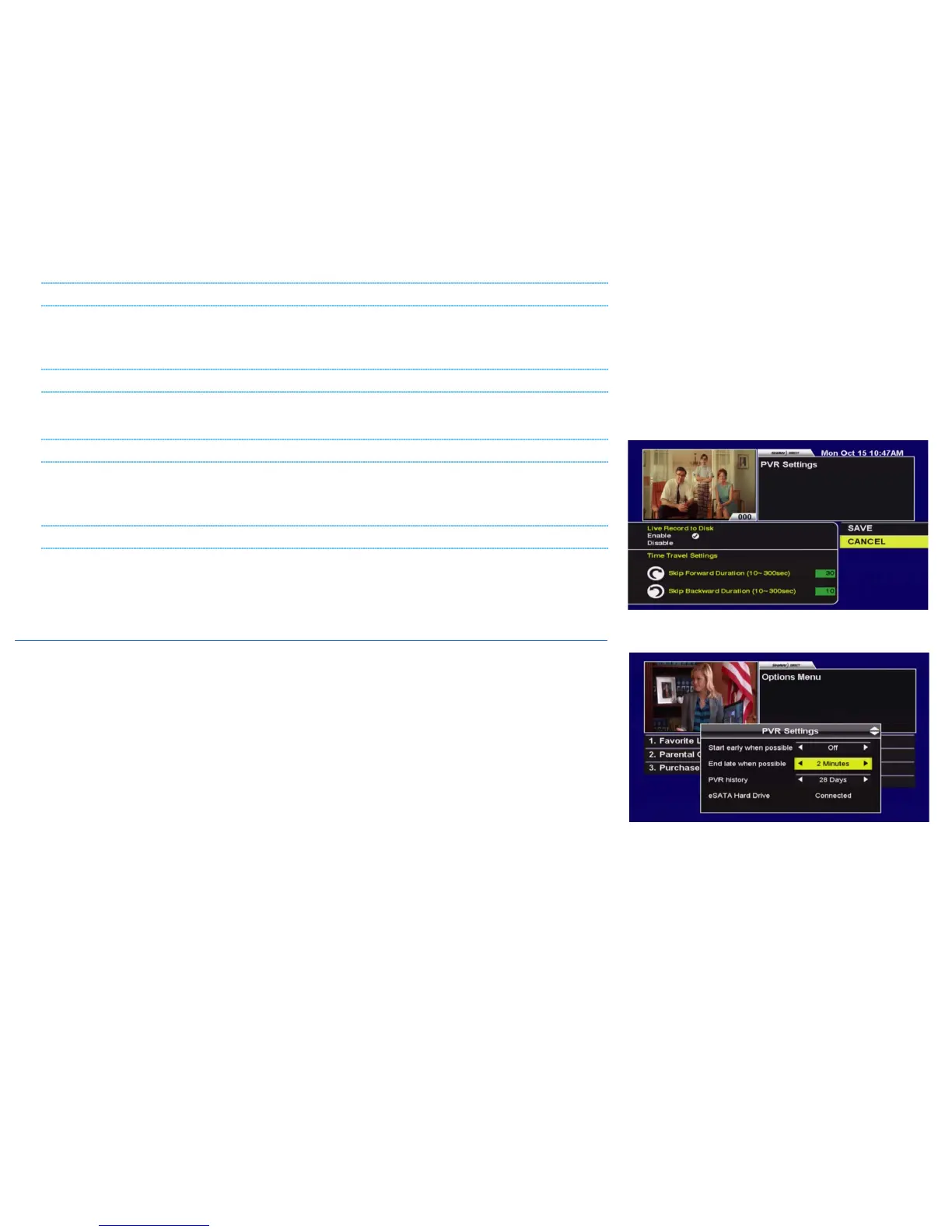
From 8. PVR Settings, you can enable or disable the Live Record to Disk (LOD) buffer, as well as
adjusting how far the receiver skips forward or back when these keys are pressed.
10E. “5. PVR SETTINGS”
The following options and status fields are available in PVR Settings:
• START EARLY WHEN POSSIBLE/END LATE WHEN POSSIBLE [OFF, 1-5 MINUTES]: These settings will
apply globally to all of your Recording Events. A start early or end late buffer set here will
only activate “when possible”, such as when a tuner is scheduled to be free before or
after a recording event. You can also add buffers to specific Recording Events by using
the PVR Options menu, as explained on page 29.
• PVR HISTORY [0-90 DAYS]: The PVR History setting determines how much time must pass
before your HDPVR records the same episode again.
• ESATA HARD DRIVE: Indicates external hard drive status, showing "Connected",
"Disconnected", or "Not In Use". Refer back to section 8 for more information.
• EXTERNAL HARD DRIVE SETUP: After a reboot, your HDPVR 630 will automatically display
any warnings or instructions related to your external hard drive. If you accidentally
remove these, you can re-launch them by selecting this button.



 To Next Page