34
6. THE PVR LIST
6A. PLAYING BACK YOUR RECORDED PROGRAMS
Once recorded, your programs are all available in one convenient location – the PVR List. Press
PVR or DVR List on your remote control, or select “Recordings” from the Menu Bar.
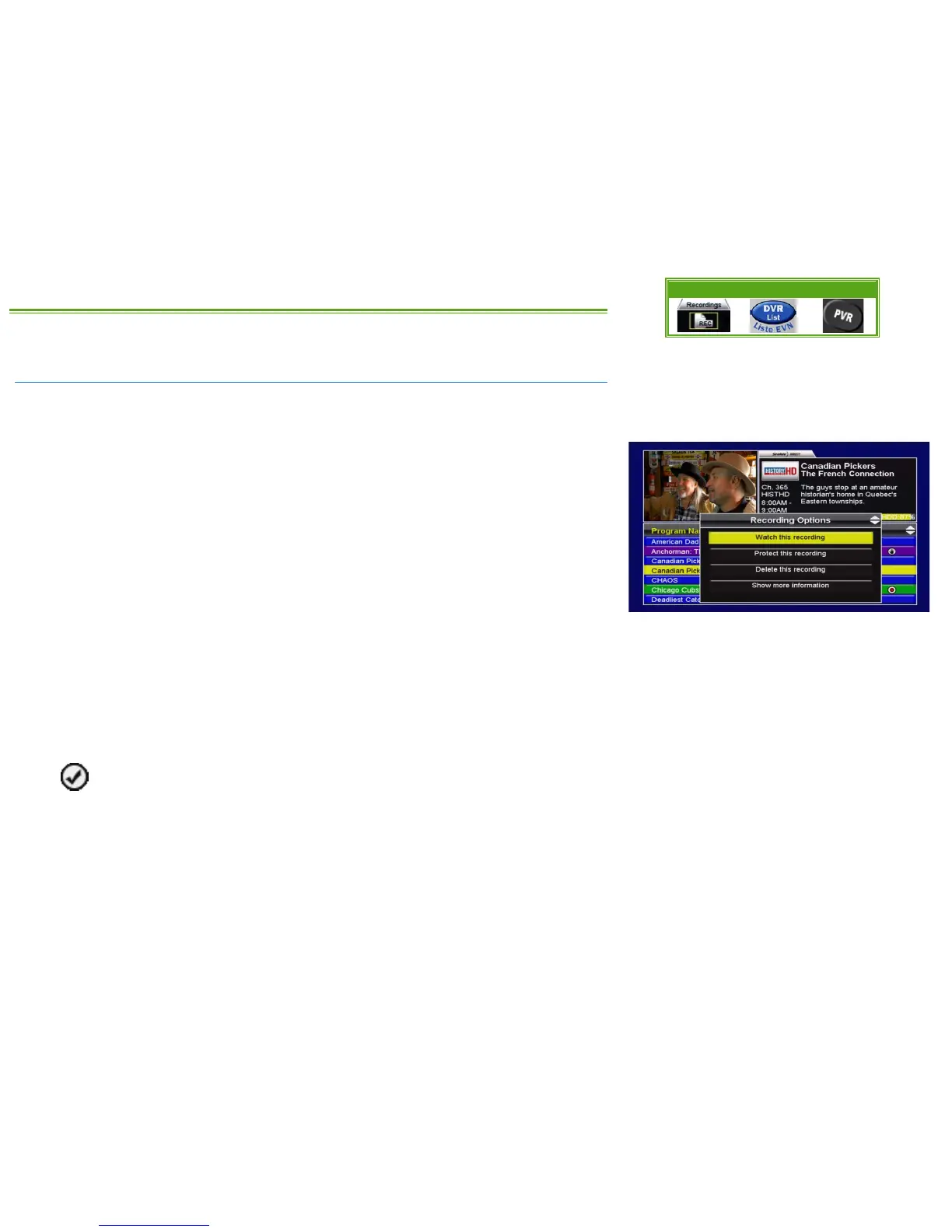
Within the PVR List, use the UP or DOWN arrow keys to select the program you want to watch.
Press ENTER to see the Recording Options menu, where the following options are available:
• WATCH THIS RECORDING: Selecting this option will start playback of the selected program.
If you have already watched part of this recording, you will be given the option to
“Resume playback” from where you last stopped, or “Restart playback” from the
beginning of the recording.
• PROTECT THIS RECORDING: Pressing ENTER will protect this recording from being
automatically deleted if the hard drive is full. The only way to remove this program from
your PVR once it is protected is to manually delete it. Recurring recordings set to “Keep
Until: Forever” will automatically be protected.
• DELETE THIS RECORDING: This will delete the selected program from the PVR List. You will
be asked to confirm your selection.
• SHOW MORE INFORMATION: Select “Show more information” to view the Info pages for the
episode. You can also press INFO on the remote control to view this information.
Once you have watched a recording, it will be marked with a checkmark to indicate it’s
been previously viewed.
If you have connected an external hard drive to your HDPVR, and that drive has since been
disconnected, any recordings stored there will be marked grey in the PVR List. Once you
reconnect the external hard drive and reboot the receiver, they will appear coloured again.
Menu Bar 5XX Remote 6XX Remote



 To Next Page