19
3. CUSTOMIZE YOUR VIEWING EXPERIENCE
3A. PARENTAL CONTROLS
Parental Control options allow you to keep locked content from being accessed or viewed without
the 4-digit parental password being entered. When activated, Parental Controls apply uniformly
across the entire system, preventing access to locked programs via the Guide, Search results,
direct channel entry, LOD playback, the PVR List, and on VOD. If you are activated for instant
Pay Per View, the password will also have to be entered to make a PPV purchase or view your
Purchase History.
SETTING PARENTAL CONTROLS
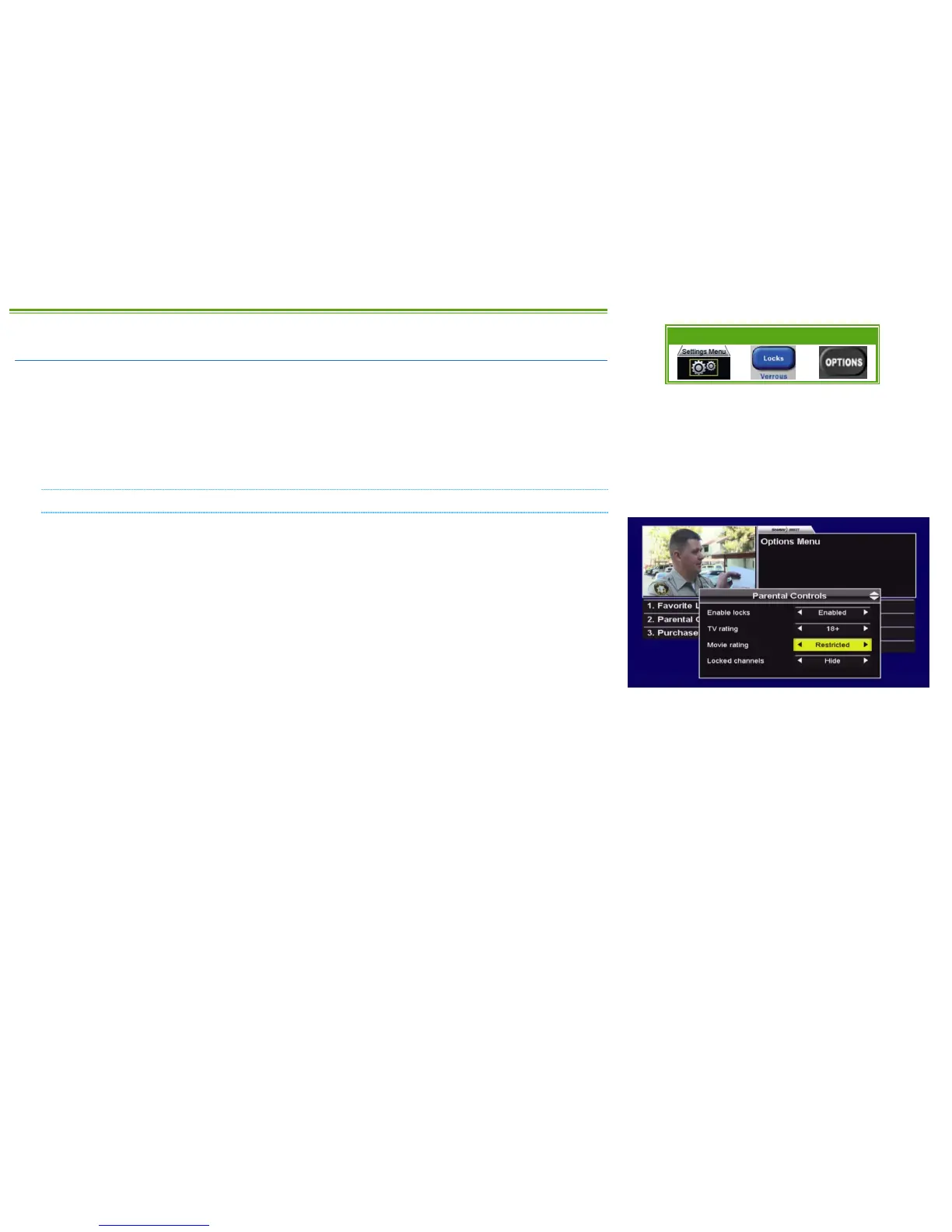
You can access the Parental Controls menu by selecting “2. Parental Controls” from the Options
Menu, or by pressing LOCKS on your remote control. If Parental Controls are currently disabled,
you will be prompted to create a 4 digit numeric password.
The following Parental Control options are available:
• ENABLE LOCKS [ENABLED, DISABLED]: Allows you to turn all locks on (“enabled”) or off
(“disabled”). When locks are disabled, all settings (with the exception of the password)
are retained and will be saved for the next time you enable locks.
• TV RATING [C8+, G, PG, 14+, 18+, NO LOCKS]: Allows you to select the lowest rating you want
to lock access to. For example, by setting TV Rating to “14+”, all TV programs rated 14+
and 18+ will be locked. Choices available correspond to the Television Ratings listed on
page 12.
• MOVIE RATING [PG, 14+, 18A, RESTRICTED, ADULT, NO LOCKS]: Allows you to select the lowest
rating you want to lock access to. For example, by setting Movie Rating to “18A”, all
movies rated 18A, Restricted and Adult will be locked. Choices available correspond to
the Movie Ratings listed on page 12.
• LOCKED CHANNELS [SHOW, HIDE]: Allows you to show or hide locked channels from the
Guide. Locked channels can still be tuned directly by entering the applicable channel
number, but will always require a password to view.
Menu Bar 5XX Remote 6XX Remote



 To Next Page