20
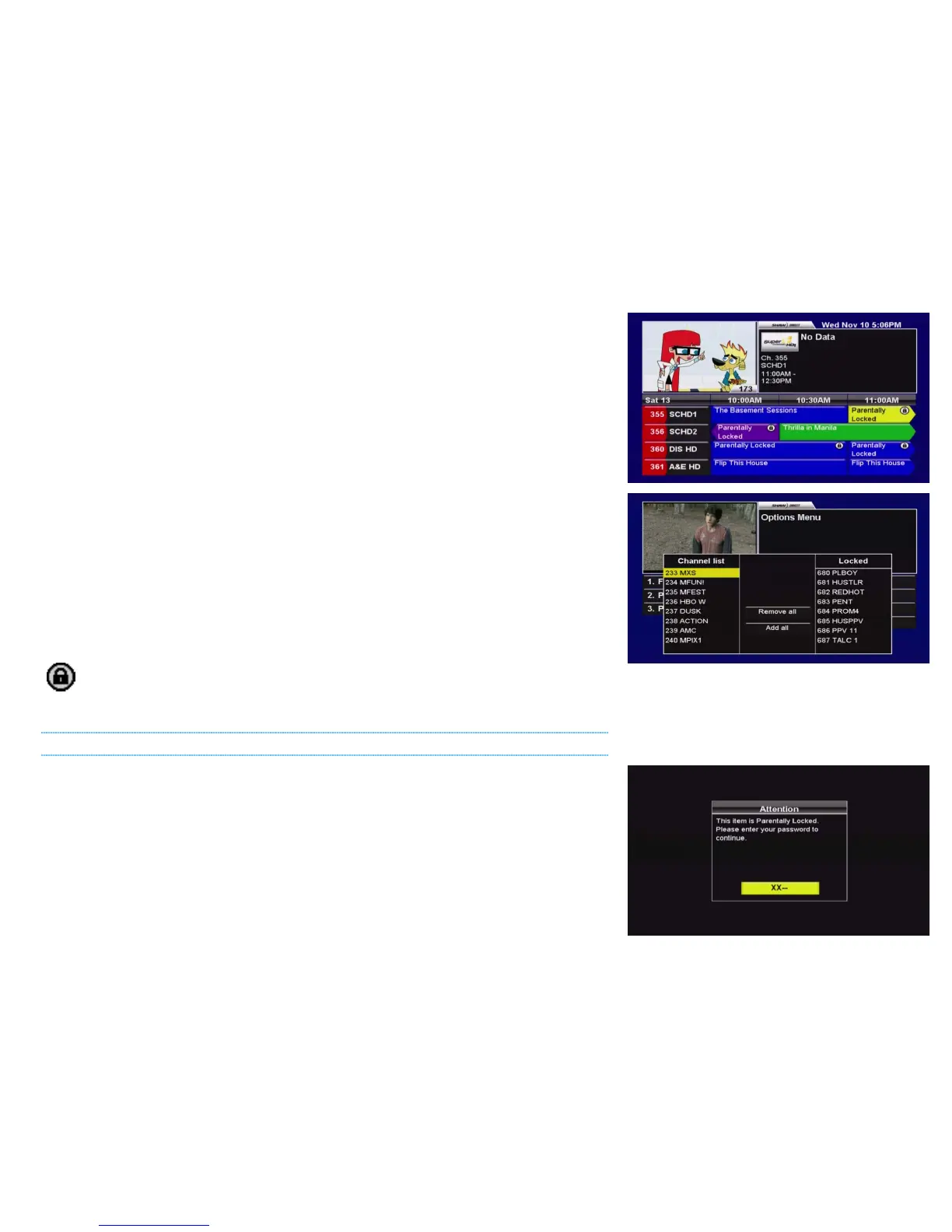
• LOCKED PROGRAMS [SHOW, HIDE]: Allows you to hide the titles of programs which exceed
your TV and Movie Ratings from appearing. When set to “Hide”, all locked content will
appear as “Parentally Locked”.
Note: Only rating locks will prevent the titles of locked programs from appearing in
Search results.
• CHANNEL LOCKS [EDIT…]: Allows you to lock all content airing on specific channels from
being viewed without the parental password. Select from the available channels in the
left column, and press ENTER to move them into the right “Locked” column. Select a
channel from the right column and press ENTER to unlock it. Press GO BACK to save
your list of locked channels.
• CHANGE PASSWORD [EDIT…]: Use this option to change your previously set parental
password. It is highly recommended you choose a unique password and change it often.
• UNRATED PROGRAMS [UNLOCKED, LOCKED]: Some programs, such as the nightly news,
sporting events, and other specially categorized programs do not include parental ratings.
By setting Unrated Programs to “locked”, any program without a parental rating will
require the password to view or access.
Locked content is indicated throughout the system with the closed “lock” icon.
USING PARENTAL CONTROLS
For maximum security, you may be prompted for your parental password up to three times while
attempting to unlock a program. First, you will need to enter your password to unlock the entire
Guide, Search results, or PVR List. Second, you will need to enter your password to actually view
the channel and unlock the picture and sound. Third, you will need to enter the password again
if you use PAUSE or SKIP BACK to enter the LOD buffer and watch the program off the hard
drive rather than live.
Programs which exceed one or more Parental Control setting will also be locked in the PVR or
Reminder Options and PVR or Reminder Upcoming menus and will require the password to view
or modify.



 To Next Page