A52
Purchases are billed to your account after 5 minutes of playback. If you’re having issues
streaming the title or change your mind, be sure to stop playback immediately with the STOP (3)
key to avoid being billed.
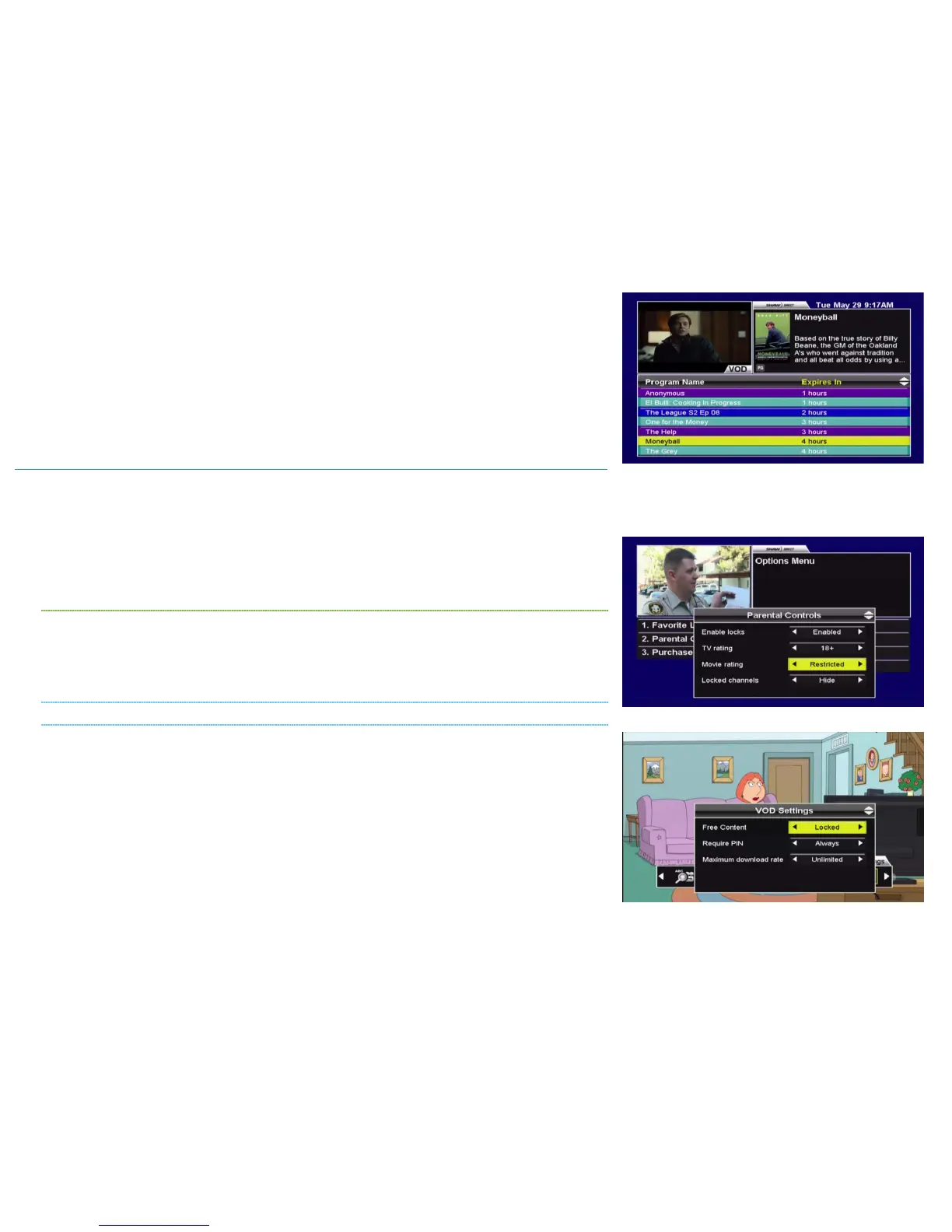
You can view a list of active orders and their availability by pressing D and navigating to “My
Orders”. You can resume or restart playback from this menu, on any connected receiver on your
account. Note that a particular title can only be streamed to one receiver at a time.
1C. PARENTAL CONTROLS AND BANDWIDTH MANAGEMENT
VOD gives you instant access to a vast library of content, ranging from animated kids shows all
the way to the latest R-rated blockbusters and premium TV series. If you’ve got children or
teenagers in your home, you probably already have Parental Controls enabled on your satellite
receiver. The ratings locks and 4-digit Parental password you’ve set here will automatically apply
to VOD. There are additional VOD-specific limitations for purchase amounts and bandwidth
management which can also be set.
ENABLING PARENTAL CONTROLS
Parental Controls must be enabled to set any VOD-specific purchase or bandwidth limits. If you
haven’t already, you can enable Parental Controls by pressing OPTIONS, 2. Settings for “TV
rating”, “Movie rating”, “Locked programs”, and “Unrated programs” will apply to VOD content
in the exact same way they apply to regular broadcast content.
MODIFYING VOD SETTINGS
Once Parental Controls are enabled and you’re comfortable with the ratings locks you’ve set,
press D and then select “VOD Settings”. You will have to enter your Parental password to access
the menu.
The following settings are available:
• FREE CONTENT [LOCKED OR UNLOCKED]: If you select “Locked”, the parental password will be
required to order any free content.
• REQUIRE PIN [ALWAYS, OVER $5, OVER $15, OVER $30, OVER $50]: This specifies how many
cumulative purchases can be made on this receiver, in a 24-hour period, before the
parental password is required.



 To Next Page