11
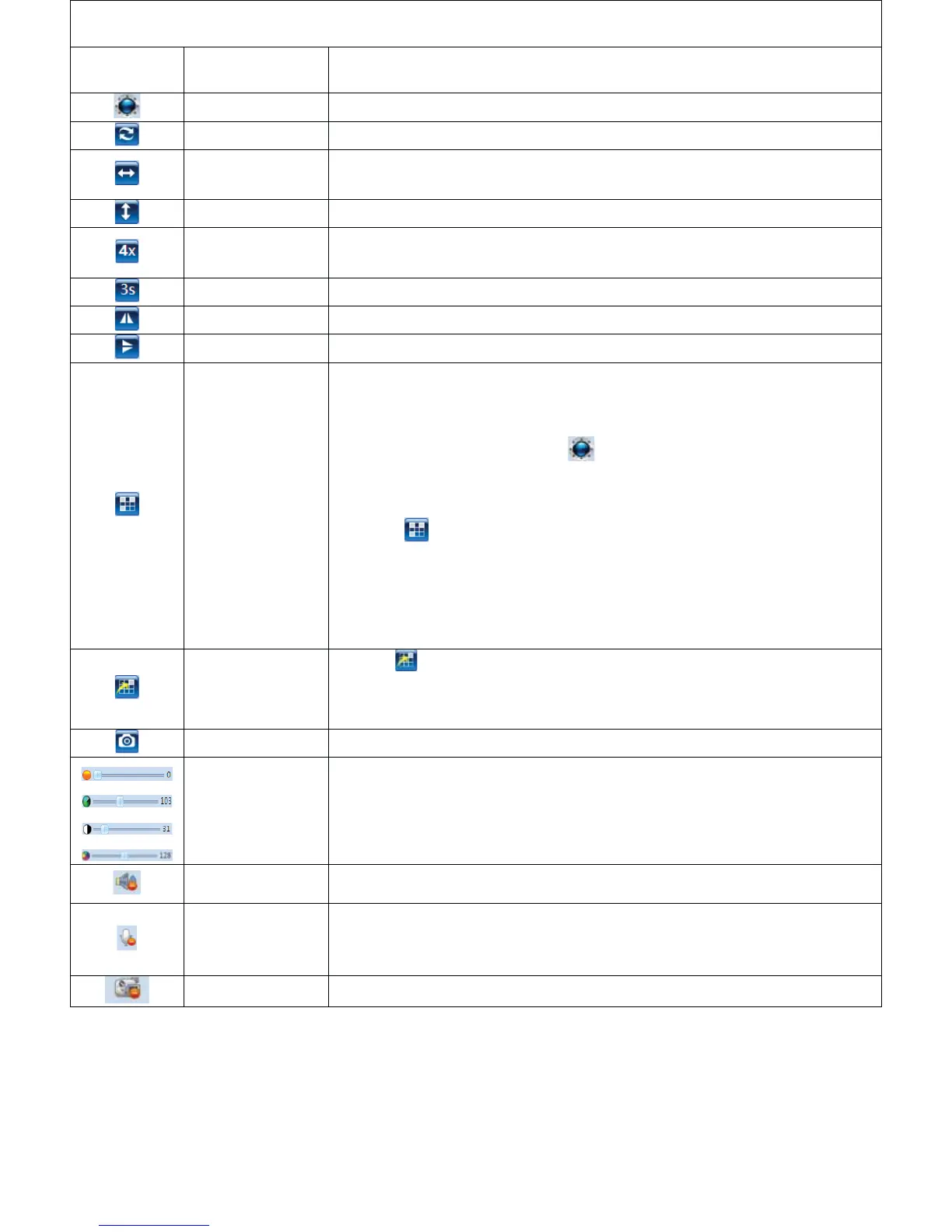
Introductionoftheoperationalbutton
Button
Definition Description
PanͲTiltControl Changethementoringdirectionandarea
Panoramiccruise Rotateashorizontal355,vertical120andgobacktomiddleposition
Horizontal
cruising
Changethementoringdirectionandareahorizontally
Verticalcruising Changethementoringdirectionandareavertically
RotateSpeed
SetRotatespeed,"1"meanstheslowestspeed,"5"meansthefastest
speed
CruiseInterval Setthecruisefrequency,youcanselectfrom1to60s.
HorizontalImage Turntheimagefromlefttorightorfromrighttoleft
VerticalImage Turntheimagefromupsidetodownsideorfromdownsidetoupside
PresetLocation
PreͲsetdesiredmonitoringlocationtorealizefixedpointmonitoring
function.Thedevicesupportstoset16desiredlocations.
Operationsteps:
1. ClickPanͲtiltcontrolbutton tosetadiresdmonitoringdirection
andarea(forexample:youchangethedirectionandareatofront
door)
2. Click todefineadigitaltothefrontdoor,forexample,youdefine
“1”tofrontdoor,whichmeansyouhavealreadysetthefirstdesired
monitronglocationsuccess,itisthefrontdoor
3. Repeatthestepsabovetosettheseconddesiredmonitoringlocation;
youcanset16locationsintotal.
EnablePreset
Location
1.Click .
2.Selectthenumber,thecamerawillmovetothedirectionandarea
correspondedwiththenumber
Snapshot Clickittotakeasnapshotandsetasavingpathtocomputer
Videoadjust Adjustthebrightness,contrast,saturationofvideo
Listenin listenintothecamera'ssurroundingsfromthewebbrowserside
Talkback
PeoplearoundthecomputerandIPCameracantalkwitheachother
(thereshouldbespeakerconnectedtoIPCamera)
Record Clickittotakearecordvideoandsetasavingpathtocomputer



 To Next Page