18
UPnPSettings
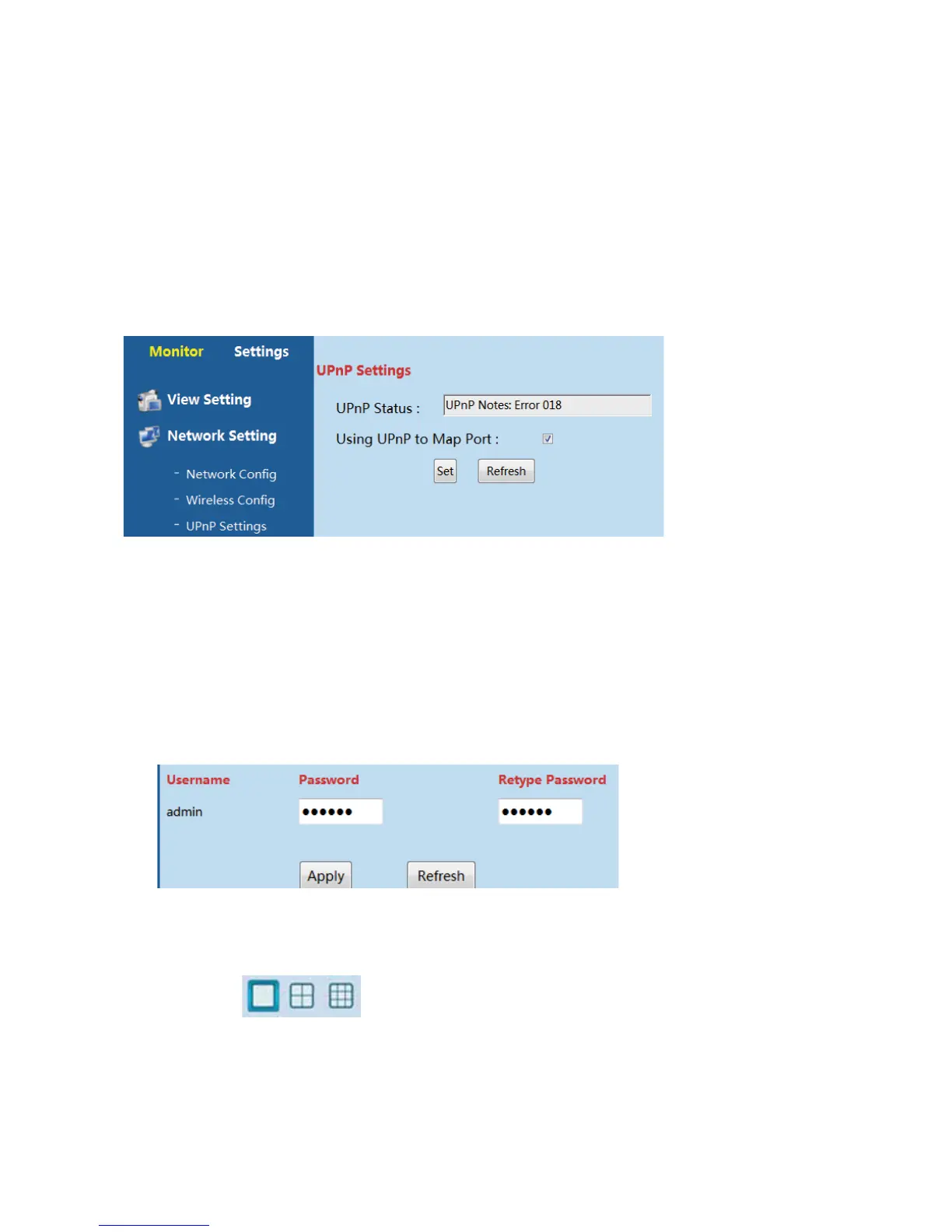
UPnP is recommended open, please go from the path “SettingsͲ>Network SettingͲ>UPnP
Settings”touseUPnPtomapport.
[UPnP Status]:UPnP Succeed/Failed.UPnP means IP Cameracan connectto other device
automatically
[Using UPnP to Map Port]: This function enables camera to do port forwarding
automatically, whichletsusertovisitcameraeasily.
6.3.2.3AdvancedSetting
UserManagement
Usercanchangethepasswordofdevicefromthepath“SettingsͲ>AdvancedSettingsͲ>User
Management”
Enter6digitsnewpasswordfortwotimesandclick“Apply ”likebelow
MultiͲCamManagement
User can click
to view 1, 4 and 9 cameras at the same time. Please add
morethan1camerabeforeyouviewmorethan1cameraatthesametime.



 To Next Page