35
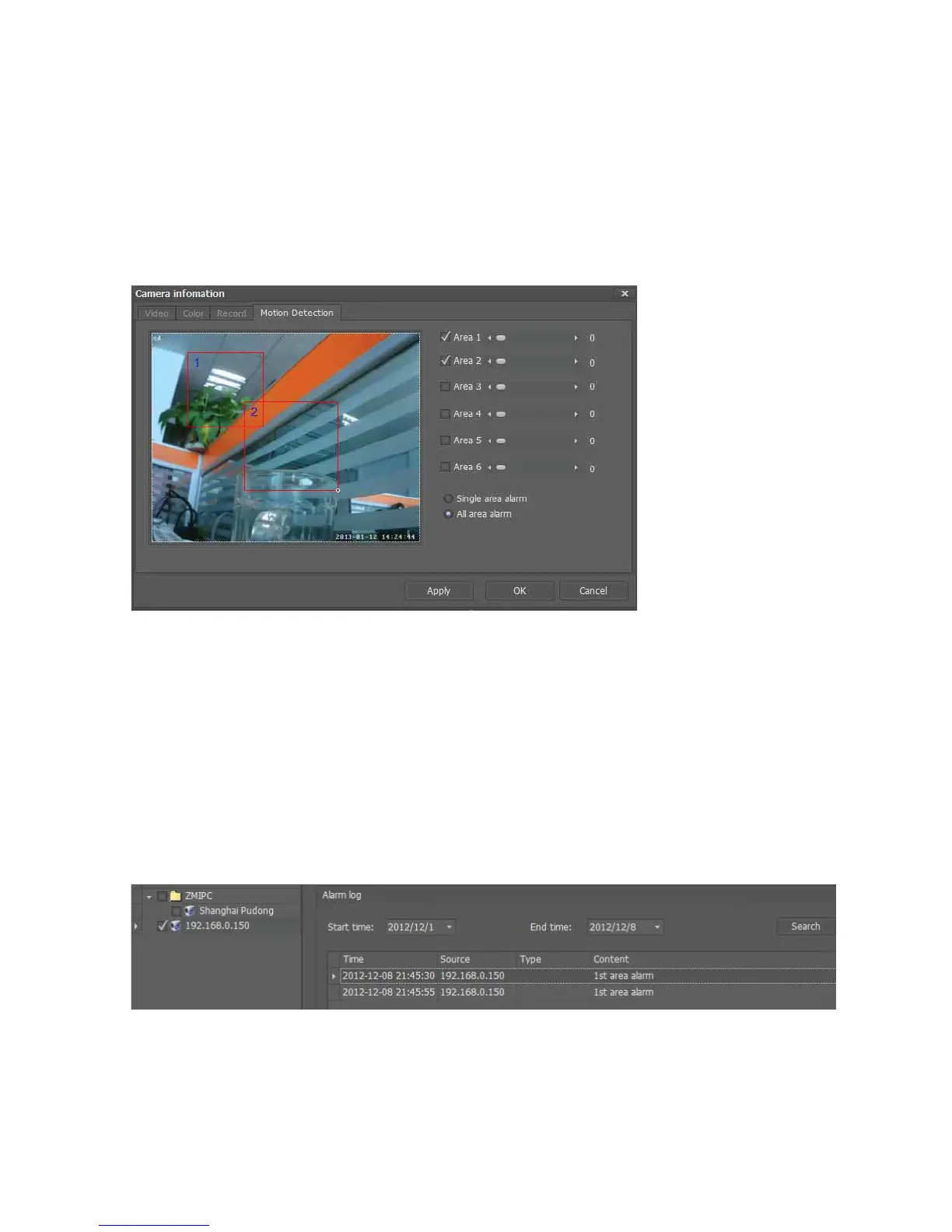
All area alarm
1.Click”All area alarm”;
2. Select all alarm area, like” area 1”, “area 2” ;
3. draw two red boxes and move them to adjust the size of the two motion detection area;
4. Adjust the move speed of the objects that will trigger alarm
Note:Whenselectallareaalarm,onlywhenallmotiondictionareasdetectmovingobject,
thealarmwillbetriggered.
7.6.2AlarmLogManagement
Usercaninquirythealarmlogthrough“TabbarͲ>manageͲ>logmanageͲ>alarmlog”
Alarmlogmainlyrecordsalarmtriggerinformationofthecamera.SelectIPcameraand
datewhichneedtoinquiry,click“search”
Forexample:thefollowingpictureshowsthecamera’s(IPaddressis192.168.0.150)
alarmlogfrom
2012/12/1to2012/12/8



 To Next Page