15
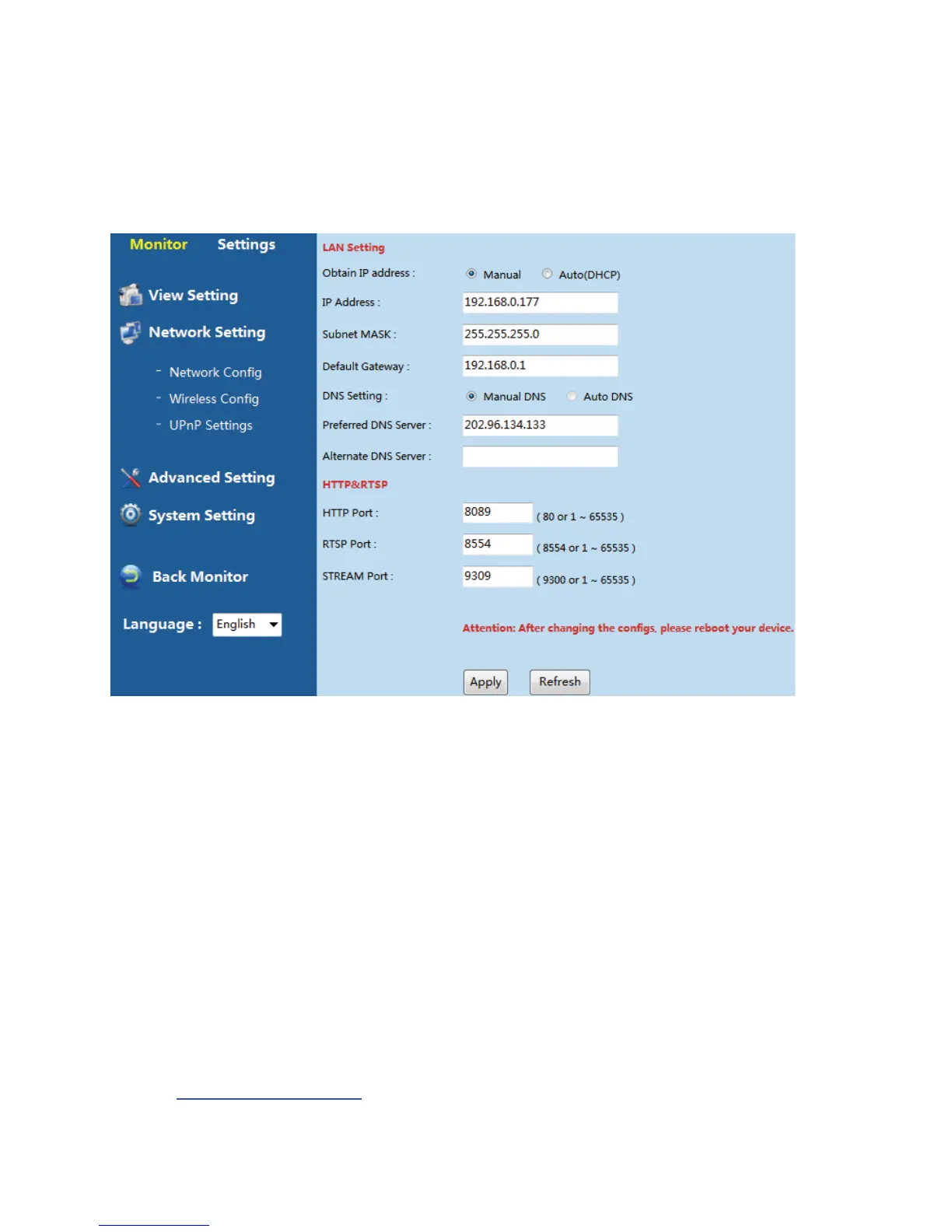
6.3.2.2NetworkSetting
NetworkConfig.
User can check the basic network config information from the path “SettingsͲNetwork
SettingͲNetworkConfig.”
ParametersDescription:
LANSetting:
[Manual]: Manual setup the IP address, Subnet MASK, Default Gateway and DNS
information
[Auto(DHCP)]:IPcamerais
designatedanIPaddress,SubnetMASK,DefaultGateway
andDNSunderDHCPmode
HTTP&RTSP:
[HTTPPort]:ThedefaultportNo.is80.Ifnot,pleaseusethefollowingformattoopenhttp
page,itis“http://camera’sIPaddress:PortNo.”,forexample,iftheportis
85,youneedto
input“http://192.168.0.150:85
”toopenthehttppage.



 To Next Page