28
7.4ImagePreviewandPTZcontrol
7.4.1Adddevice
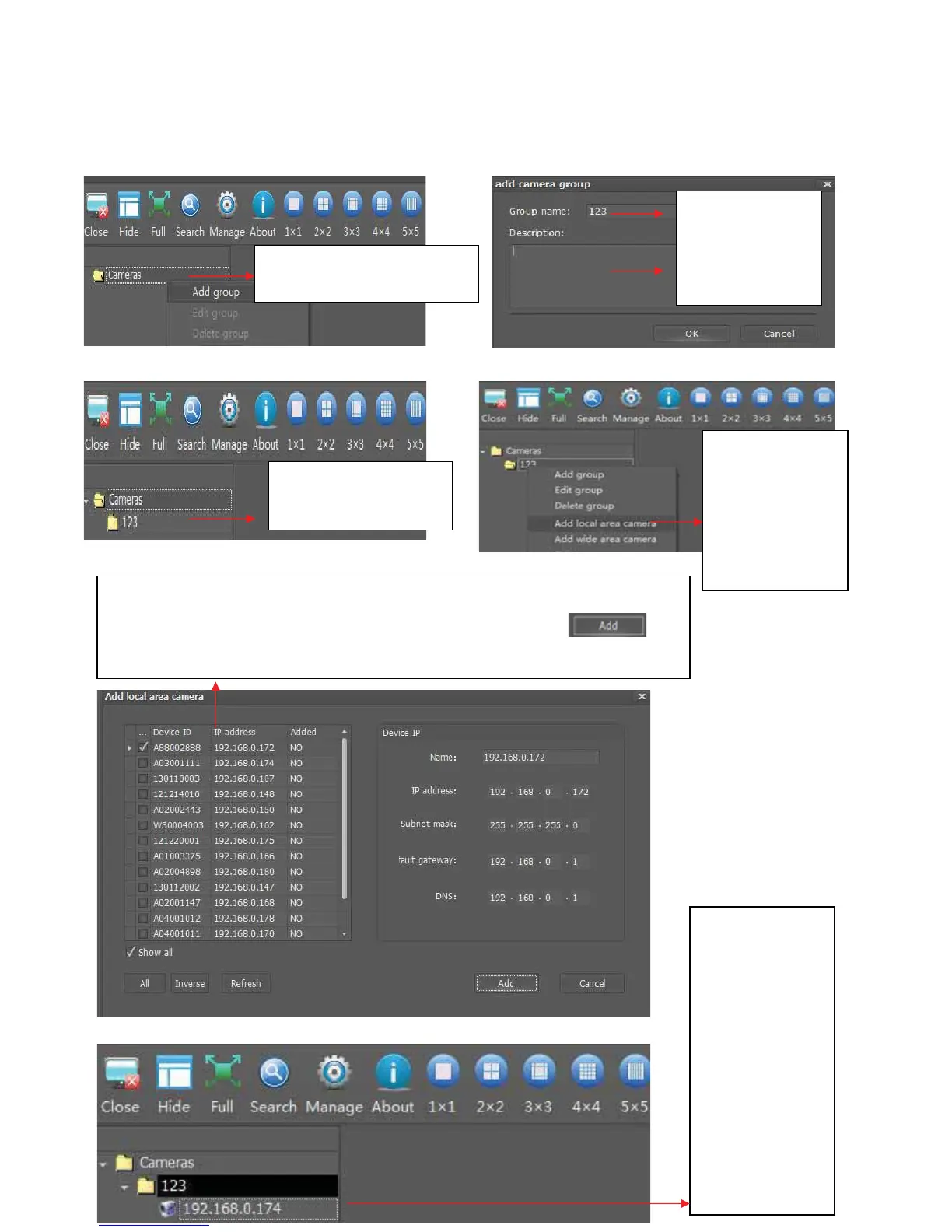
AddCamerafromLAN
2. Fill in Group
name (i.e. 123)
and description
content
4. Right Click
New Camera
Group(123),you
will see “Add
local area
camera”,clickit
1. Right click “cameras” to
addacameragroup
3. New Camera Group
(123)isadded
5.Thefollowingwindowwill popͲup,allthecamerasintheLANwilllistinthe
leftside,checkthecamerayouneedtoadd,andclickthebutton ,the
selectedcamerawillbeadded
6. Once you add
camera success,
you can see the
camera is in the
camera group
(123), double
clickthiscamera,
you will see the
video in the
software
transmitted by
thiscamera



 To Next Page