26
7.2Userloginandmanagement
7.2.1UserLogin
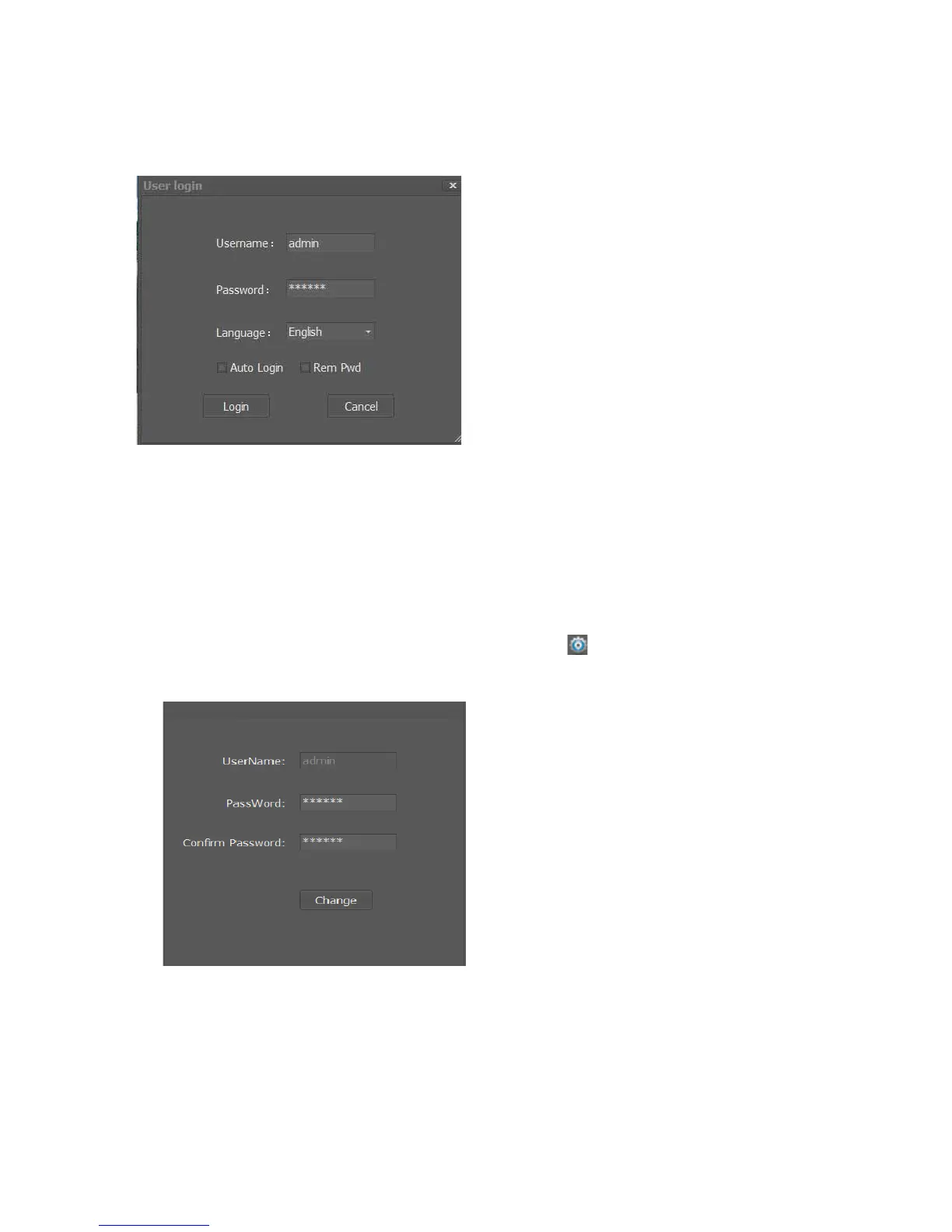
DoubleclicktheICON“IPCameraV”ondesktop;thefollowinglogininterfacewillpopup
(Username):Defaultusernameis”admin”
(P asswor d):Defaultpasswordis“123456”
(Language):Pleaseselect“English”
(AutoLogin):Thesoftwarerunsautomaticallywhenthecomputerison
(RemPwd):Thesoftwarewillrememberthe
password.
7.2.2ChangePassword
Usercanchangethepasswordfr omthepath“LabelBarͲ>
(Manage)Ͳ>User
ManageͲ>ChangePassword”
(P asswor d):Inputnew6digitspasswor d
(ConfirmPassword):Inputnew6digitspasswordagain
Note:ThepasswordcanbesettoNULL(Empty)



 To Next Page