32
7.5.2Recordontocomputer
(BackͲendRecord)
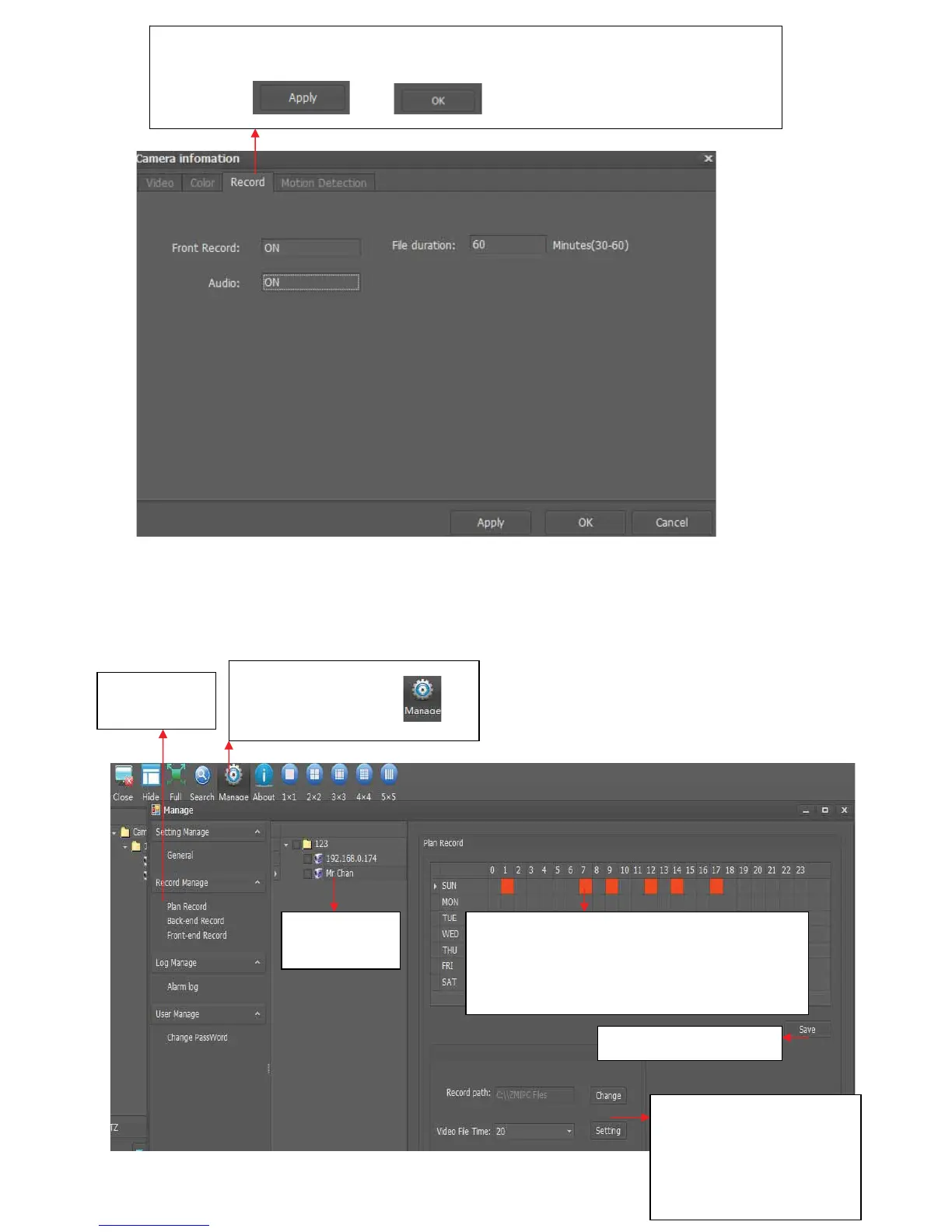
3. Click “Record” and select “ON” after “Front Record”, write the video file length
(30Ͳ60 minutes available), if camera support audio, select “ON” after “Audio”, then
clickbutton
and .
2. Click Plan
Record
1.Clickbuttonmanage ,
3. Select
Camera
4. Make schedule of recording, please click
the box, if it become red, it means the
camera will record video onto computer at
theselectedtime
5.Clicksavebutton
6. Select the saving path
andvideofiletime(ifyou
select20,itmeansavideo
file will be created every
20minutes)



 To Next Page