SkyTab Support: (888) 647-8603
DEACTIVATING DEMO EMPLOYEES
Once installation has been completed it is required that we deactivate all demo PIN numbers that are on the system. These are
usually owner, example cashier, example bartender and example server. Sometimes there may be others. When you are leaving
the site make sure these are all deactivated.
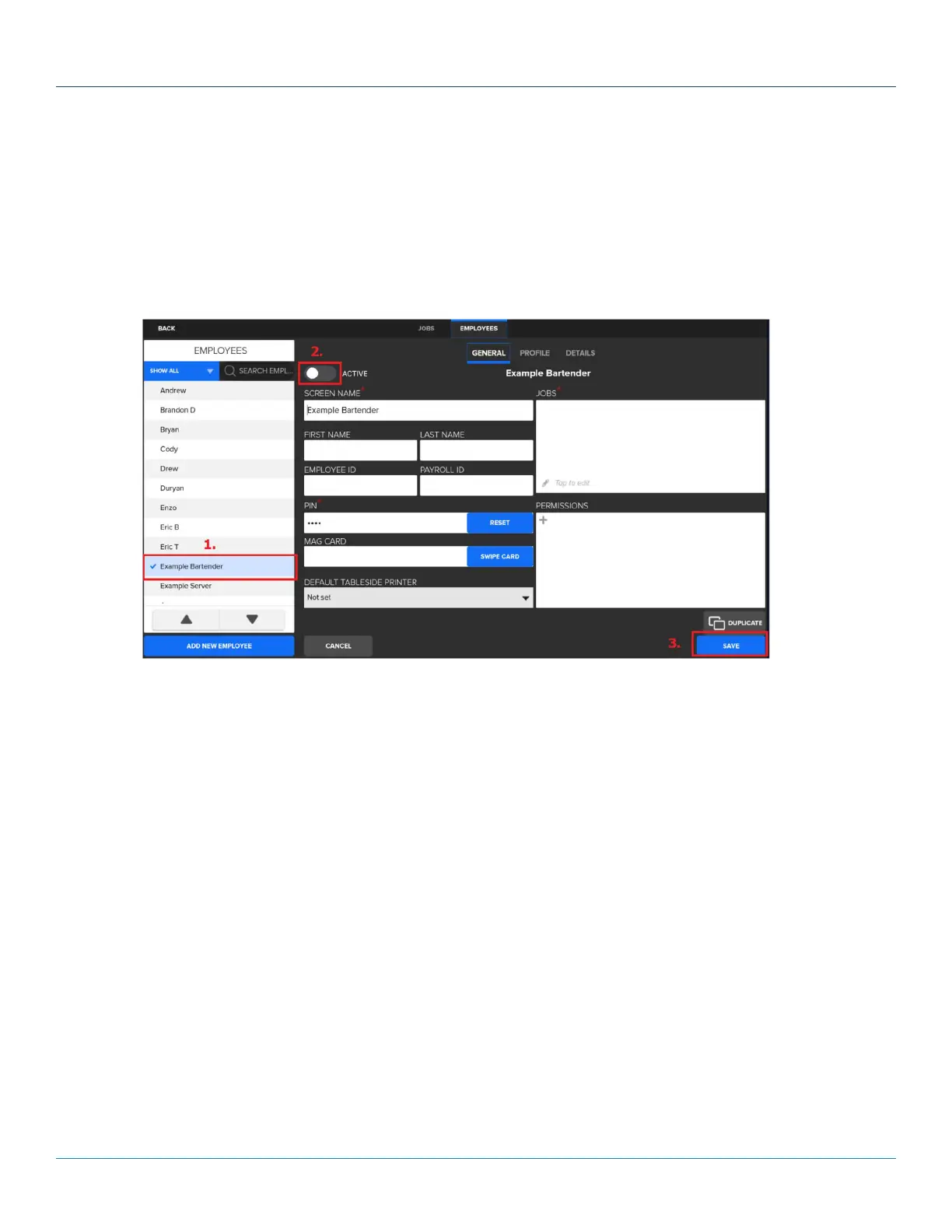
• To accomplish this navigate to Manager > Settings > Users > Employees.
• Highlight the demo employee.
• Tap on the toggle up top next to active.
• Tap on Save.
• Repeat for each demo employee.
13
© 2022 Shift4. All rights reserved. ST1102_11114022_SK



 To Previous Page