SkyTab Support: (888) 647-8603
6
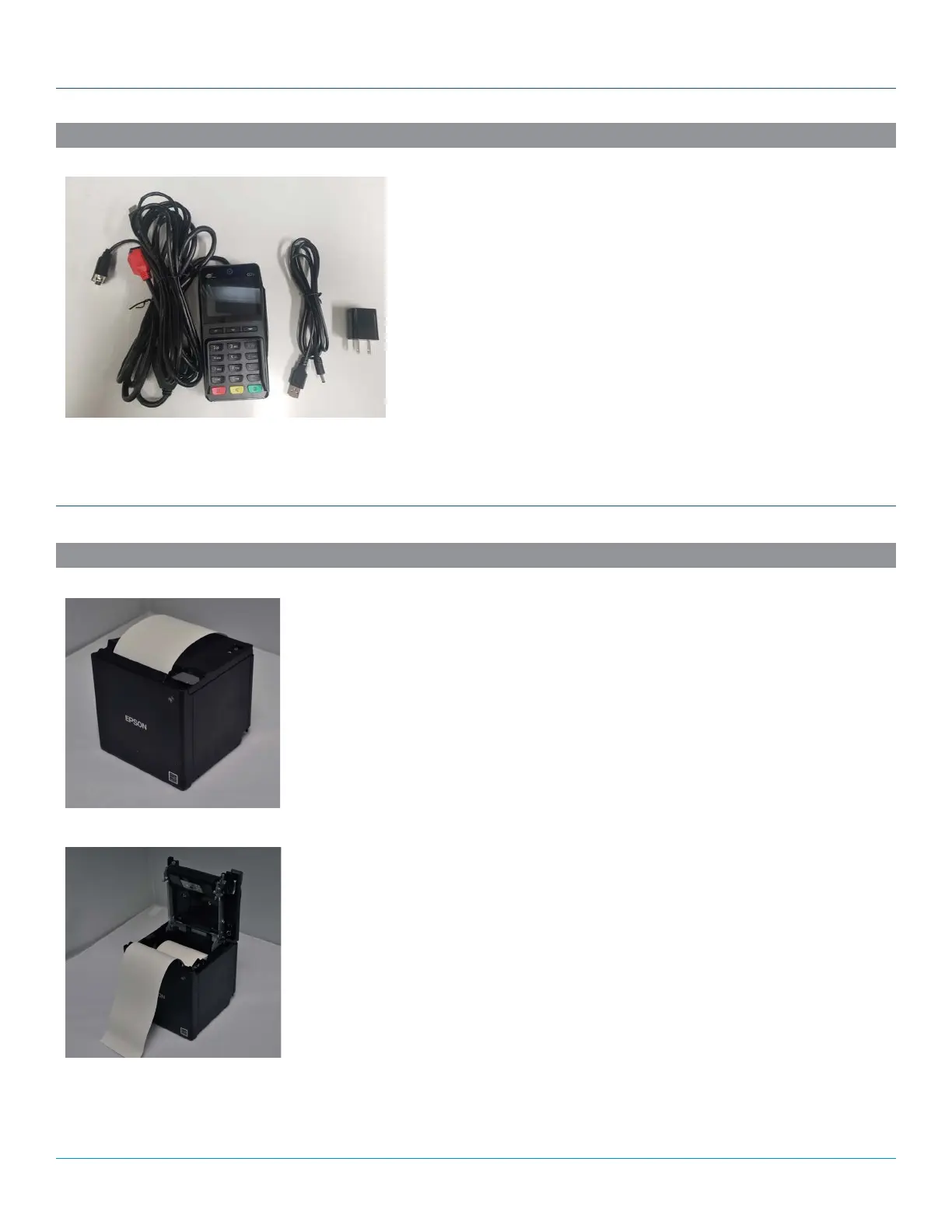
PAX Q25 PIN PAD
Plug the Q25 into the 2nd ethernet port on the SkyTab Hub. Plug the USB
barrel connector into the power port on the Q25 cable. Plug the USB end
into an available USB port on the SkyTab Hub. The hardwired serial and
usb connections on the Q25 cable are not used.
The PIN pad can also be powered via a standard wall outlet if necessary.
SYSTEM INSTALLATION
ACCESSORY INSTALLATION
Connecting the Printer
The Epson TM-m30 remote printer requires an Ethernet connection and a separate 24-volt
power supply. The Epson TM-m30 printer uses DHCP to assign a dynamic IP address.
1. Connect the Ethernet cable to the remote printer and then to the SkyTab POS network.
2. Connect the power supply to the remote printer. Connect the power cable first to the
power supply and then to a power port.
3. The power indicator light will be lit if power is received.
4. Power on the remote printer using the power button on the front face.
THERMAL KITCHEN PRINTER
Loading the Paper
1. Place the thermal paper roll into the top of the receipt printer, feeding from underneath
the roll.
2. Pull 2-3 inches of paper past the paper cutter and close the lid.
3. Press “Feed” to advance the paper.
4. Scratch the paper with your fingernail to ensure the printable side of the thermal paper
is facing outward. The printable side of the paper will darken when scratched by your
fingernail.



 To Next Page