SkyTab Support: (888) 647-8603
8
ACCESSORY INSTALLATION
DOT MATRIX KITCHEN PRINTER
Connecting the Printer
The TM-U220B remote printer requires an Ethernet connection and a separate 24-volt
power supply. The TM-U220B printer uses DHCP to assign a dynamic IP address.
1. Connect the Ethernet cable to the remote printer and then to the TP-Link router.
2. Connect the power supply to the remote printer. Connect the power cable first to the
power supply and then to a power port.
3. The power indicator light will be lit if power is received.
4. Power on the remote printer using the power button on the front face.
Loading the Paper
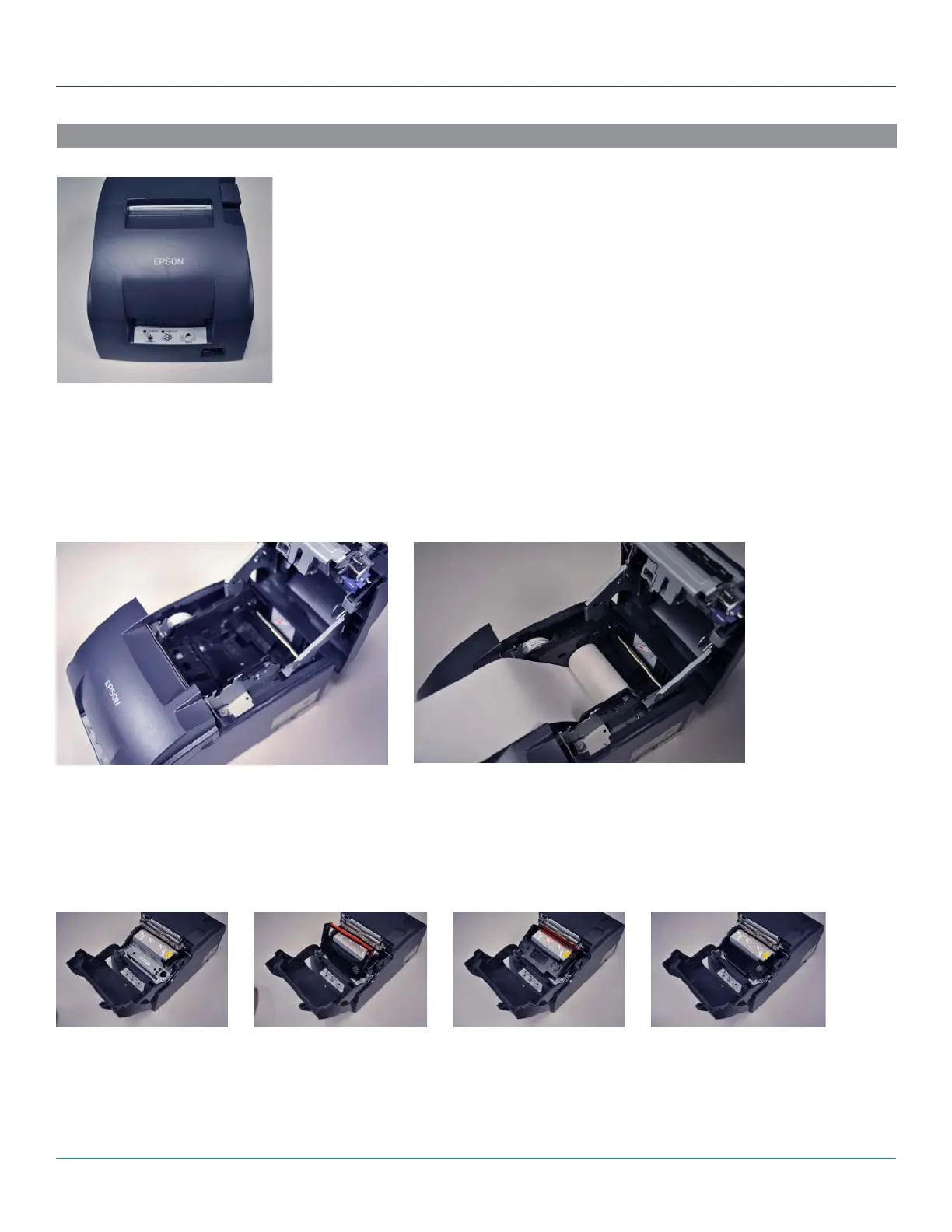
1. Place the thermal paper roll into the top of the receipt printer, feeding from underneath the roll.
2. Pull 2-3 inches of paper past the paper cutter and close the lid.
3. Press “Feed” to advance the paper.
Loading the Ribbon
1. Open the front tray of the printer.
2. Place the plastic edge in first, angling the ribbon upwards.
3. Push down until the cartridge clicks in place.



 To Next Page