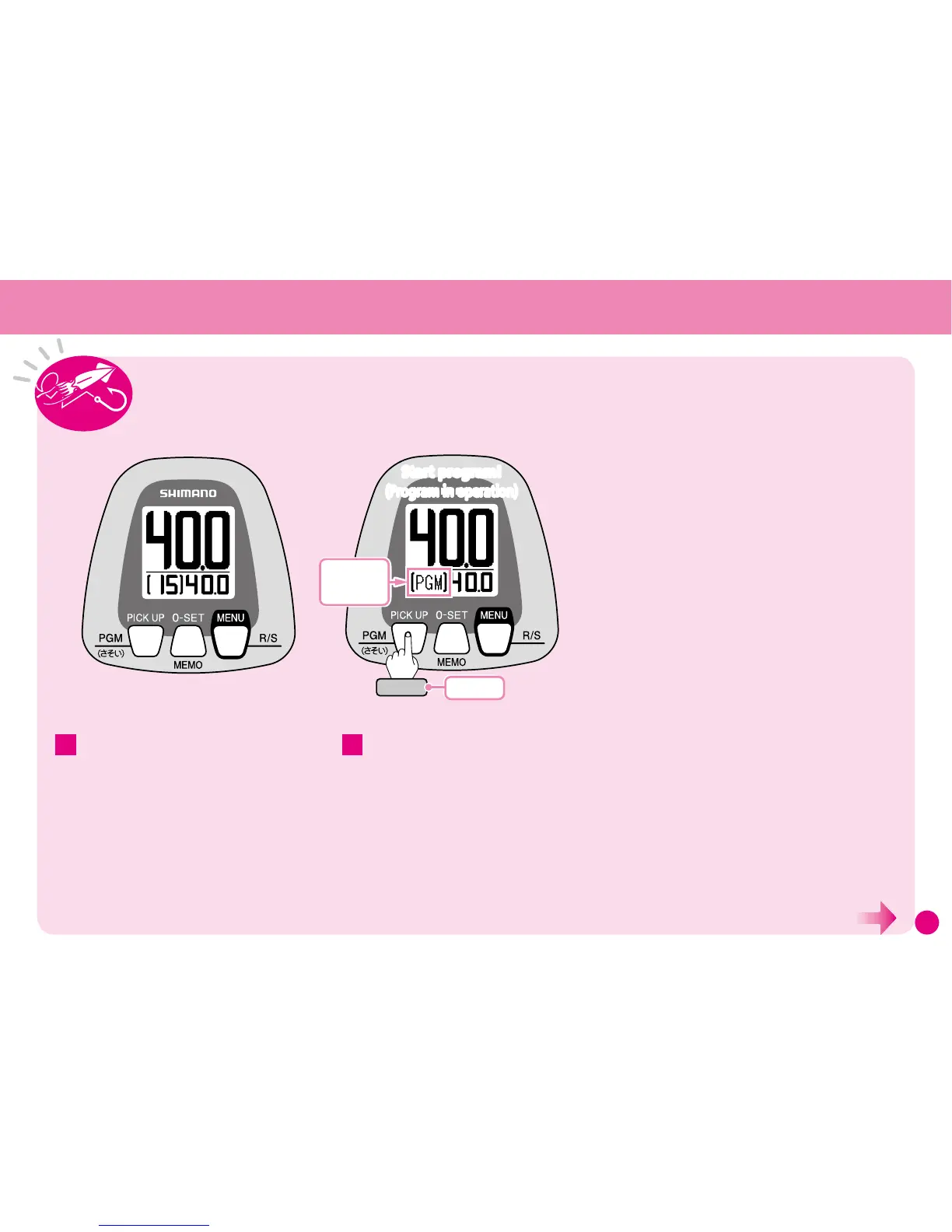
Lower the rig to the target depth and
press the PGM button to repeatedly
perform the saved program pattern.
While the program pattern is in operation, [PGM]
will be displayed on the Water Depth Display.
※
When Program Mode is ON, Pick Up Mode is
automatically turned OFF.
To pause and restart the program pattern,
press the PGM button.
※
After gunwale stop, the motor stops.
2
Note: All settings and values shown here are for
instructional purposes only. They are not intended
to be actual settings or values.
Set Program Mode to ON, referring to pages
50–54.
If the Menu Screen is displayed, select RETURN to
switch to the Water Depth Display.
1
Displayed while
program is in
operation.
Start program!
(Program in operation)
Start program!
(Program in operation)
Press
ON/OFF
(Continued on the next page.)
Using the Program Mode



 To Next Page