EasyManua.ls Logo

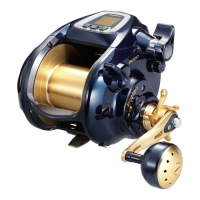
Shimano BeastMaster 9000 - User Manual

Shimano BeastMaster 9000
76 pages
Print Icon
To Next Page IconTo Next Page
Loading...
Safety Precautions
‥‥‥‥‥‥‥‥‥‥‥‥‥‥‥‥‥‥‥‥‥‥‥‥‥‥‥
2
Features
‥‥‥‥‥‥‥‥‥‥‥‥‥‥‥‥‥‥‥‥‥‥‥‥‥‥‥‥‥‥‥
8
Digital Display Component Names
‥‥‥‥‥‥‥‥‥‥‥‥‥‥‥‥‥‥‥
11
Functions with Settings that Can Be Changed from the Menu
‥‥‥‥‥‥
13
Part Names
‥‥‥‥‥‥‥‥‥‥‥‥‥‥‥‥‥‥‥‥‥‥‥‥‥‥‥‥‥‥
15
Power Supply | Cord
‥‥‥‥‥‥‥‥‥‥‥‥‥‥‥‥‥‥‥‥‥‥‥‥‥‥
16
Learning Methods(Entering the actual line length into the reel.)
‥‥‥‥‥
17
Learning Mode
‥‥‥‥‥‥‥‥‥‥‥‥‥‥‥‥‥‥‥‥‥‥‥‥‥‥‥‥
18
Learning Methods(Inputting the actual value of the line use into the reel.)
Braided Line Learning (E1)
‥‥‥‥‥‥‥‥‥‥‥‥‥‥‥‥‥‥‥‥‥‥
19
Nylon/Fluoro learning (E2)
‥‥‥‥‥‥‥‥‥‥‥‥‥‥‥‥‥‥‥‥‥‥
21
Backing Line Learning (E3)
‥‥‥‥‥‥‥‥‥‥‥‥‥‥‥‥‥‥‥‥‥‥
23
Braided Line Learning (L1)
‥‥‥‥‥‥‥‥‥‥‥‥‥‥‥‥‥‥‥‥‥‥
27
Backing Line Learning (L2)
‥‥‥‥‥‥‥‥‥‥‥‥‥‥‥‥‥‥‥‥‥‥
29
What to do after Completing Learning
‥‥‥‥‥‥‥‥‥‥‥‥‥‥‥‥‥
33
Various Techniques
(You will want to learn these techniques to improve your catch.)
‥‥‥‥‥
36
Zero Setting(Always do this before you start fishing.)
‥‥‥‥‥‥‥‥‥‥
37
Adjusting Smart Line Depth
‥‥‥‥‥‥‥‥‥‥‥‥‥‥‥‥‥‥‥‥‥‥
39
S A-RB
‥‥‥‥‥‥‥‥‥‥‥‥‥‥‥‥‥‥‥‥‥‥‥‥‥‥‥‥‥‥‥‥
40
Automatic Gunwale Stop
‥‥‥‥‥‥‥‥‥‥‥‥‥‥‥‥‥‥‥‥‥‥‥
41
Alarm (Gunwale)
‥‥‥‥‥‥‥‥‥‥‥‥‥‥‥‥‥‥‥‥‥‥‥‥‥‥‥
42
Programming Target Depth and Bottom Depth
‥‥‥‥‥‥‥‥‥‥‥‥‥
43
Finding the Target Depth
‥‥‥‥‥‥‥‥‥‥‥‥‥‥‥‥‥‥‥‥‥‥‥
44
Top-Down Mode Example
‥‥‥‥‥‥‥‥‥‥‥‥‥‥‥‥‥‥‥‥‥‥‥
45
Bottom-Up Mode Example
‥‥‥‥‥‥‥‥‥‥‥‥‥‥‥‥‥‥‥‥‥‥‥
46
Winding In: Rakuraku Mode | Fixed Speed Mode
‥‥‥‥‥‥‥‥‥‥‥‥
47
Manual Mode
‥‥‥‥‥‥‥‥‥‥‥‥‥‥‥‥‥‥‥‥‥‥‥‥‥‥‥‥‥
49
Program Mode
‥‥‥‥‥‥‥‥‥‥‥‥‥‥‥‥‥‥‥‥‥‥‥‥‥‥‥‥
50
Jigging Learning
‥‥‥‥‥‥‥‥‥‥‥‥‥‥‥‥‥‥‥‥‥‥‥‥‥‥‥‥
52
Using the Program Mode
‥‥‥‥‥‥‥‥‥‥‥‥‥‥‥‥‥‥‥‥‥‥‥
55
Rig Retrieval Time
‥‥‥‥‥‥‥‥‥‥‥‥‥‥‥‥‥‥‥‥‥‥‥‥‥‥‥
58
Spool Free Mode
‥‥‥‥‥‥‥‥‥‥‥‥‥‥‥‥‥‥‥‥‥‥‥‥‥‥‥
59
Line Learning Adjustment
‥‥‥‥‥‥‥‥‥‥‥‥‥‥‥‥‥‥‥‥‥‥‥
61
Handling Instructions
‥‥‥‥‥‥‥‥‥‥‥‥‥‥‥‥‥‥‥‥‥‥‥‥‥
64
Specifications
‥‥‥‥‥‥‥‥‥‥‥‥‥‥‥‥‥‥‥‥‥‥‥‥‥‥‥‥‥
69
Troubleshooting
‥‥‥‥‥‥‥‥‥‥‥‥‥‥‥‥‥‥‥‥‥‥‥‥‥‥‥‥
70
Product Inquiries / After Sales Service Information
‥‥‥‥‥‥‥‥‥‥‥‥
72
Service network
‥‥‥‥‥‥‥‥‥‥‥‥‥‥‥‥‥‥‥‥‥‥‥‥‥‥‥‥
73
Memo
‥‥‥‥‥‥‥‥‥‥‥‥‥‥‥‥‥‥‥‥‥‥‥‥‥‥‥‥‥‥‥‥
74
Thank you for purchasing a Shimano BeastMaster9000.
Before using this reel, please make sure you read the manual thoroughly and keep it in a safe place for future reference.
INSTRUCTION MANUAL

Questions and Answers

  • А
    Алексей Викторович ТаскаевSep 10, 2025
    как переключить дисплей на английский язык ?

    Summary

    Safety Precautions

    High Temperature and Voltage Warnings

    Discusses dangers of high temperatures and incorrect voltage usage.

    General Warning Messages

    Covers circuit breaker trips, low voltage, and potential damage from improper use.

    Finger Entrapment and Electrical Interference

    Warns about finger entrapment and potential interference with medical devices.

    Device Damage and Fire Hazard Warnings

    Alerts about moisture, cracks, smoke, or burning smells, and immediate action required.

    Display Malfunction and Line Handling Cautions

    Advises on display issues and hazards of touching moving line.

    Sharp Edge and Rotating Object Hazards

    Warns about sharp edges from damaged coating and rotating spool injury.

    Rotating Parts and Reel Mounting Safety

    Cautions about rotating parts and securing the reel properly to the rod.

    Child Safety and Impact;Cable Handling

    Advises on safe storage, avoiding impacts, and cable handling to prevent accidents.

    Maintenance Safety and Power Disconnection

    Emphasizes removing the power cord during maintenance and decreasing drag before connecting power.

    Unauthorized Modification Prohibition

    Warns against modifying the reel or cable, which can lead to malfunction or fire.

    Electrical Shock and Short Circuit Hazards

    Warns about touching terminals with wet hands and wet connectors causing shorts.

    Reel Care and Voltage Specification Warnings

    Advises against using heat to dry, handling motor malfunctions, and correct voltage usage.

    Digital Display Component Names

    Functions with Settings that Can Be Changed from the Menu

    Auto Casting Function Settings

    Details how to turn the Auto Casting function ON/OFF and its operation.

    PGM (Program Mode) Activation

    Describes how to turn Program Mode ON/OFF to select or program techniques.

    Power Supply | Cord

    Power Supply Handling Precautions

    Outlines precautions for using the reel's power supply and battery.

    Connecting Battery to Reel

    Provides step-by-step instructions for connecting the power cord to the battery and reel.

    Learning Methods (Entering Line Length)

    Spooling Up the Line

    Instructions on how to feed and tie the line onto the spool for learning.

    Selecting Learning Methods

    Guidance on choosing the appropriate learning method and initial conditions.

    Learning Mode Overview

    Explains Standard Mode and how to enter the Line Learning Mode.

    Learning Method Selection Screen

    Shows the screen for selecting different line learning methods (E1, E2, E3, L1, L2).

    Braided Line Learning (E1) Steps

    Introduces E1 learning, initial setup, selection, and winding with Technical Lever.

    Braided Line Learning (E1) Completion

    How to finish winding, confirm, set length, and complete E1 learning.

    Nylon;Fluoro Learning (E2) Steps

    Introduces E2 learning, initial setup, selection, and winding with Technical Lever.

    Nylon;Fluoro Learning (E2) Completion

    How to finish winding, confirm, set length, and complete E2 learning.

    Backing Line Learning (E3) Steps

    Introduces E3 learning, initial setup, selection, and winding with Technical Lever.

    Backing Line Learning (E3) Process

    How to finish winding backing, tie main line, and wind 10m for E3.

    Backing Line Learning (E3) Confirmation

    How to confirm winding, use lever, and finish E3.

    Backing Line Learning (E3) Completion

    Instructions for setting main line length and completing E3 learning.

    Conventional SLS II Braided Line Learning (L1) Steps

    Introduces L1 learning, initial setup, selection, and winding with Technical Lever.

    Conventional SLS II Braided Line Learning (L1) Process

    How to finish winding, confirm, pull 10m, and complete L1.

    Conventional SLS II Backing Line Learning (L2) Steps

    Introduces L2 learning, initial setup, selection, and winding with Technical Lever.

    Conventional SLS II Backing Line Learning (L2) Process

    How to finish winding backing, tie main line, and wind 10m for L2.

    Conventional SLS II Backing Line Learning (L2) Confirmation

    How to confirm winding, use lever, and finish L2.

    Conventional SLS II Backing Line Learning (L2) Completion

    How to pull 10m, finish learning, and complete L2.

    Zero Setting

    Reach Target Fishing Depth Accurately

    Explains the purpose of Zero Setting for accurate depth positioning.

    Adjusting Smart Line Depth

    Automatic Gunwale Stop

    Alarm (Gunwale)

    Programming Target Depth and Bottom Depth

    Finding the Target Depth

    Winding In: Rakuraku Mode | Fixed Speed Mode

    Manual Mode

    Program Mode

    Jigging Learning

    Using the Program Mode

    Rig Retrieval Time

    Spool Free Mode

    Line Learning Adjustment

    Correcting Depth Discrepancies

    Explains how to correct display vs. line markings for accurate depth.

    Performing Line Learning Adjustment

    How to perform the adjustment by matching line markings to display depth.

    Safety Features

    Automatic Circuit Breaker Function

    Explains how the circuit breaker protects the motor from overload.

    Specifications

    Troubleshooting

    Display Issues and Temperature Effects

    Addresses black display, no characters, and cold weather display behavior.

    No Display or Line Feed Issues

    Troubleshooting for no display, learning failures, and line feed problems.

    Discrepancy and Gunwale Stop Errors

    Solutions for line length discrepancies and incorrect Gunwale Stop.

    Motor Issues and Strange Sounds

    Troubleshooting for motor issues, low speed, or unusual noises.

    Motor Stops During Winding

    Solutions for the motor stopping while winding.

    Product Inquiries; After Sales Service Information

    Shimano BeastMaster 9000 Specifications

    General IconGeneral
    Max Drag25 kg
    Gear Ratio3.1:1
    Bearings6+1
    RetrieveRight
    Max Drag Power (kg)25
    Line Capacity PE (号-m)8-600

    Related product manuals