63
sea
100m
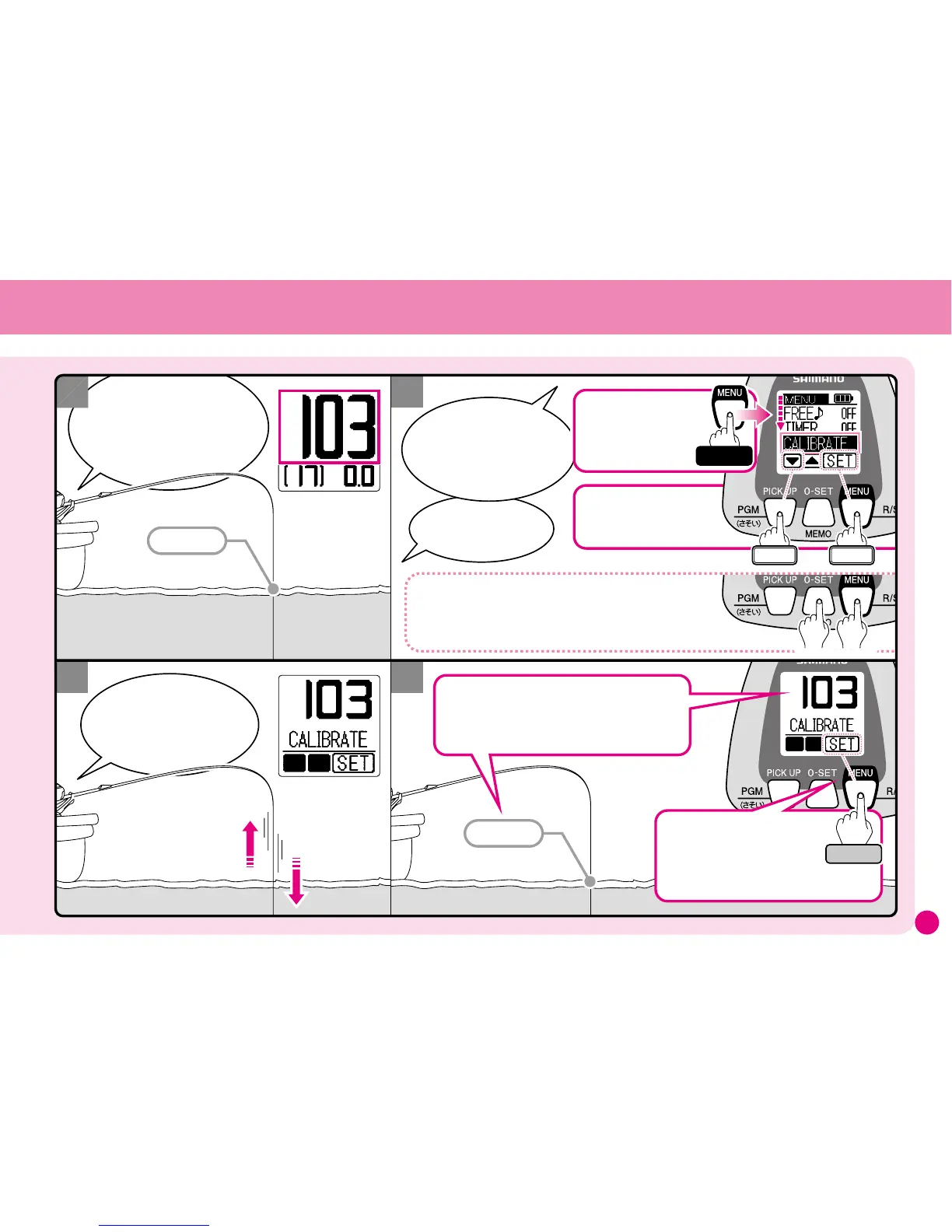
Press
103m
Select
Enter
What do I do?
The depth on the
display is different from
the line marking!
Use
Line Learning
Adjustment.
The depth shown on
the display flashes and does
not change even though I am
winding in and feeding
out the line.
then pressMENU.
It will be perfectly
adjusted for the next time.
Hold
Just match the markings of
the line with the depth shown
on the display and ...
1
3
2
4
Press and hold
the MENU button
for 3 seconds to go
to the Menu Screen
Select CALIBRATE
from the Menu.
※Or from the Water Depth Display…
You can also press and hold both the 0-SET and
MENU buttons for 3 seconds to enter
Line Learning Adjustment.



 To Next Page