190(202)
5. Trouble-shooting
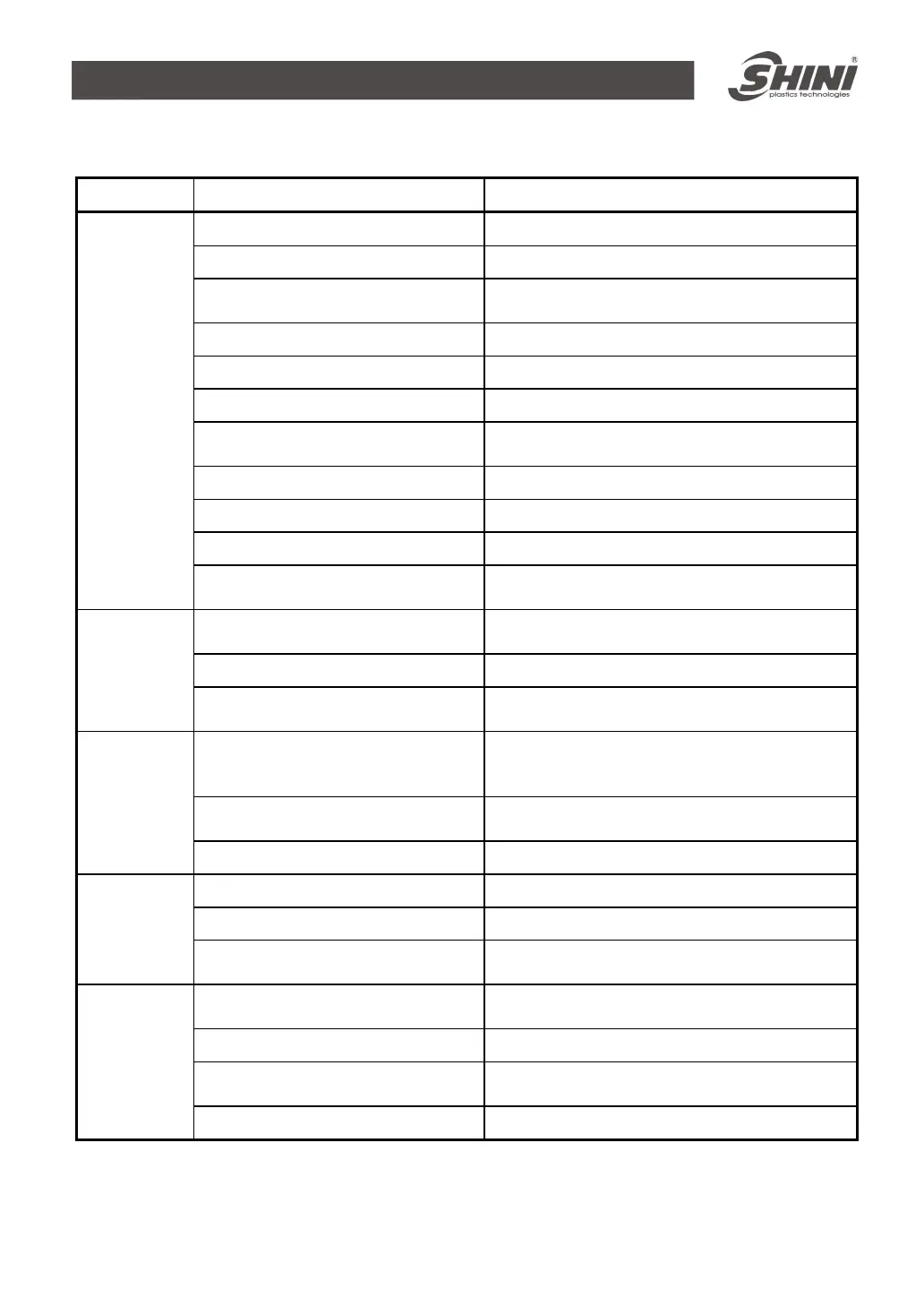
Symptom Possible causes Actions taken
1. Return air temperature too high 1. Check cooling water temperature (below 40℃)
2. Abnormal rotation speed 2. Adjust electric conveyer (Default value is 4)
3. Abnormal setting of regenerating
temperature
3. Launch temperature setup screen, set
regenerative temperature again
4. Rotation wheel blocked 4. Clean or clean rotor
5. Filter is blocked 5. Clean or replacement
6. Leakage of heat-resistant hose 6. Check pipe and connector
7. Operating time is less than 30
minutes
7. Wait until 30 minutes later for confirmation
8. Rotation wheel is not working 8. Check motor, conveyer, belt is damage or not
9. Motor's direction is wrong 9. Check motor's direction
10. System drying capacity insufficient
10. Replace with a large system
Alarm light
for high dew
point bleaks
11. Honey-comb upper/lower lid is
leaking
11. service or change the seal components
1. Main AC power supply
unconnected
1. Close main AC power supply
2. Put timer switch into ON status 2. Reset timer button and restart again
System
cannot
operate
3. Motor overload or Phase reverse
3. Check close-loop, regenerative motor and AC
power source are connected correctly
1. Main AC power source
unconnected or touch button is not
in ON position
1. Close main AC power source
2. Funnel's sensor, micro switch are
bad contact
2. Adjust or replace
Long lack
time but
suction fan
not work
3. Signal cable is broken 3. Re-connect or replace
1. Heat relay off load 1. Check reason and reset
2. Connector is not working 2. Check it is burnt out or not
Motor does
not run
3. Power source lack of phase or
motor is burnt out
3. Check and replace
1. LED sensor or micro switch is On
status
1. Adjust or replace
2. Signal's cable is broken 2. Check signal cable
3. Mechanical problem or connector
point is melt
3. Repair or Replace
Material is
full but
suction fan
still working
4. PLC problem 4. Check and replace



 To Next Page