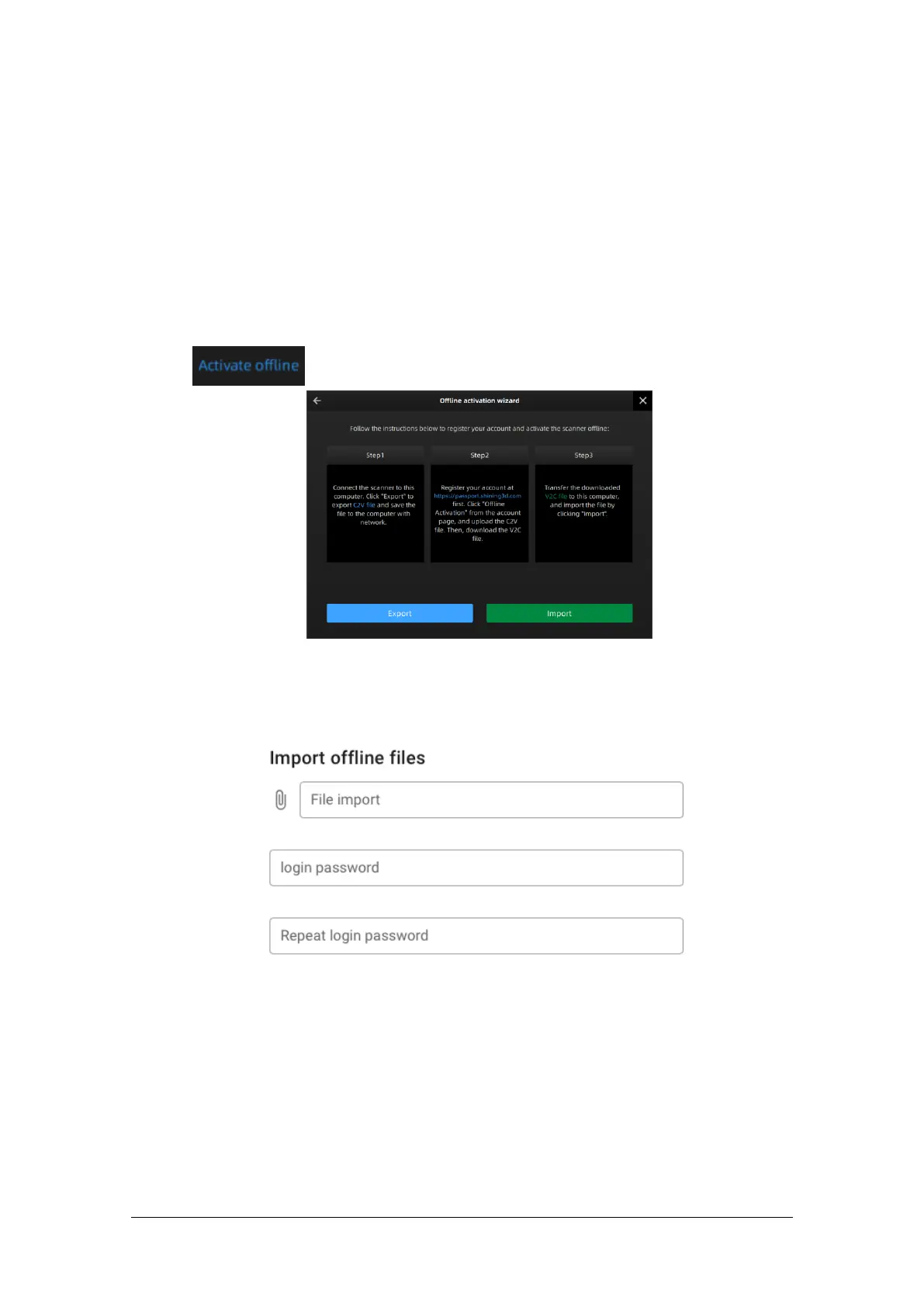
Offline Activation
If the computer on which the software is installed cannot be networked, you can use Activate
Offline to complete activation.
To start offline activation, you need the following:
Another computer connected to the internet
USB disk or a portable hard disk to transfer files between the computer with software and
the internet connected computer
Offline activation procedure:
1. Connect a USB disk or a portable hard disk (hereinafter referred to as “the disk”) to the computer
installed with EXScan before offline activation.
2. Click to enter offline activation interface.
3. Export C2V file: Click Export to save generated C2V file to the disk.
4. Login your user account at https://passport.shining3d.com/login using the internet connected
computer.
5. Click Offline Activation after logging in successfully.
1) Import the saved C2V file in the disk.
2) Export V2C file: Export V2C file corresponding to the account to the disk.
6. Return to the computer on which the software is installed. Click Import to save V2C file from disk to
the computer. Then the scanner is fully activated.



 To Next Page