7.2.3. Simplification
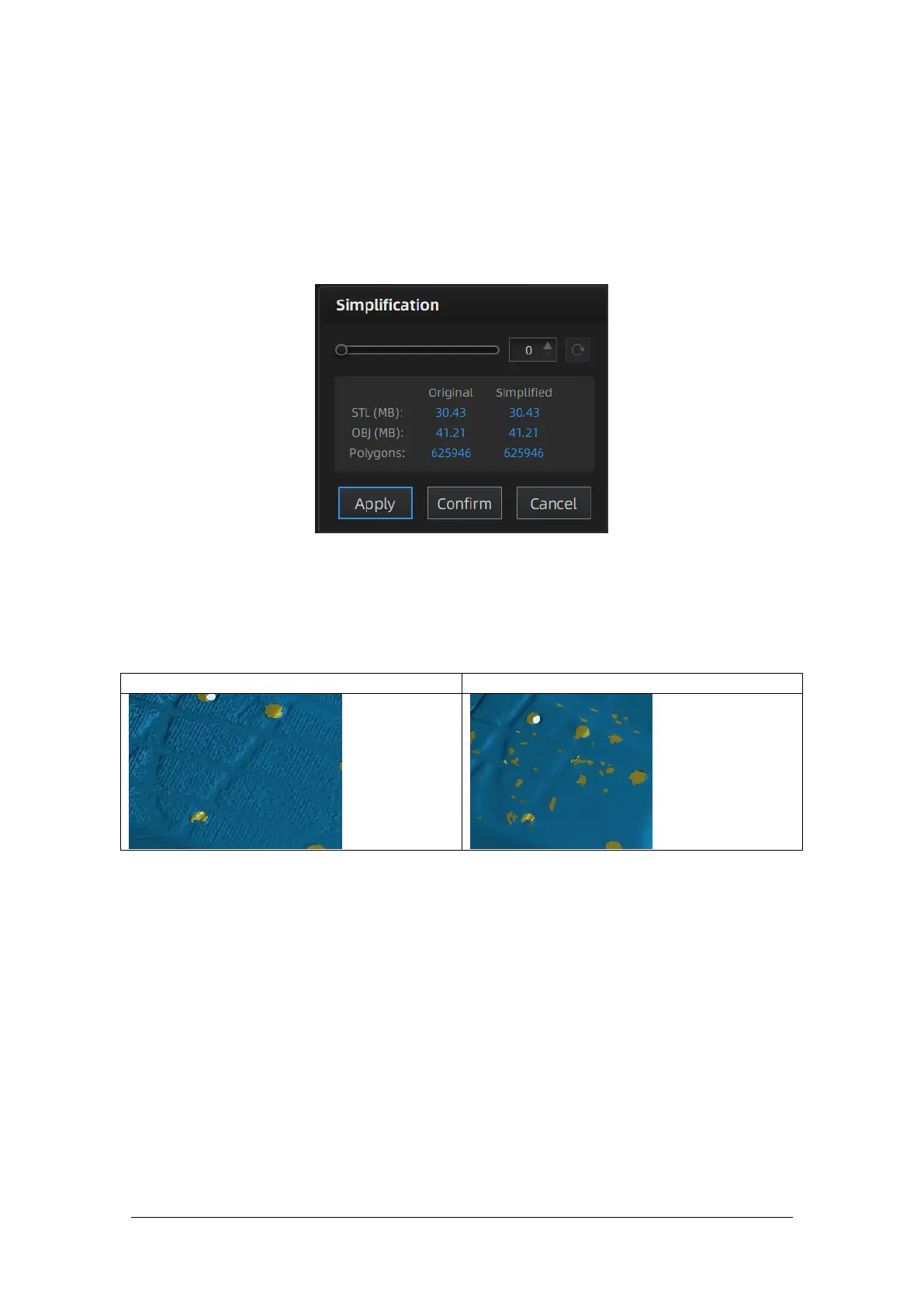
After simplification, the polygon numbers, file size and level of detail of data will be reduced
accordingly. Set the ratio from 1 to 100, the default is 0.
The comparison of detail between before simplification and after simplification (at 70%
simplify proportion).
Simplification menu
Click “Apply” button to simplify data, preview the result of current setting.
Click “Confirm” button to apply the “Simplification” setting.
Click “Cancel” button to quit, and go back to the original data.
Multiple operations on “Simplification”, the result will not be added. It will always operate
on the original data.
7.2.4. Mesh Optimization
Mesh optimization can optimize the quality of the data. There are 3 ratio options of mesh
optimization. Processing time will be different. Below shows the result of 3 different ratios.
Original



 To Next Page