Shining 3D Transcan-C_User Manual_V1.4.2
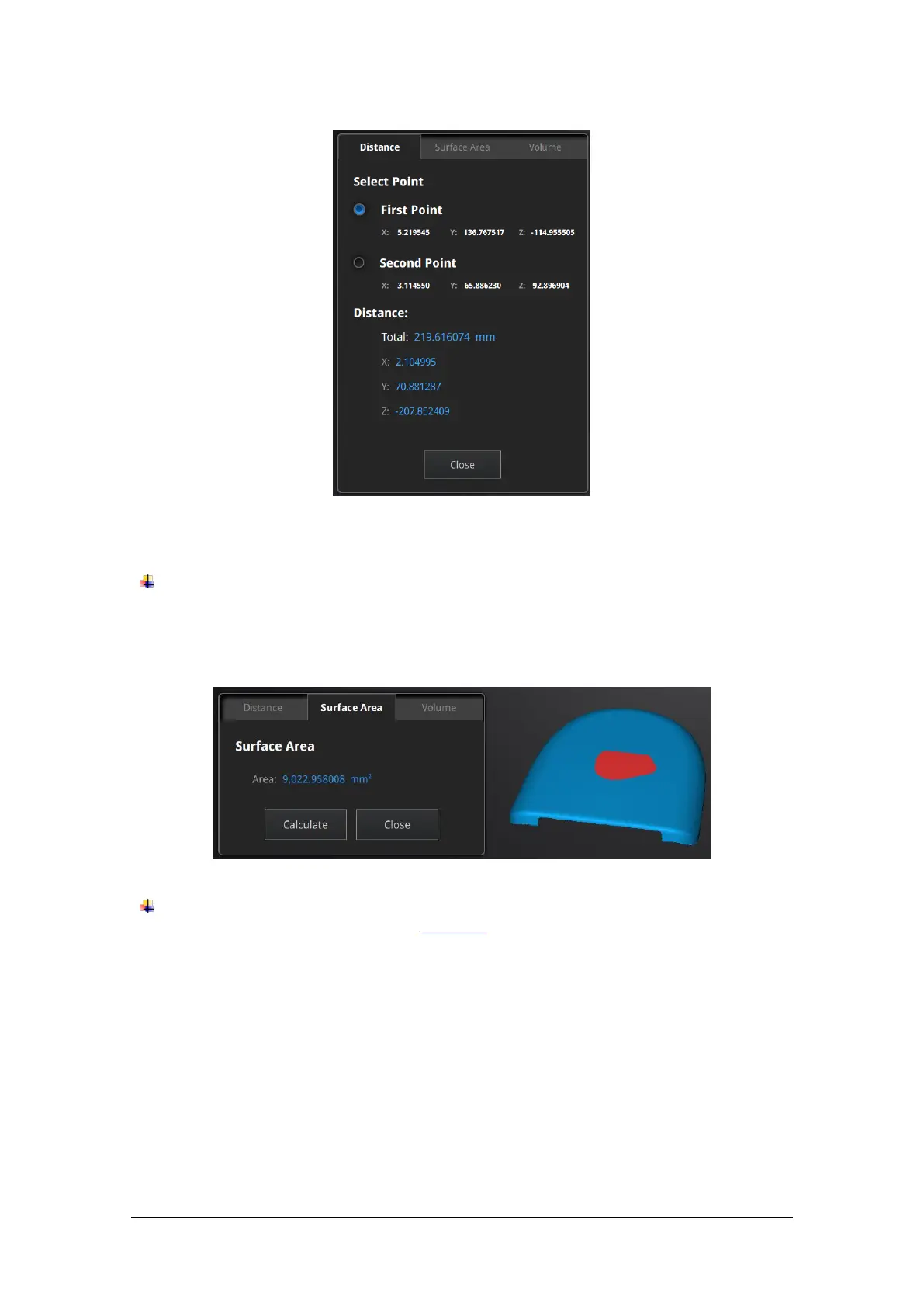
Click on the data to pick the first and second point, select one of the two points to redo it.
Total is the 3D distance, X, Y and Z are the projection of the segment to the respective planes.
SURFACE AREA
Press Shift + LMB to select an area, press Ctrl + LMB to unselect.
Ctrl + A to select all.
Click Calculate to display the Area value of the selected data in mm^2
Redo the selection and click calculate again to update
VOLUME
This tool calculates the volume contains in a watertight mesh.
It returns the volume in mm^3 and the coordinates of the smallest box, parallel to the global
coordinates, containing all the data.



 To Next Page