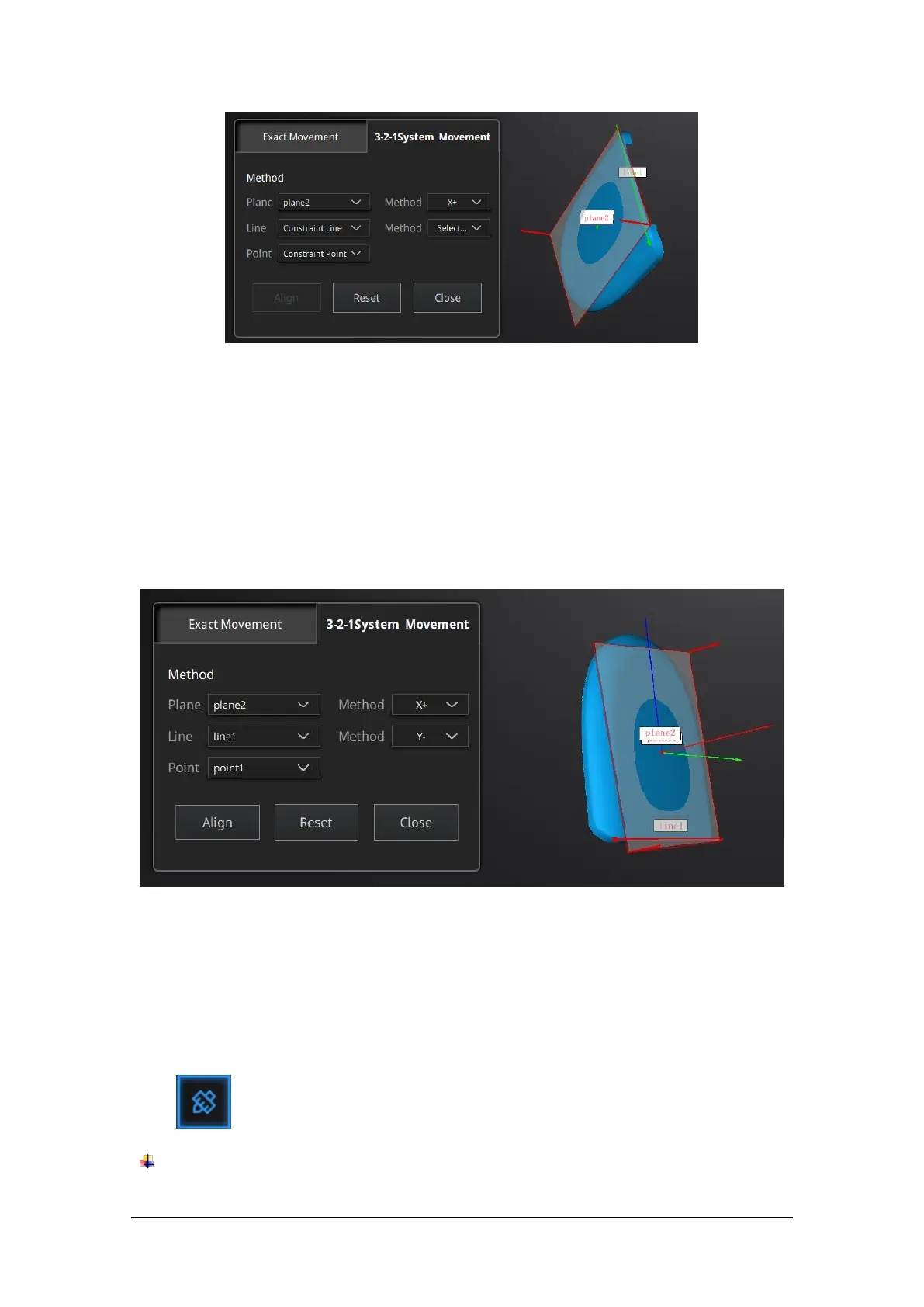
Select a Plane in the drop-down menu, match it to the first axis in the Method drop-down. The
arrows on the corners of the plane represent the plane positive direction. The normal vector of
the plane will match the axis direction.
Select a Line in the drop-down menu, match it to the first axis in the Method drop-down. Beware
the direction of the line to match it to the + or - axis. The projection of the line to the first plane
will be parallel to the corresponding axis
Select a Point in the drop-down menu. The data will be translated to match the point with the
origin point (coordinate 0,0,0)
Click Align to perform the transformation.
Click Reset to cancel.
Click Apply to confirm the transformation.
7.3.3. Measurement
Click to display the menu, click again to close the menu.
DISTANCE
This tool calculates the distance between two points belonging to the surface of the data



 To Next Page