24
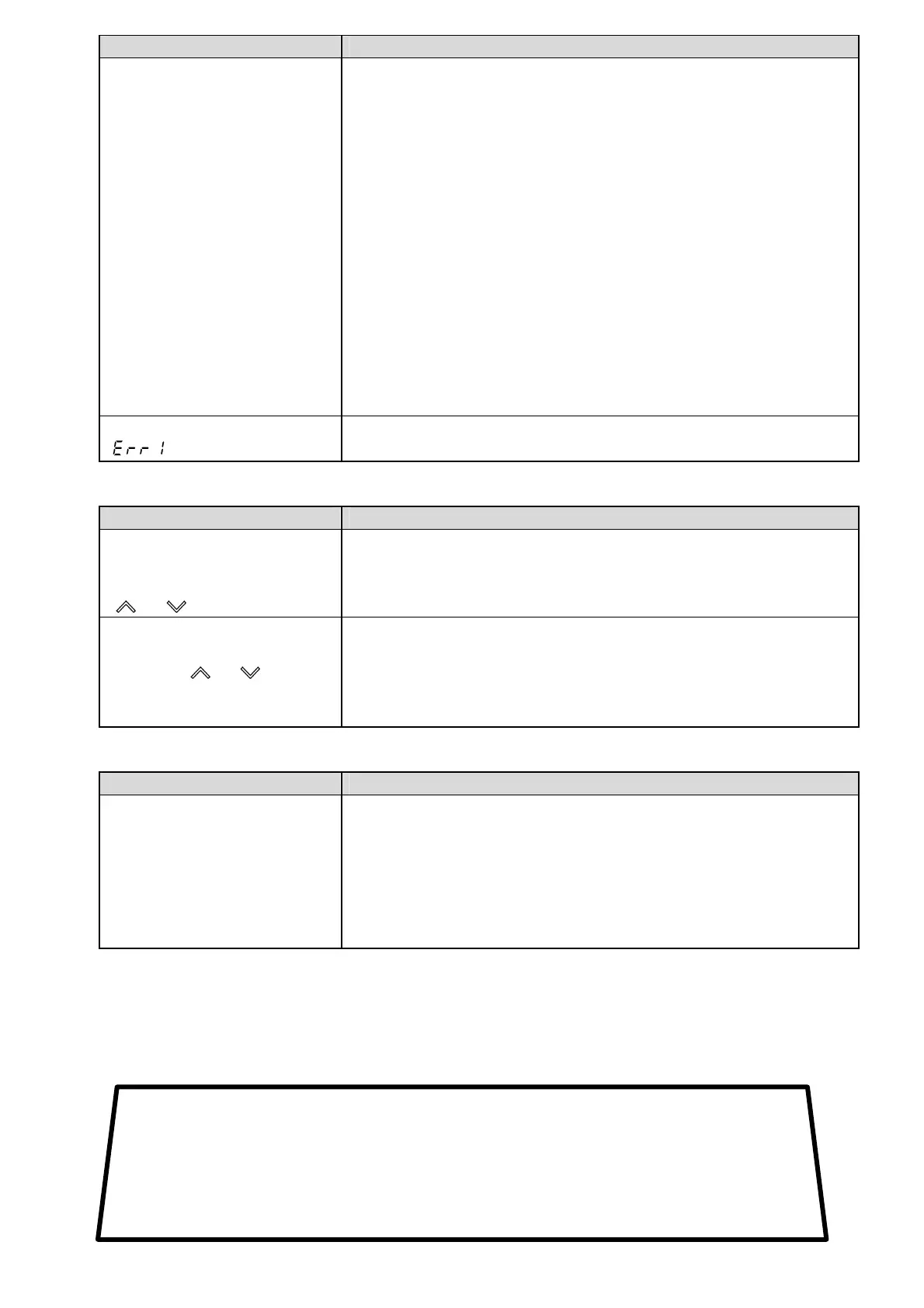
Problem Presumed cause and solution
The PV Display keeps
Indicating the value which was
set in [Scaling low limit].
• Check whether the input signal wire for DC voltage (0 to 5 V DC,
0 to 10 V DC) and Direct current (0 to 20 mA DC) is disconnected.
How to check whether the input signal wire is disconnected
[DC voltage (0 to 5 V DC, 0 to 10 V DC)]
If the input to the input terminals of the instrument is 1 V DC and if
the value corresponding to 1 V DC is indicated, the instrument is
likely to be operating normally, however, the signal wire may be
disconnected.
[Direct current (0 to 20 mA DC)]
If the input to the input terminals of the instrument is 1 mA DC and
if the value corresponding to 1 mA DC is indicated, the instrument
is likely to be operating normally, however, the signal wire may be
disconnected.
• Check whether the input lead wire terminals for DC voltage (0 to 5 V
DC, 0 to 10 V DC) or Direct current (0 to 20 mA DC) are securely
mounted to the instrument input terminals.
The PV Display is indicating
“ ”.
• Internal memory is defective.
Contact our agency or us.
9.2 Key operation
Problem Presumed cause and solution
• Unable to set the SV, A1
value, etc.
• The values do not change by
or key.
• Set value lock (Lock 1 or Lock 2) is selected.
Release the lock.
The setting indication does not
change within the input range
even if the or key is
pressed, and new values are
unable to be set.
• Scaling high or low limit value in Setup mode may be set at
the point where the value does not change.
Set it to a suitable value while in the Setup mode.
9.3 Control
Problem Presumed cause and solution
Temperature does not rise. • Sensor is out of order. Replace the sensor.
• Check whether the Sensor or control output terminals are securely
mounted to the instrument input terminals.
Ensure that the sensor or control output terminals are mounted to
the instrument input terminals securely.
• Check whether the wiring of sensor or control output terminals is
correct.
• For all other malfunctions, please contact our main office or dealers.
SHINKO TECHNOS CO., LTD.
OVERSEAS DIVISION
:Head Office
URL:
E-mail:
2-5-1, Senbahigashi, Minoo, Osaka, Japan
http://www.shinko-technos.co.jp
overseas@shinko-technos.co.jp
Tel :
Fax:
+81-72-727-6100
+81-72-727-7006



 To Previous Page