Customizing Your Phone Changing the Ringtone
2
ShoreTel IP Phone 485g User Guide 31
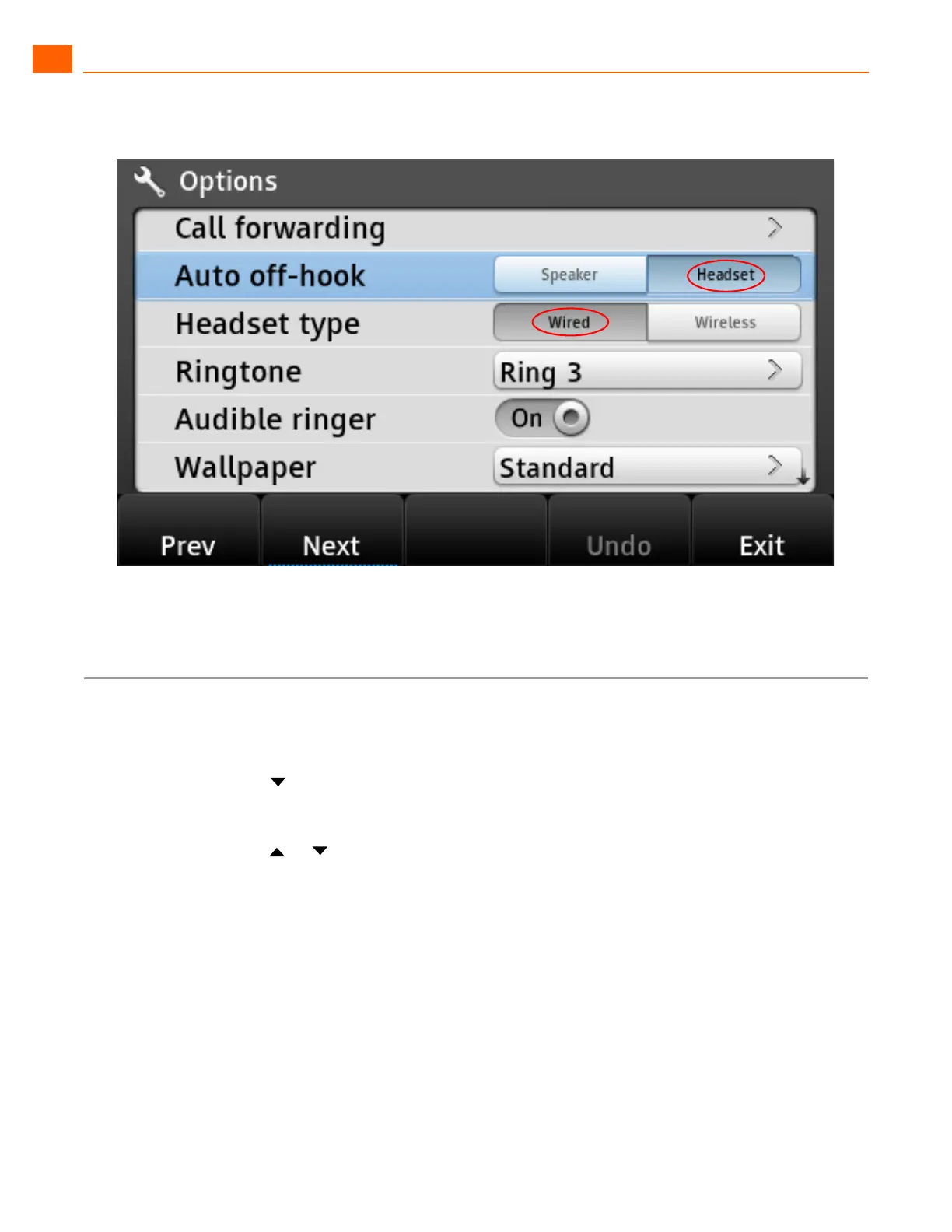
Figure 6: Active Options Are Indicated with Dark Text
Changing the Ringtone
1. Press the Options soft key.
The Options menu opens.
2. Press the navigation key to scroll to the Ringtone option.
3. Press the Edit soft key.
4. Press the or navigation keys to scroll through the various ringtones available, and preview
the ringtones as follows:
To hear the selected ringtone as it would sound for internal calls, press the Preview Internal
soft key.
To hear the selected ringtone as it would sound for external calls, press the Preview External
soft key.
5. When you have identified the ringtone that you want to use, highlight it and press the OK soft key.
6. Press the Exit soft key.



 To Next Page