21
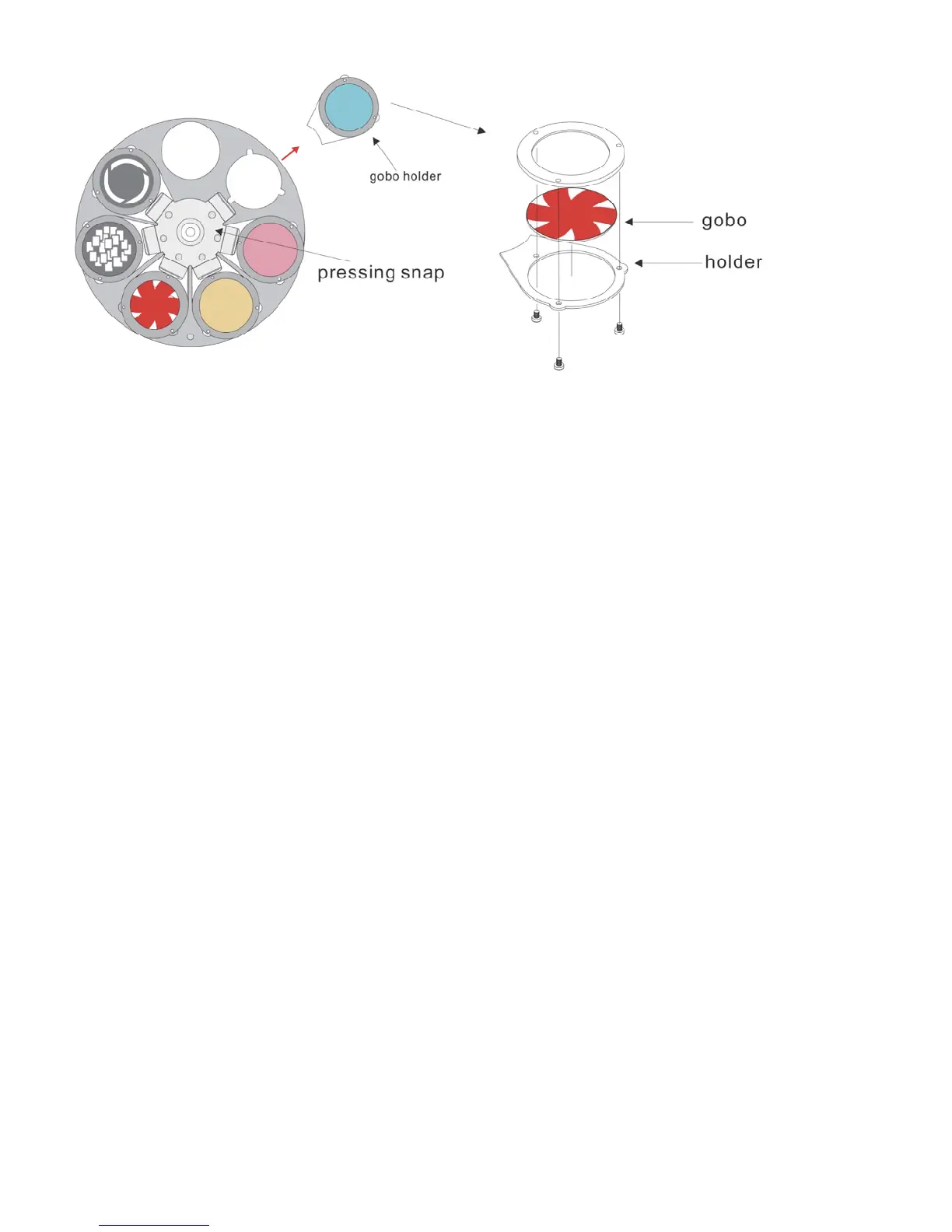
Fig. 10
Troubleshooting
No Light, No Movement - All Products
This troubleshooting guide is meant to help solve simple problems. If a problem occurs, carry out the steps
below in sequence until a solution is found. Once the unit operates properly, do not carry out following
steps.
If the light effect does not operate properly, refer servicing to a technician.
Response: Suspect three potential problem areas: the power supply, the lamp, the fuse.
1. Power supply. Check that the unit is plugged into an appropriate power supply.
2. The lamp. Replace the old lamp with a new one with the same specifications. See page 8 for replacing
lamps.
3. The fuse. Replace the fuse. See page 19 for replacing the fuse.
No Response to DMX
Response: Suspect the DMX cable or connectors, a controller malfunction, a light effect DMX card
malfunction.
1. Check the DMX cable: Unplug the unit; change the DMX cable; then reconnect to electrical power. Try
your DMX control again.
2. Determine whether the controller or light effect is at fault. Does the controller operate properly with other
DMX products ? If not, take the controller in for repair. If so, take the DMX cable and the light effect to a
qualified technician.
See next page for more problem solving.













 To Next Page