5. Manual Mode
01) Press the UP/DOWN buttons until the display shows MANUAL.
02) Press the ENTER button to activate the Manual mode.
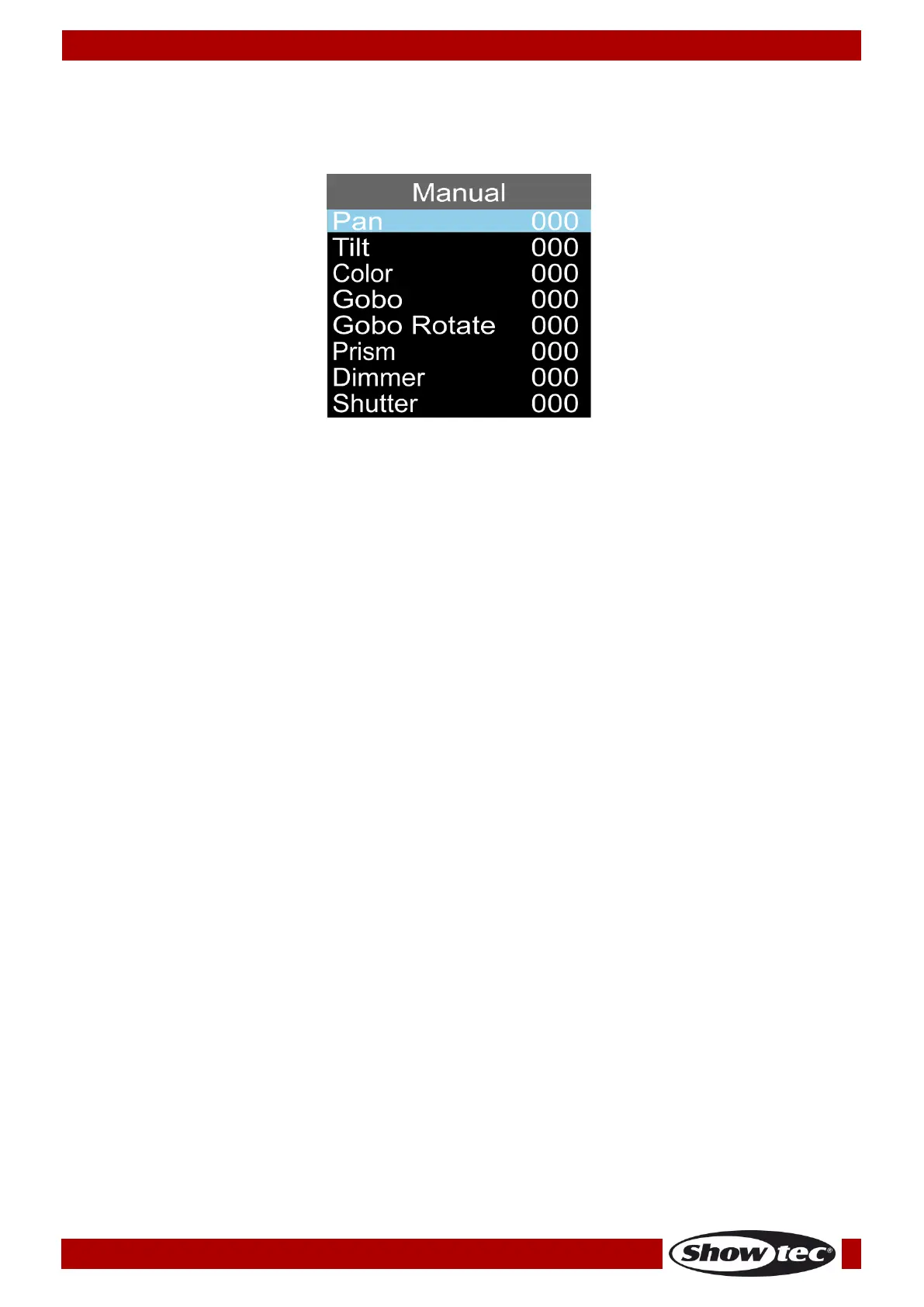
03) The display will show:
04) Press the UP/DOWN buttons to choose one of the following options:
Pan (Pan position: 0-540°)
Tilt (Tilt position: 0-270°)
Color (0-255)
Gobo (0-255)
Gobo Rotate (0-255, clockwise, counterclockwise, gobo bounce)
Prism (0-255)
Dimmer (0-255, from dark to brightest)
Shutter (0-255)
05) Press the ENTER button to edit the desired option. The adjustment range for each option is between
0-255.
06) Press the UP/DOWN buttons to set the value.
07) Press the ENTER button to save changes.
08) The options correspond with the functions described in the DMX charts, pages 17-21.













 To Next Page