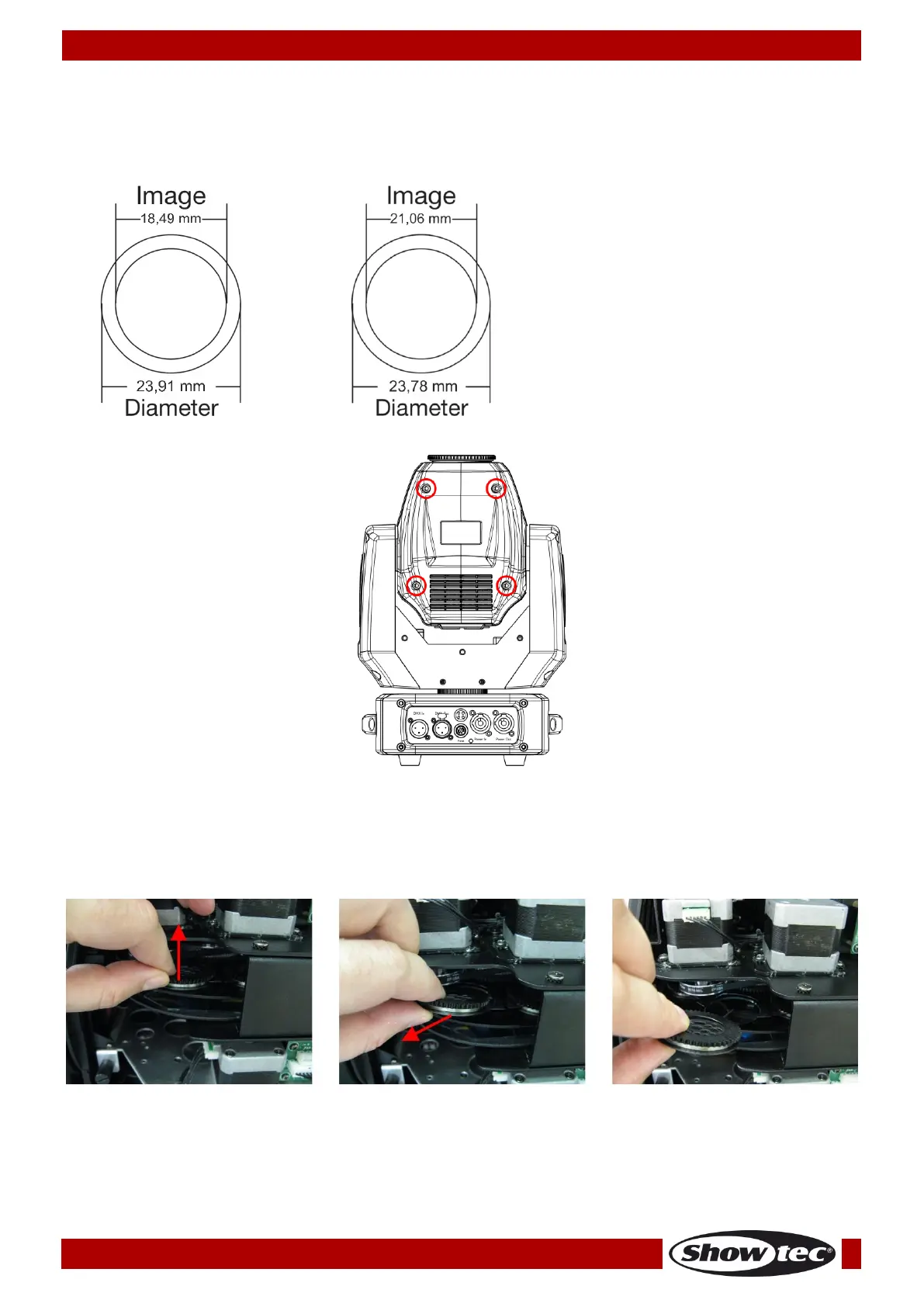
Replacing a Gobo From the Rotating Gobo Wheel
01) Disconnect mains power supply and set the switch to OFF.
02) Make sure that the gobo you want to insert has the same size. For the right size, see below.
03) Remove the lamp cover by unscrewing the 4 screws (see fig. 07).
04) Gently tilt the head so that the small metal housing can slide out more easily.
05) Turn the gobo wheel, with the gobo you want to remove, to the upside.
06) Gently lift up the gobo holder by 10º and then gently pull out the gobo from its position.
07) Very carefully take the gobo out of the gobo holder with a pair of pliers.
08) Place the new gobo in the gobo holder. Carefully put the pinchcock back. You can use a pair of
pliers to press the pinchcock a little bit together.
09) Put the gobo holder back under the pressing snap and push it back.
10) Replace the maintenance caps and fasten all screws.














 To Next Page