Shure Incorporated
5/38
•
•
•
UN (controls unlocked)
-- (frequency not available)
③ Link button Press to manually link receiver to a transmitter or to activate the remote ID function.
④ Mode button Press to enable audio gain adjustment. Use ▲ ▼ buttons to adjust gain.
⑤ Audio LED Illumination corresponds to audio level. Rapid flashing indicates audio clipping.
⑥ Mute LED Illuminates when audio output is muted.
⑦ RF LED
ON = Linked transmitter is on
Flashing = Searching for transmitter
OFF = Linked transmitter off or transmitter unlinked
⑧ Channel button Press to select and edit channel.
⑨ Group button Press to select and edit group.
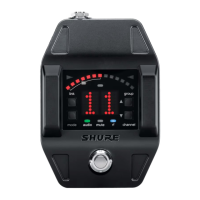
Tuner Mode
① Flat indicator Illuminates when note is flat.
② Tuning bar display LEDs illuminate to indicate tuning deviation.
③ Sharp indicator Illuminates when note is sharp.
④ Note display Displays the name of the note or (--) if the tuner is idle.
⑤ Mode button Press to enter tuner menu settings.
⑥ Arrow buttons Use ▲ ▼ buttons to select and edit menu settings.



 To Next Page