6
Shure SLX Wireless
SLX2 Handheld Transmitter
Features
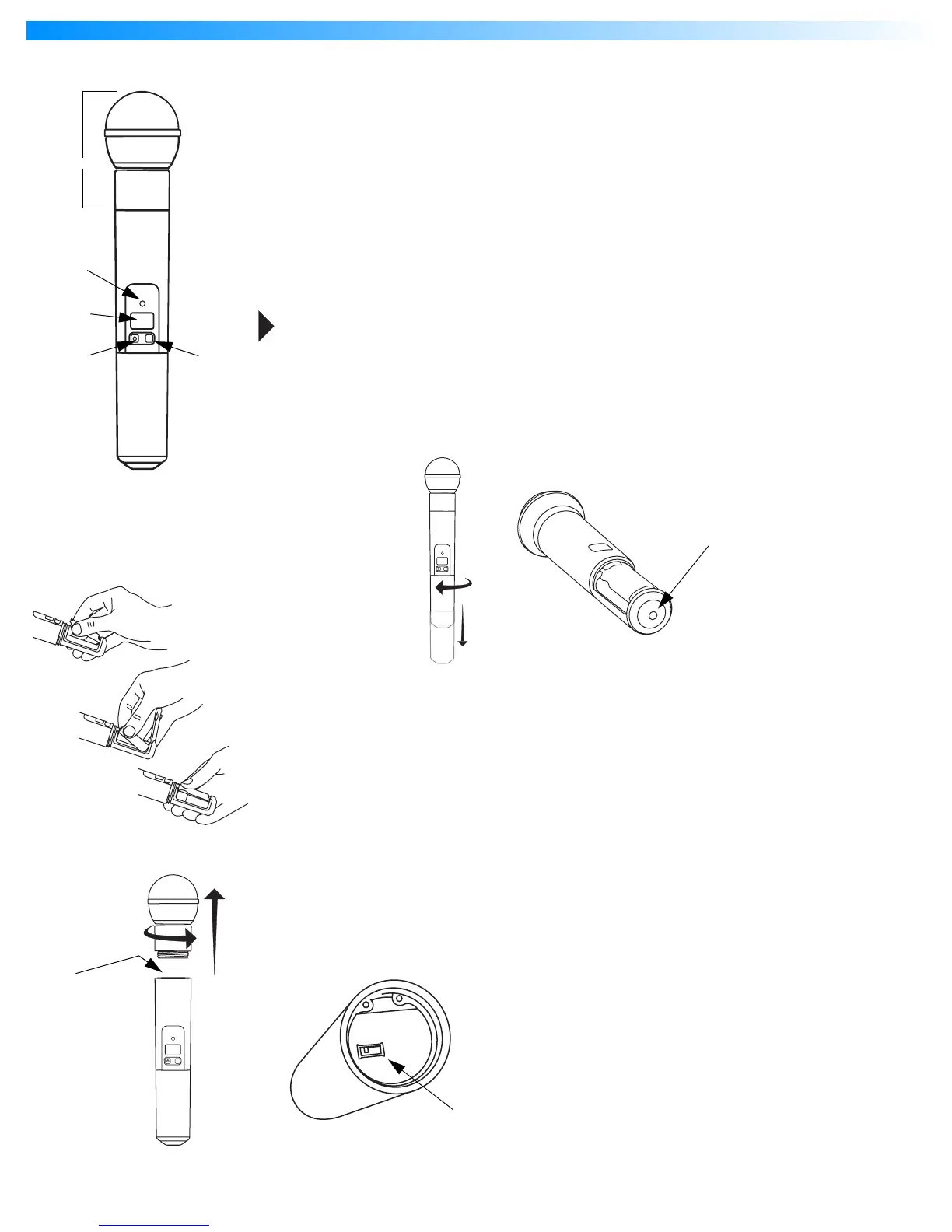
Interchangeable microphone head (SM58 pictured)
Power / Infrared (IR) / Mute indicator
Green: ready
Amber: mute on
Flashing red: IR transmission in process
Glowing red: battery power low
Pulsing red: battery dead (transmitter cannot be turned on until batteries are changed)
LCD screen
See “SLX1 and SLX2 Transmitter Programming” on page 10.
On-off / mute switch
Press and hold to turn on or off. Press and release to mute or unmute.
To avoid accidentally muting the microphone during a performance, lock the front panel
while the microphone is in use. See “Lock or Unlock Transmitter Settings” on page 10.
Select switch
See “SLX1 and SLX2 Transmitter Programming” on page 10.
IR port
Receives infrared beam to synchronize frequencies. When using multiple systems, only one
transmitter IR port should be exposed at a time.
Changing Batteries
•
Expected life for an Alkaline battery is approximately 8 hours.
•
When the transmitter light glows red, the batteries should be changed immediately, as
shown on the left.
Adjusting Gain
•
Access the gain adjustment switch
by unscrewing the head of the microphone.
•
Two gain settings
are available on the SLX2. Choose a setting appropriate for vocal
volume and for the performing environment. Use the tip of a pen or a small screwdriver
to move the switch.
•
0dB:
For quiet to normal vocal performance.
•
–10dB:
For loud vocal performance.
SLX
mute select
SLX
mute select
SLX
mute select
BIAS
AUDIO
0dB
-10dB










 To Next Page