- 30 -
foxconn
F Back-Panel Connectors
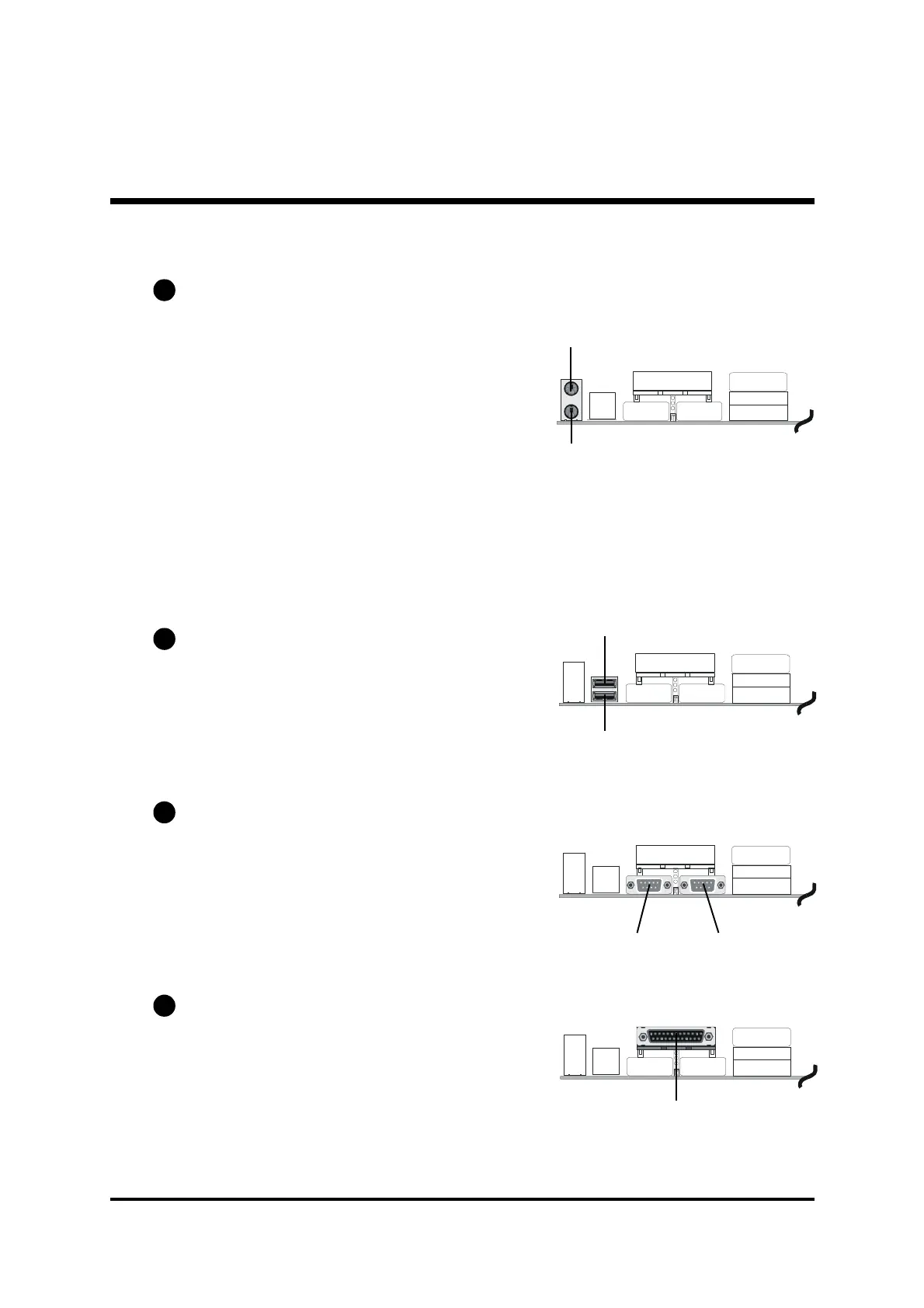
PS/2 Keyboard & PS/2 Mouse Connectors
Two 6-pin female PS/2 keyboard & Mouse
connectors are located at the rear panel
of mainboard. Depending on the com-
puter housing you use (desktop or tower),
the PS/2 Mouse connector is situated at
the top of the PS/2 Keyboard connector
when the mainboard is laid into a desk-
top, as opposed to a tower where the PS/2
Mouse connector is located at the right of
the PS/2 Keyboard. Plug the PS/2 keyboard
and mouse jacks into their corresponding
connectors.
USB1/USB2 Port Connectors
This mainboard offers 2 USB ports on
back-panel. Plug each USB device jack
into an available USB1/USB2 connector.
COM1/COM2 Connector
This mainboard can accommodate two
serial device on COM1/COM2.
Attach a serial device cable to the DB9
serial port COM1/COM2 at the back-
panel of your computer.
Parallel Port Connector
One DB25 female parallel connector is
located at the rear panel of the mainboard.
Plug the connection cable from your par-
allel device (printer, scan-ner, etc. ) into
this connector.
B1
B2
B3
B4
Parallel Port
PS/2 keyboard
PS/2 Mouse
USB1
USB2
COM2
COM1



 To Next Page