- 37 -
F Other Connectors
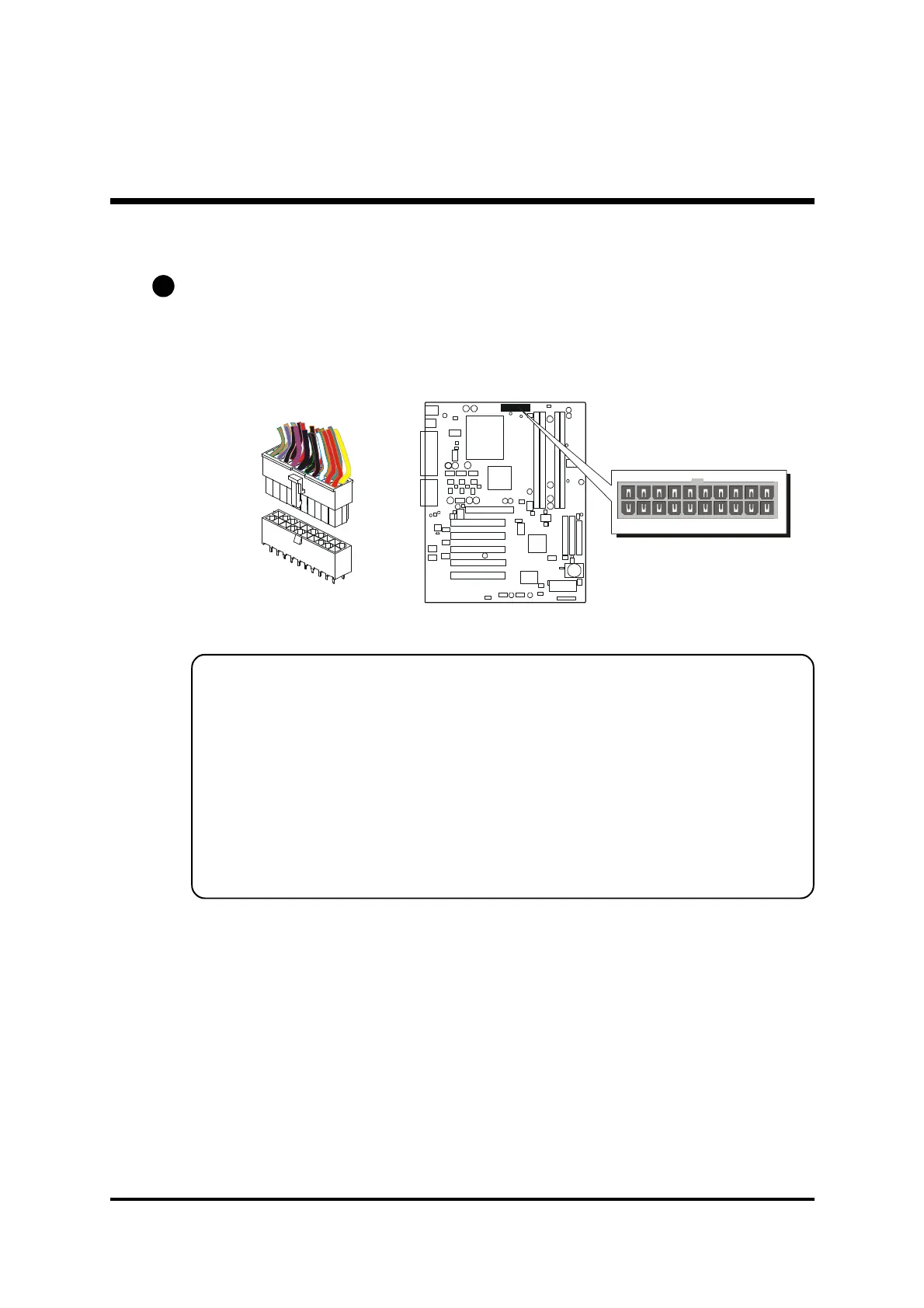
ATX Power Supply Connector (JP6)
Locate the 20-pin male header ATX power connector (JP6) on your
mainboard. Plug the power cable from the ATX power supply unit directly
into JP6 ATX power supply connector.
Note 1: The ATX power connector is directional and will not go in unless
the guides match perfectly making sure that pin#1 is properly
positioned.
Note 2: Make sure the latch of the ATX power connector clicks into
place to ensure a solid attachment.
Note 3: Your ATX power supply must be supplied to ACPI +5V standby
power and at least 720mA compatible.
Note 4: Make sure your power supply have enough power for higher
speed processor installed.
E1
1



 To Next Page