- 50 -
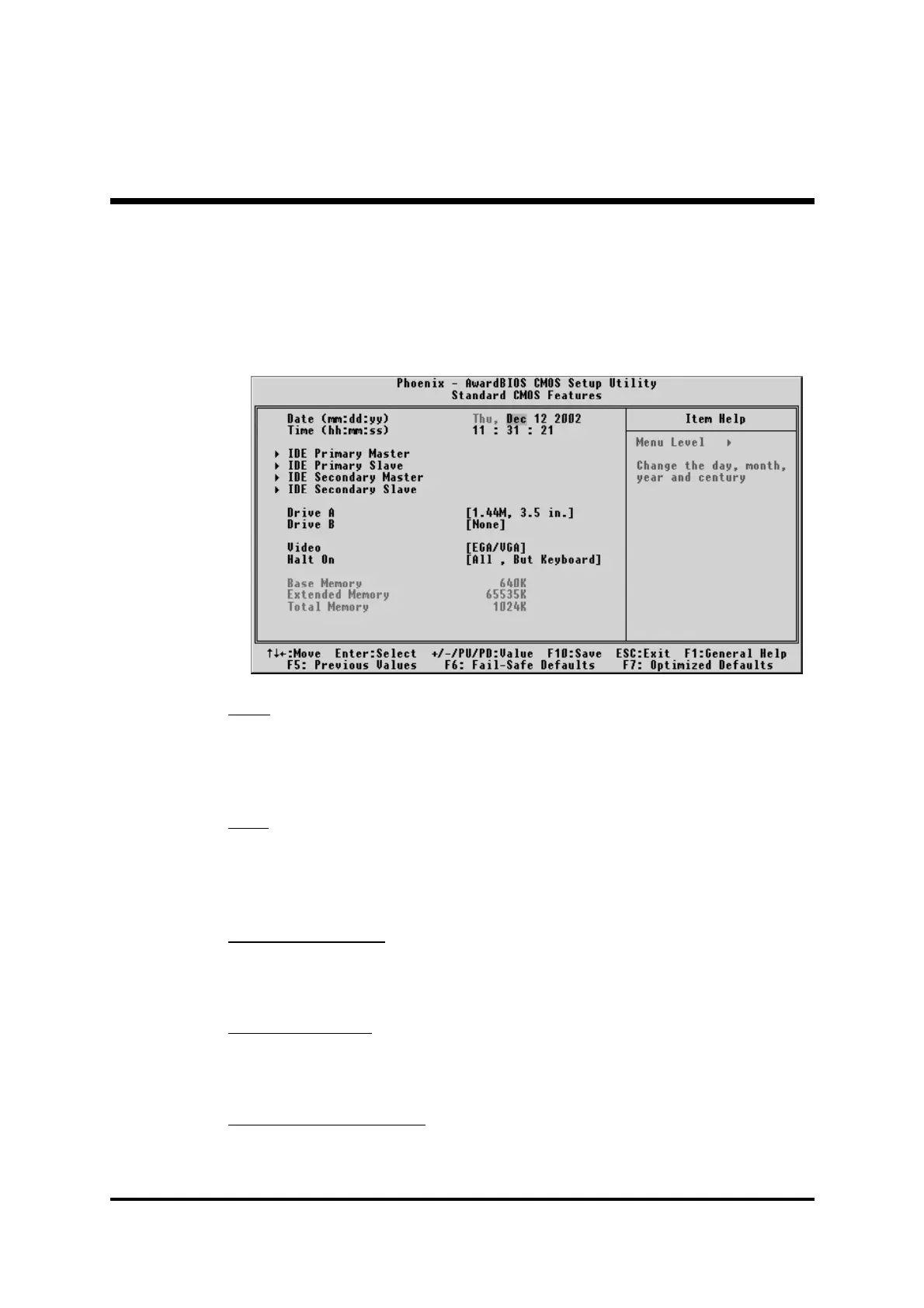
F Standard CMOS Features
The items in Standard CMOS Setup Menu are divided into 10 catego-
ries. Each category includes no, one or more than one setup items.
Use the arrow keys to highlight the item and then use the <PgUp> or
<PgDn> keys to select the value you want in each item.
Date
<Month> <DD> <YYYY>
Set the system date. Note that the 'Day' automatically changes when
you set the date.
Time
<HH : MM : SS>
The time is converted based on the 24-hour military-time clock. For
example, 5 p.m. is 17:00:00.
IDE Primary Master
Options are in its sub-menu.
Press <Enter> to enter the sub-menu of detailed options.
IDE Primary Slave
Options are in its sub-menu.
Press <Enter> to enter the sub-menu of detailed options.
IDE Secondary Master
Options are in its sub-menu.
Press <Enter> to enter the sub-menu of detailed options.



 To Next Page