30 of 34
SI-TEX Marine Electronics - SP120C Color Autopilot
Troubleshooting
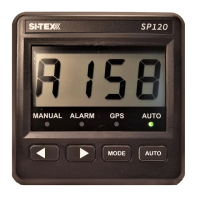
SP120C Display is completely Black
Check power is available: 12V-24VDC
Check boat master switch for AUTOPILOT
Check circuit breaker (if applicable)
Check in-line fuse of SP120C red wire
Check all wiring connections SP120C
Check Backlight setting
SP120C does not move rudder when AUTO is selected
ConrmSP120Cdisplayisshowingcompassheadinginformation&No
alarm situation.
CheckvoltageispresentattheSP120Cmotorconnections(Yellowand
yellow with black stripe) when AUTO is selected and a course change is
applied.
Conrmthatthesupplyvoltageis12V-24VDC(RedandBlack).
Check all motor and clutch wiring
Check motor is functioning in manual mode, then check motor brushes
Check the hydraulic system is operational:
1.Ensurethereissucienthydraulicuid.
2. Purge the system of possible air locks / contamination.
3.Ensurethatanyowrestrictingvalvesarenotcompletelyclosed.
4. Check all hydraulic connections for leaks.



 To Next Page