26 of 34
SI-TEX Marine Electronics - SP120C Color Autopilot
Other Menu Items
Settingupandconguringyour
GPS system
* Refer to your GPS systems
installation manual for this section;
• Set GPS NMEA port to output 4800
baud
• Enable at least one of the following
sentences on the GPS NMEA port
connected to the SP120C:
1. APA
2. APB or;
3. BOD and XTE
• Set GPS Arrival zone limit to at least
0.05nm (lower for smaller / slower
vessels)
• Set GPS XTE limits to 0.01nm
(higher for larger vessels)
• Enable “auto sequence” if
applicable - for automatically
conrmingthenextwaypointwhen
following a route.
• Enable the sentences GLL, RMC,
SOG, & VTG for the SP120C to
indicate GPS position and for Speed
over Ground information. Otherwise
the SP120C will not function in
‘Non-RFU’ AUTO or GPS modes.
NOTE: ** If only XTE information
is available from your GPS unit
then your vessel must be heading
towards the desired target/course
before engaging the GPS mode. The
“Auto Sequence” feature will not be
available in this situtation.
Factory Reset
This will reset all systems settings to
default values
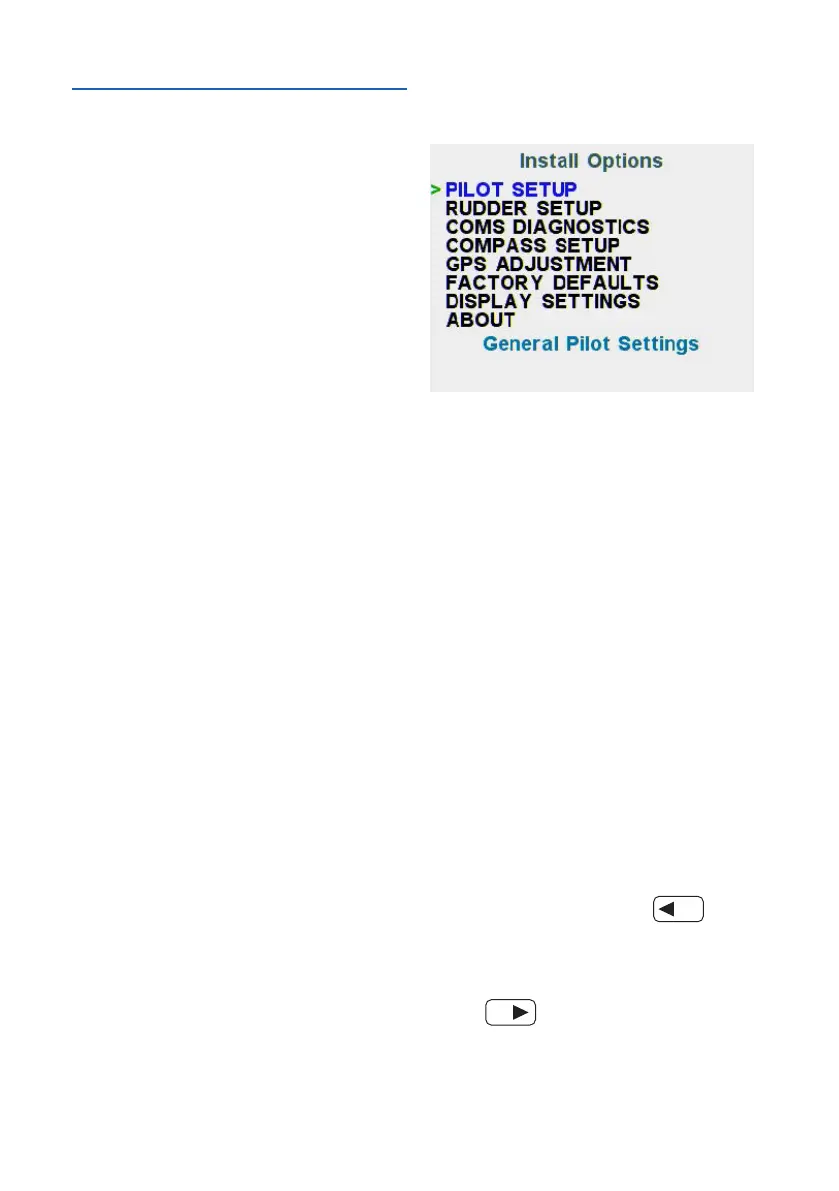
Enter the advanced menu –
InstallOptions.SelectFACTORY
DEFAULTS. Press AUTO to enter
and follow the instructions on the
screen. The unit will ‘Beep’ once
completed and all settings will be
restored to defaults.
Communications Diagnostics
The check if NMEA messages are
received correctly, use the advanced
menu – Install Options – COMS
DIAGNOSTICS page. If a NMEA
sentence is correctly received, the
sentence turns GREEN
To check the incoming data on PORT
1 (i.e. the 6-pin LTW - NMEA I/O port
labeled RUDDER) press
To check the data messages on
PORT 2 (i.e. the 6-pin LTW - NMEA
I/O port labeled COMPASS)
press



 To Next Page