www.Siargo.com MF5806E1 User Manual 12 | Page
5.4 Meter MENU description
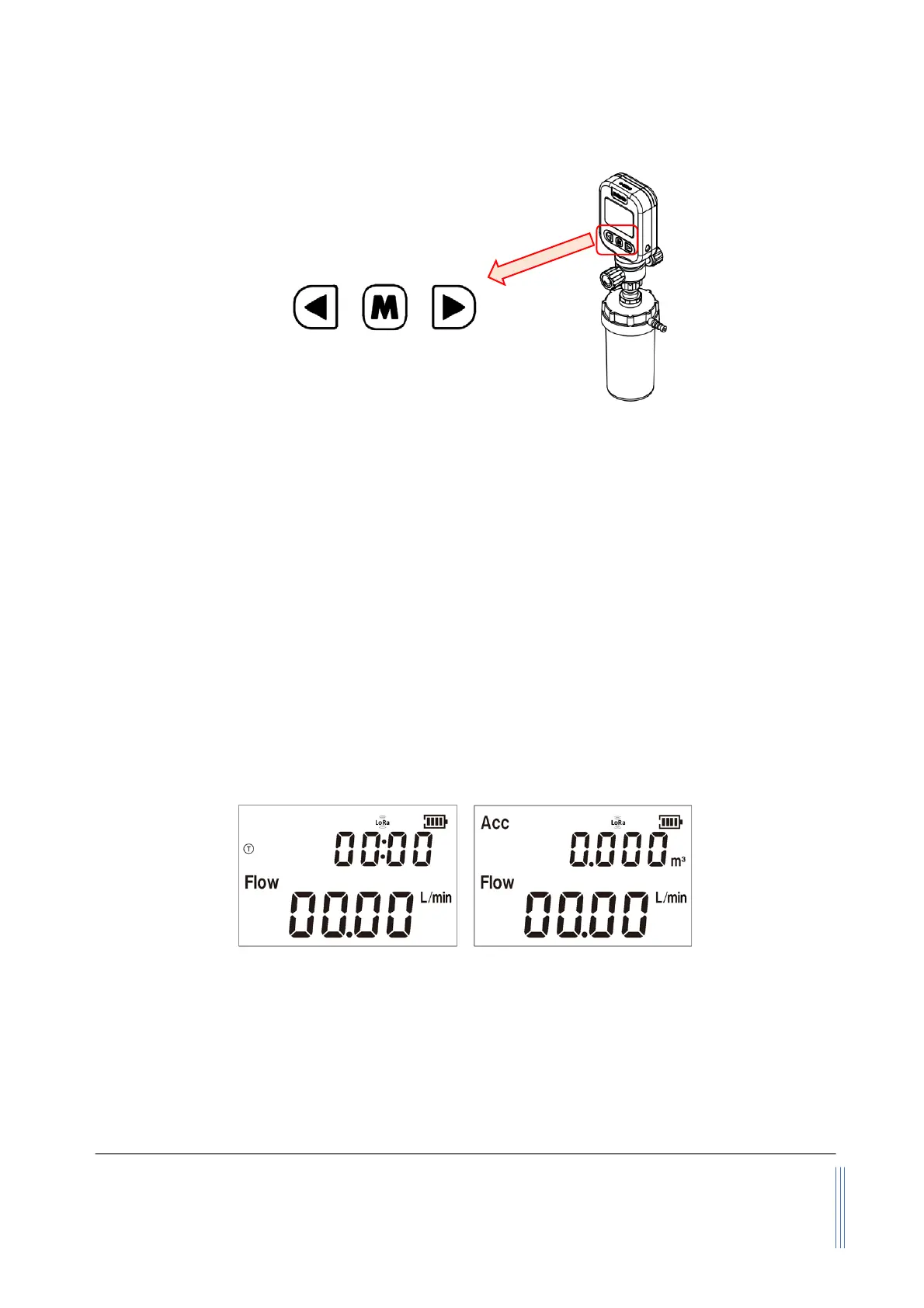
Figure 5.1: MF5806E1 keys description
The meter has a front 3-
key board for the user to set the desired functions, access data, and check
the status. The Menu key (M) is at the central position that allows the user to select a function and
confirmation or other related actions that will be detailed below. Two keys (“Up” and “Down”) to
select the menu and sub-menu.
5.4.1 Starting the operation
Once the power is supplied and no abnormal issues are observed, the product is ready to perform the
designed functions. Two displays correspond to the different data acquisition parameters: time-
limited therapy; accumulated or totalized mass flow therapy. The user can switch the display by the
central MENU key (by pressing the key within 0.5 seconds.
The default display is for the mass flow
measurement having two numerical lines on the LCD. The upper line is the accumulated or totalized
flow rate, and the lower line is the instant flow rate. If the battery symbol turns empty, proceed to
change the battery or plug in the external power cord.
Figure 5.2: MF5806E1 display modes
The above two graphs show the two display modes: the first one is the time acquisition mode for
which the upper line displays the totalized time of the oxygen therapy in hh:mm (hours:minutes)
format; and the lower line is the instant mass flow rate. On the display are also the battery status
and LoRaWAN
status. The second one is the mass flow acquisition which shows the totalized
/accumulated mass flow rate at the upper line, and the instant flow rate at the lower line.


 To Next Page