www.Siargo.com MF5806E1 User Manual 15 | Page
5.4.6 Set the Response time
Following the above-mentioned steps, at the MENU setting
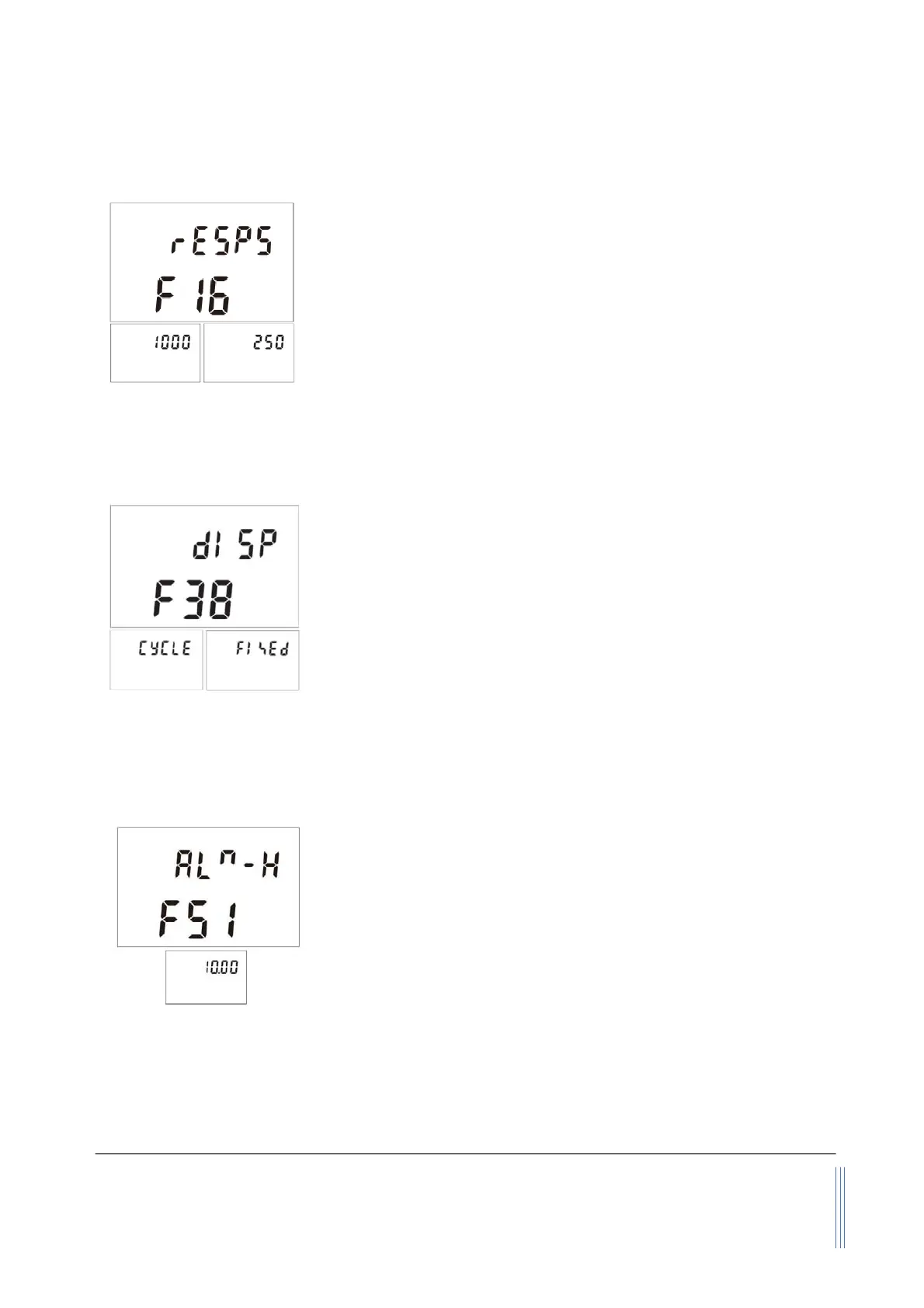
screen, use the “Up” or “Down” key to select F16 - rESPS and then
press the “M” key to set the response time.
There are 6 response time selectable: 125, 250, 500, 1000, 2000, and
5000, unit is msec. The default response time is 125 msec. Use the
“Up” or “Down” key to select the desired one and press the “M” key
to confirm. The display will then return to the F16 - rESPS screen,
which indicates the task is completed. Use the “Up” or “Down” key
to select F99 - qUIT and the “M” key to exit the MENU and return to the Main Display screen.
5.4.7 Select the display mode
This function is to set the display modes, cycle display mode, or
fixed display mode. If one likes to switch between these two display
modes, following the above-mentioned steps, at the MENU
setting screen, use the “Up” or “Down” key to select F38 - dISP.
Press the “M” key to confirm, and it will open the sub-MENU
showing the current display mode. Use the “Up” or “Down” and the
“M” confirming key to select the desired one, and press the “M” key
again to complete the task. The display will then return to the F38
- dISP screen, which indicates the task is completed. Use the “Up” or “Down” key to select F99 - qUIT
and the “M” key to exit the MENU and return to the Main Display screen.
5.4.8 Set an alarm: upper instant flow rate limit
This function allows the user to set the instant flow rate above which
the meter will trigger the alarm function. The alarm will be a sharp
sound every 2 seconds while the screen/display will flash. The
ed alarm will not stop the meter from continuous operation.
The alarm will be off once the metering value is below the set value.
The flow rate has two decimal points with a maximum not over the
full-scale flow rate at the order. Following the above-mentioned
steps, at the MENU setting screen, use the “Up” or “Down” key to
select F51 - ALm-H. Press the “M” key to confirm, and it will open the sub-MENU showing a default
flow rate of 999.99. Use the “Up” or “Down” and the “M” confirming key to enter the desired one,
the “M” key again to complete the task. The display will then return to the F51 - ALm-H
screen, which indicates the task is completed. Use the “Up” or “Down” key to select F99 - qUIT and
the “M” key to exit the MENU and return to the Main Display screen.


 To Next Page