www.Siargo.com MF5806E1 User Manual 17 | Page
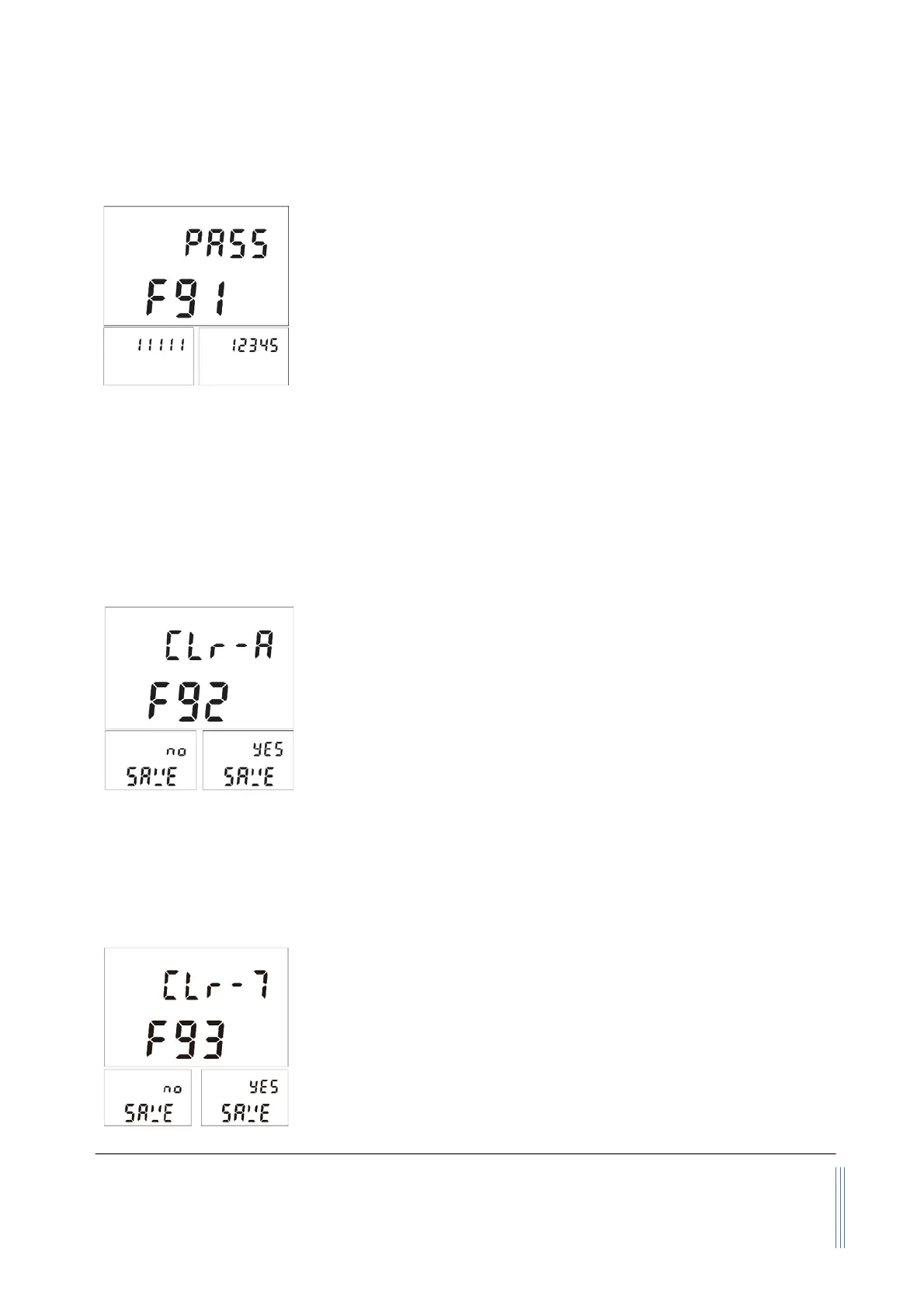
5.4.11 Change the default password
For data safety, it is recommended that the default password of
11111 should be changed when the first use of this product.
Following the above-mentioned steps, at the MENU setting screen,
use the “Up” or “Down” key to select F91 - PASS. Press the “M” key
to confirm, and it will open the sub
-MENU showing the default
password of 11111. Use the “Up” or “Down” and the “M” confirming
key to enter the desired one, and press the “M” key again to complete the task. The display will then
return to the F91 - PASS screen, which indicates the task is completed. Use the “Up” or “Down” key
to select F99 - qUIT and the “M” key to exit the MENU and return to the Main Display screen.
Please keep the changed password in a safe yet accessible place. In case it is unrecoverable, please
contact the manufacturer to obtain a special password to access the meter MENU.
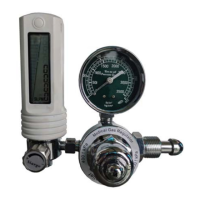
5.4.12 Reset the accumulated or totalized flow rate
As the maximum value of the accumulated or totalized flow rate
that the internal register can have is 9999999
, the register will stop
accumulating once the value is reached. At this time, it is necessary
to reset this register. Following the above-mentioned steps, at the
MENU setting screen, use the “Up” or “Down” key to select F92 -
CLr-A. Press the “M” key to confirm, and it will open the sub-MENU
for resetting the value. Use the “Up” or “Down” to select and the
“M” confirming key to execute, and press the “M” key again to
complete the task. The display will then return to the F92 - CLr-A
screen, which indicates the task is completed. Use the “Up” or “Down” key to select F99 - qUIT and
the “M” key to exit the MENU and return to the Main Display screen.
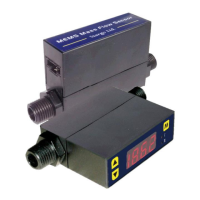
5.4.13 Reset the time counter
In the totalized time therapy mode, it may be necessary to reset the
timer at the conclusion of each therapy. Following the above-
mentioned steps, at the MENU setting screen, use the “Up” or “Down”
key to select F93 - CLr-T. Press the “M” key to confirm, and it will
open the sub-MENU for resetting the value. Use the “Up” or “Down”
to select and the “M” confirming key to execute, and press the “M”
key again to complete the task. The display will then return to the
F93 - CLr-T screen, which indicates the task is completed. Use the


 To Next Page