www.Siargo.com MF5806E1 User Manual 13 | Page
In any case, if the battery symbol indicates an empty or near-empty status, change the battery or
plug in the external power before proceeding further. When the external power is used, the battery
mode is automatically switched off, and there will be no battery symbol displayed in any of these two
modes.
5.4.2
MENU entry with a verified password
At any of the two display modes, press the central “M” MENU key,
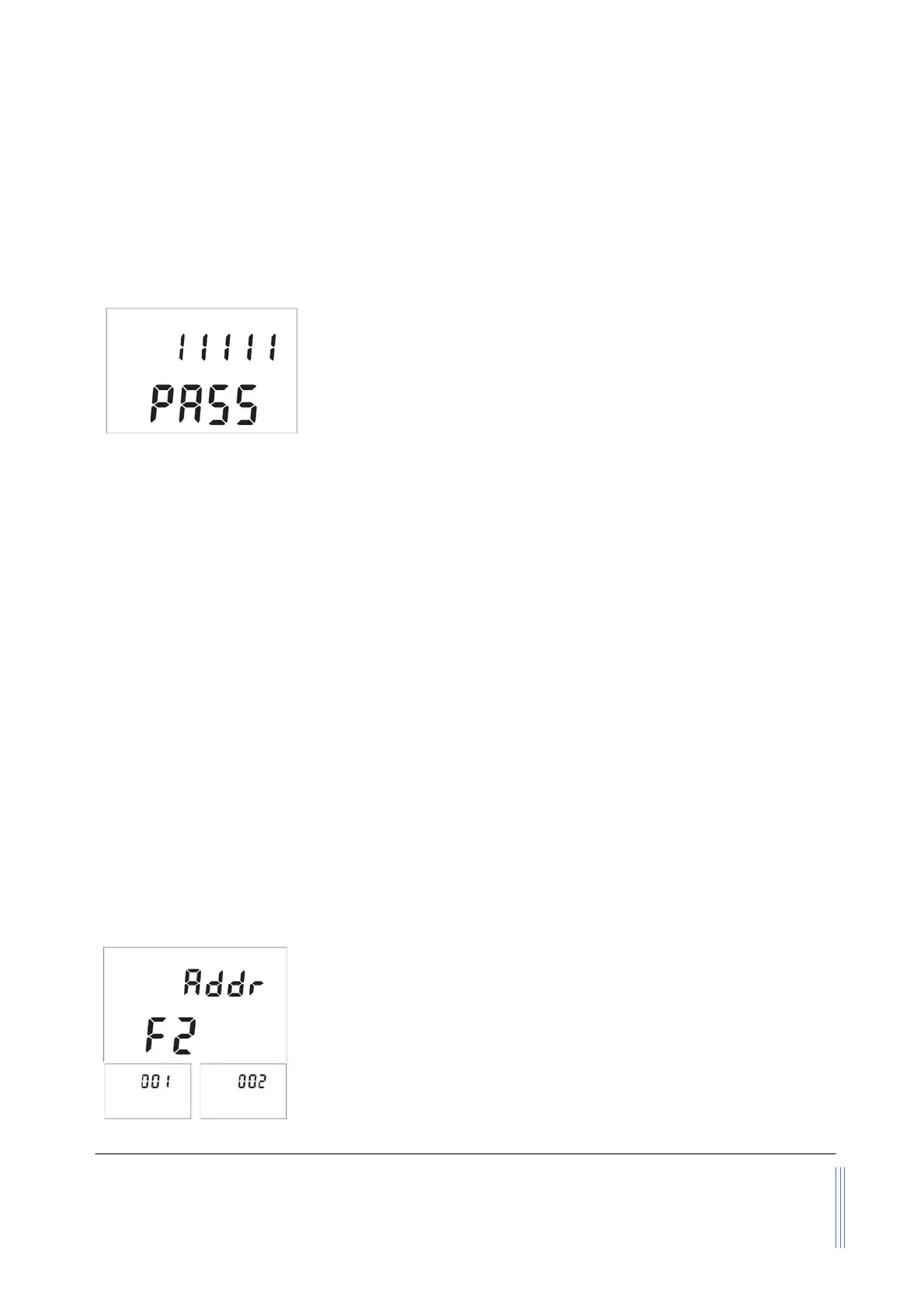
and it will enter into the password setting and verification MENU.
The default password is “11111”. If the password is incorrect, the
display will return to the main display.
To enter a new password, press the “Up” or “Down” key to change
the digit that flashes, and press the
key to confirm. Repeat this process for all 5 digits and the
meter will enter into the menu setting interfaces/screen.
Subsequently, the MENU allows the user to:
¾ F2 - Addr Set Modbus address;
¾ F3 - bPS Change communication baud rate;
¾ F11 - oFFST R
eset or calibrate the offset
;
¾ F16 - rESPS Set response time;
¾ F38 - dISP Change the display mode;
¾ F51 - ALM-H Set upper flow rate limit alarm;
¾ F52 - ALM-L Set lower flow rate limit alarm;
¾ F53 -
-A Set totalized or accumulated flow rate alarm;
¾ F91 - PASS Change the default password;
¾ F92 - CLr-A Clear or reset the totalizer or accumulated flow rate;
¾ F93 - CLr-T Reset the time counter;
¾ F99 - qUIT Exit from the MENU.
Note: During this process, the meter will continue to measure the flow without being interrupted.
5.4.3 Set the RS485 Modbus address
After the password is verified and entered into the MENU settings,
press the “Up” or “Down” key until the screen shows the F2 - Addr as
indicated to the left.
The Modbus address has 3 digits, which can be any number between
001 to 255. (Note: The default Modbus address is 001). Press the
“M” key to enter into the change address screen. Press the “Up” or
“Down” key to change the flashing digits, and then press the “M” key
to confirm. After the address is set, the display will return to F2 -


 To Next Page