www.Siargo.com MF5806E1 User Manual 14 | Page
Addr, which indicates the task is completed. Press the “Up” or “Down” key to select F99 - qUIT and
the “M” key to exit the MENU and return to the Main Display screen.
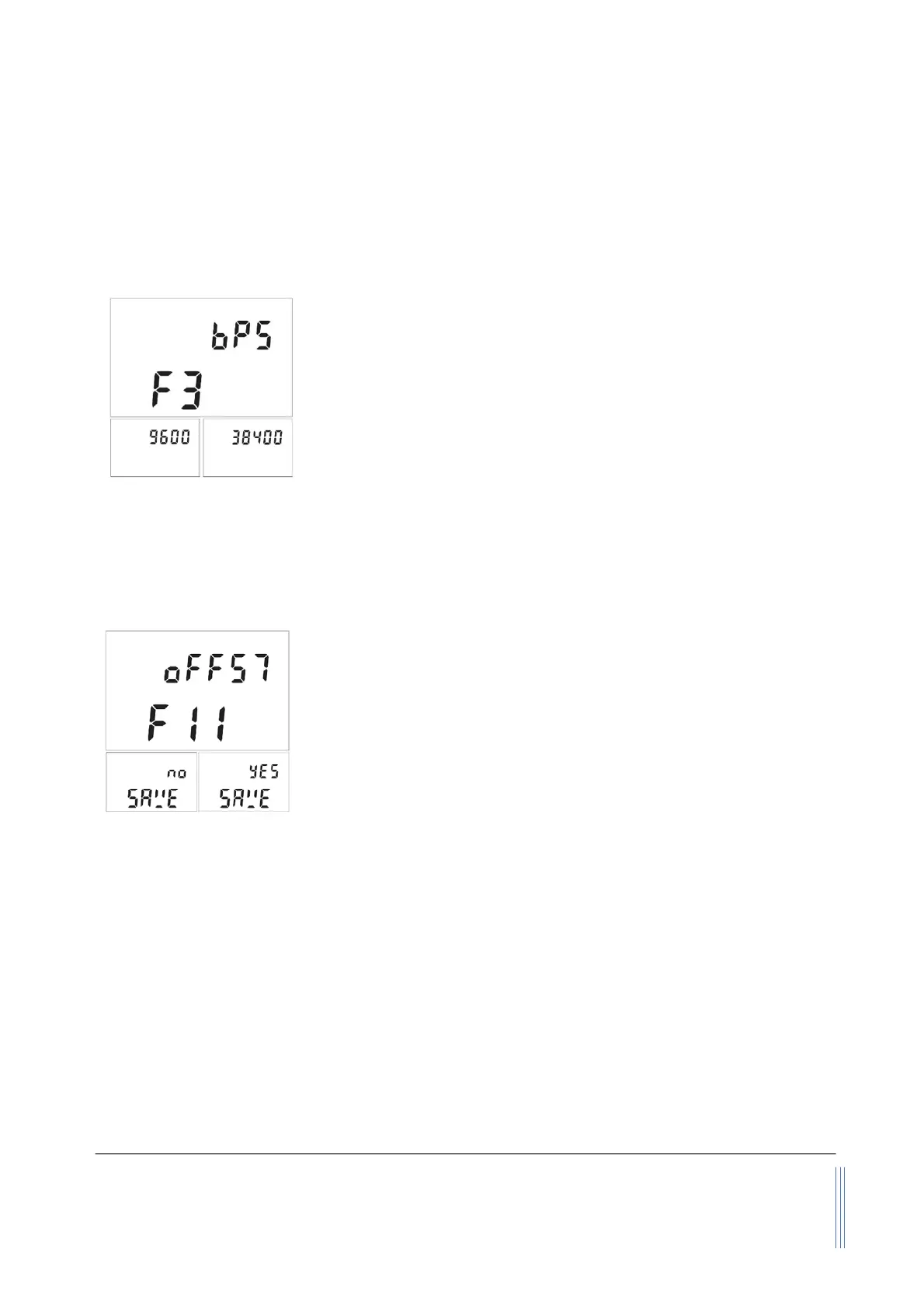
5.4.4 Set the RS485 communication baud rate
Following the above-
mentioned steps, at the MENU setting screen,
use the “Up” or “Down” key to select F3 - bPS and then press the “M”
key to set the RS485 communication baud rate.
There are 6 baud rates selectable, depending on your system
requirements: 4800, 9600, 19200, 38400, 57600, and 115200. (Note:
The default baud rate is 9600). Use the “Up” or “Down” key to
select the desired one and press the “M” key to confirm. The display
will then return to the F3 - bPS screen, which indicates the task is
completed. Use the
“Up” or “Down” key to select F99
- qUIT and the “M” key to exit the MENU and
return to the Main Display screen.
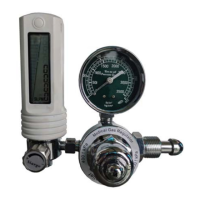
5.4.5 Reset or calibrate the offset
After a certain time of usage, the meter’s offset (zero flow rate)
might or might not have a small shift. Or when you apply the meter
for different gases, the offset might be shifted. To ensure
measurement accuracy, it is necessary to reset or calibrate the offset.
Following the above-mentioned steps, at the MENU setting screen,
use the “Up” or “Down” key to select F11 - oFFST. Before performing
the task, make sure there is absolutely no flow in the flow channel,
otherwise, it will create even bigger erroneous measurement results.
Press the “M” key to confirm the task, and it will open the sub-MENU asking you to confirm. Use the
“Up” or “Down” key to select the desired one and press the “M” key to confirm. The display will then
return to the F11 - oFFST screen, which indicates the task is completed. Use the “Up” or “Down” key
to select F99 - qUIT and the “M” key to exi
t the MENU and return to the Main Display screen.


 To Next Page