22
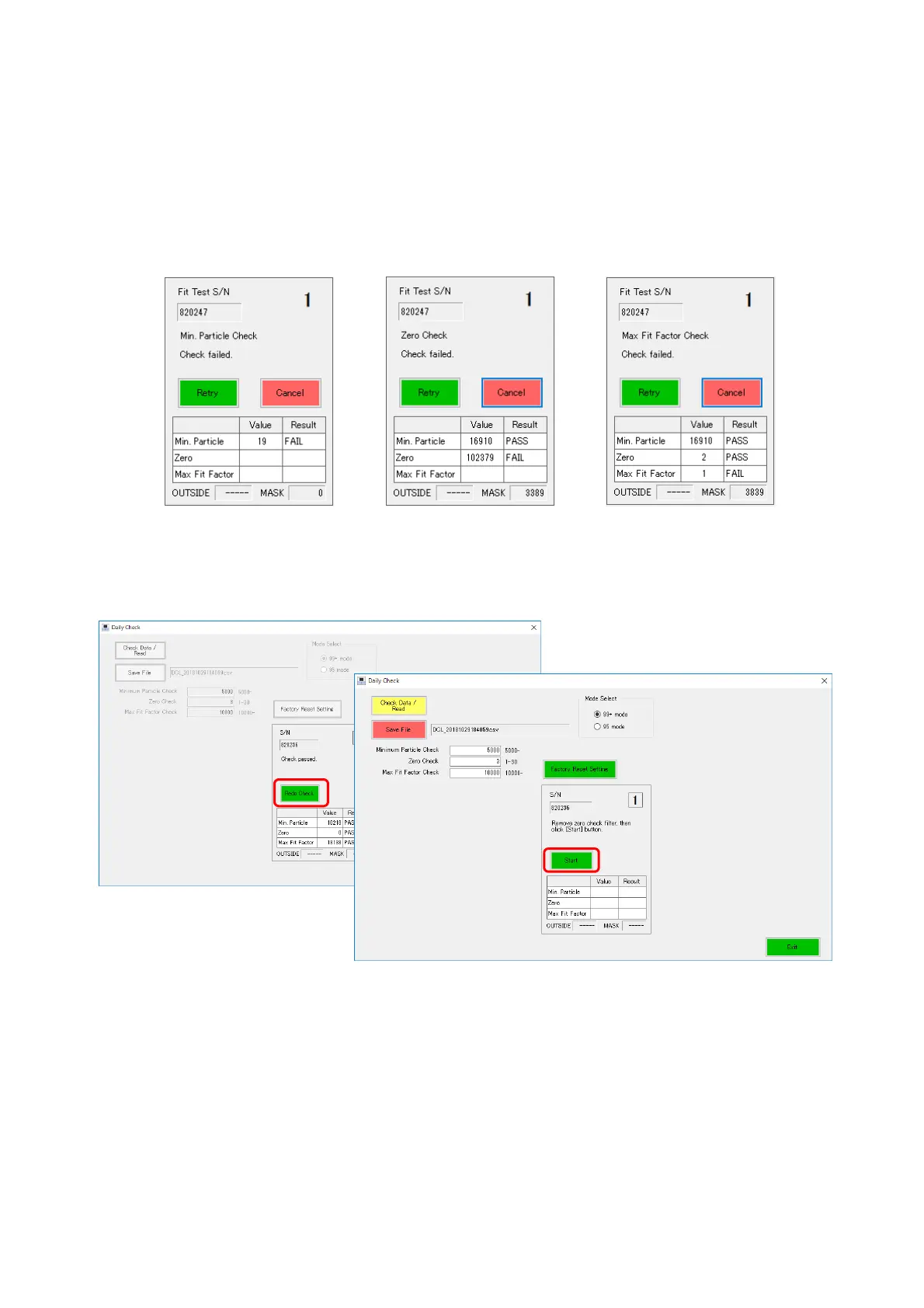
9-4 Retry
If an item is judged as “FAIL” during the daily check measurements (Minimum particle Check,
Zero Check, Max Fit Factor Check), the measurement is suspended with the [Retry] and
[Cancel] buttons displayed.
Clicking the [Retry] button starts the re-measurement from the measurement item judged as
FAIL.
When you click the [Cancel] button, measurement is not resumed.
9-5 Redo Check
When the daily check measurement is finished, the [Redo Check] button is displayed.
When you click the [Redo Check] button, the same measurement is prepared for being
performed again.
To perform the daily check measurement again, click the [Start] button.



 To Next Page