35
11-11 Save
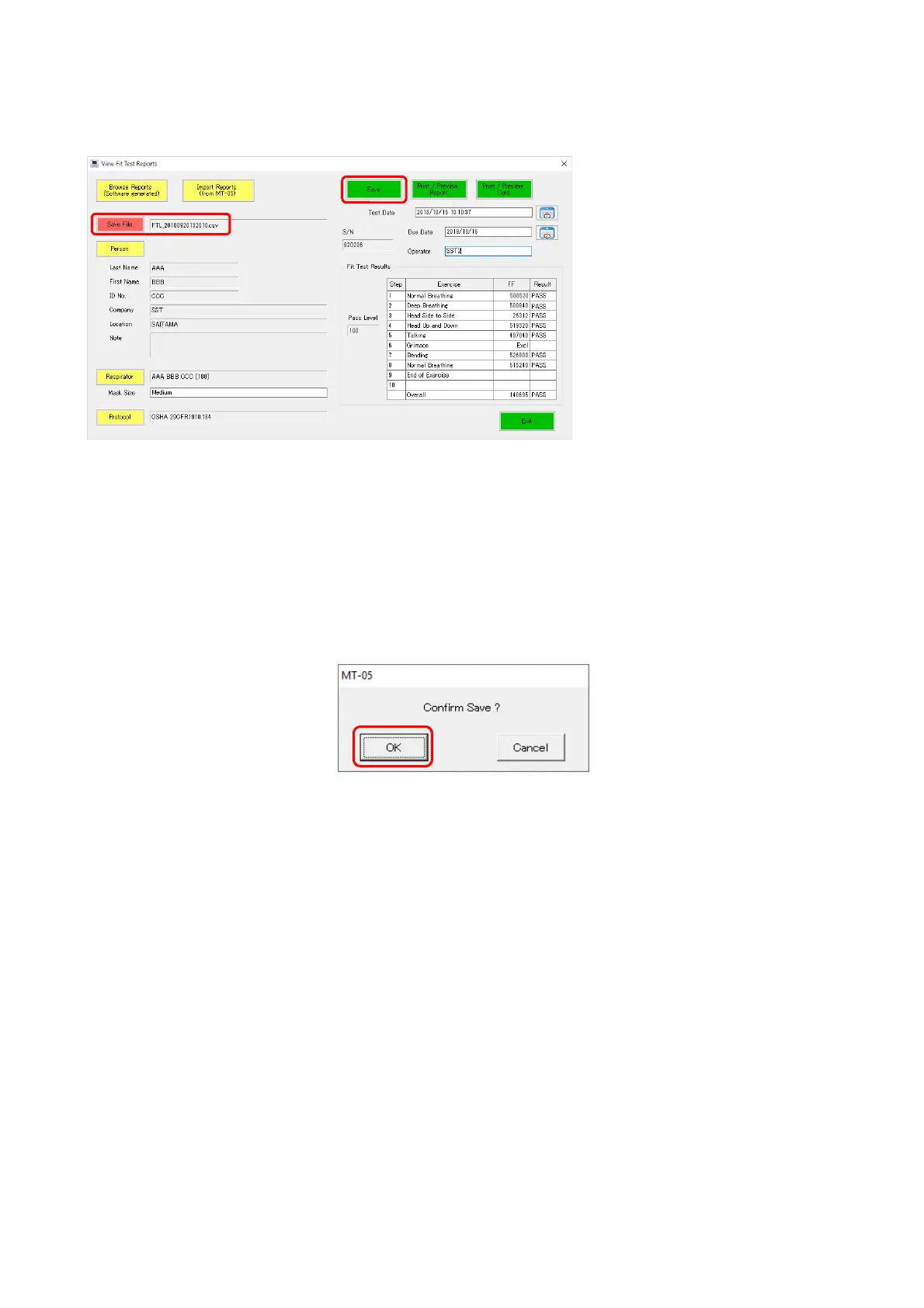
Save the fit test measurement results displayed on the main screen.
With the items (Person and Respirator) displayed, the [Save] button becomes active. Click the
[Save] button.
The data are compared with the data in the list file being displayed for “Save File,” and if no
identical measurement data are found, these data are added and saved.
■You can view the data in the Fit Test data window that opens when clicking the [Brows
Reports] button.
If the same data exist, a confirmation message appears.
Clicking [OK] overwrites the data.
11-12 Preview/Print Report
This button allows you to print the Fit Test Report.
For details, see “19-3 Print Fit Test Report.”
11-13 Preview/Print Card
This button allows you to print the Fit Test Card.
For details, see “19-3 Print Fit Test Report.”



 To Next Page