52
16 Protocol
This function allows you to edit or select a protocol.
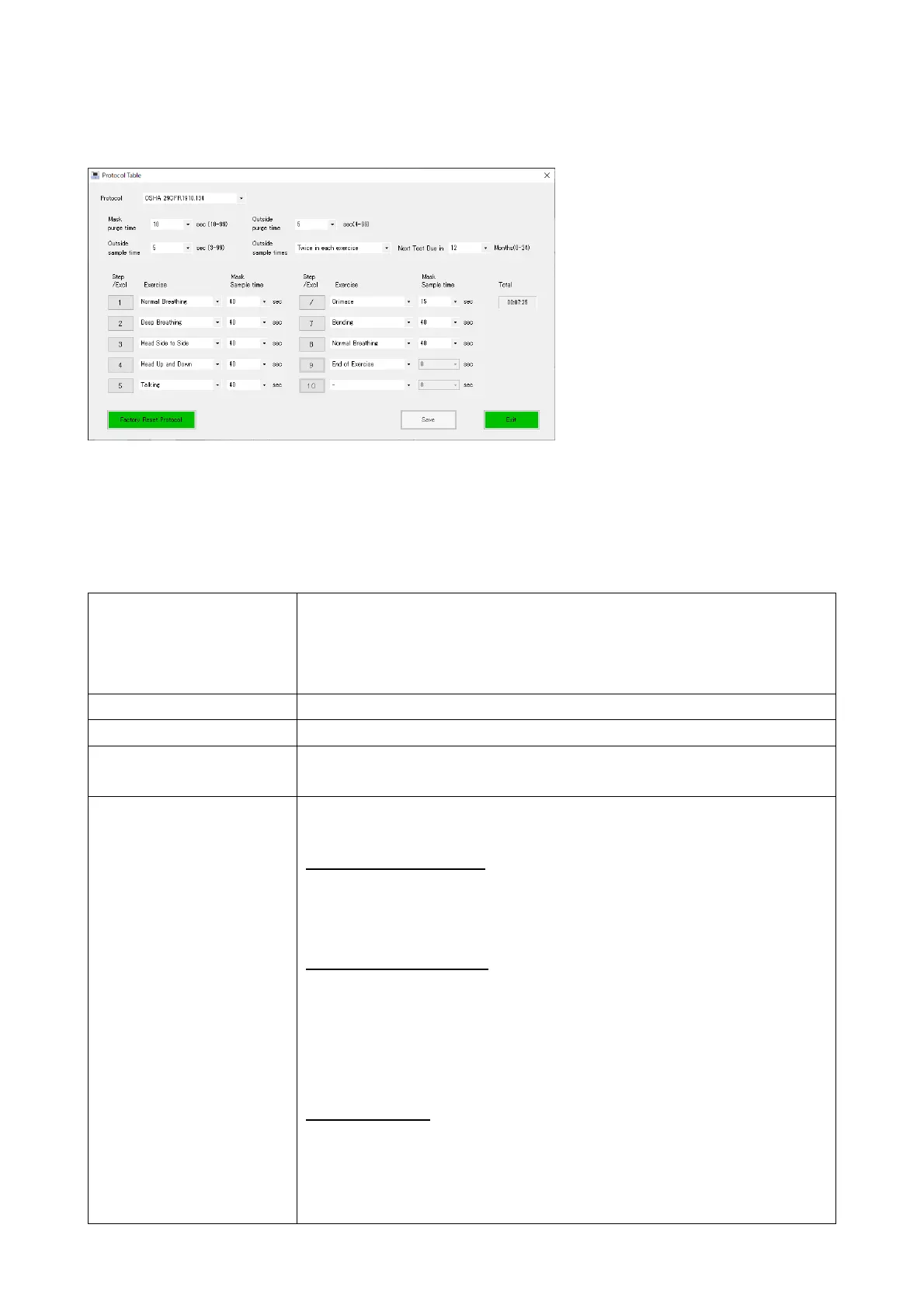
Clicking the [Protocol] button opens the Protocol Table window.
Select a protocol from the drop-down list.
The details of the selected protocol are displayed.
■You can edit the items and settings of the protocol but cannot add any data or rename
the protocol.
Protocol Select a protocol from the drop-down list.
When this is changed, other setting items will also change to the
settings for this protocol. When the set protocol is changed from
the factory default, a “*” mark will be displayed.
Mask purge time Set the time for purging inside the mask (10-99 seconds).
Outside purge time Set the time for purging outside the mask (4-99 seconds)
Outside sample time Set the length of time to count particles outside the mask (3-99
seconds).
Outside sample times Select the method for measurement outside the mask, which is
used as the basis for calculating the measurement results.
Once in each exercise
For each step, a measurement outside the mask, which is
performed before the measurement inside the mask, is used for
the calculation.
Twice in each exercise
For each step, two measurements outside the mask, one before
and one after the measurement inside the mask, are used for the
calculation. With this setting, more accurate measurements can
be made since the error that may be caused by the time difference
between the start and end of the step can be eliminated.
Twice in Fit test
One measurement outside the mask is performed for both the
start and end of the sequence. In between these outside
measurements, measurements inside the mask are performed
consecutively. The first and final measurements outside the mask



 To Next Page