63
19 Printing
This function allows you to print the displayed list when the [Print/Preview] button is displayed.
You can click Report in the menu bar to open these windows.
19-1 Print Report/Card Setup
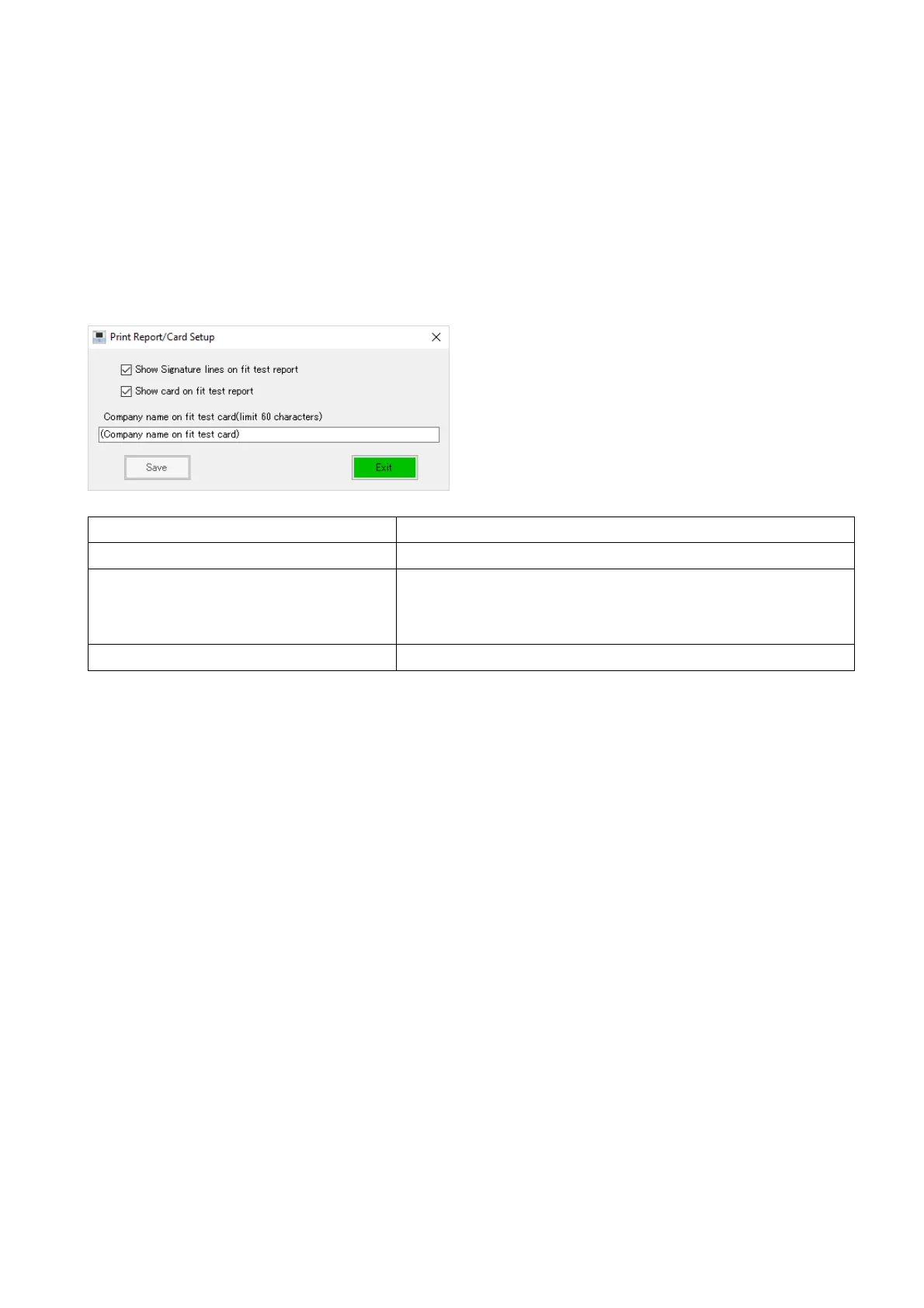
This function allows you to make printing settings.
From the Setup in the menu bar, click Print Report/Card Setup.
The Print Report/Card Setup window opens.
Show signature lines on fit test report Display the signature field of the Fit Test Report.
Show card on fit test report Display the Fit Test Card under the Fit Test Report.
Company name on fit test card
(limit 60 characters)
Enter the measurement company name to display at
the bottom of the Fit Test Card.
Up to 60 characters.
Save Save the settings.



 To Next Page