64
19-2 Print Next Due Report
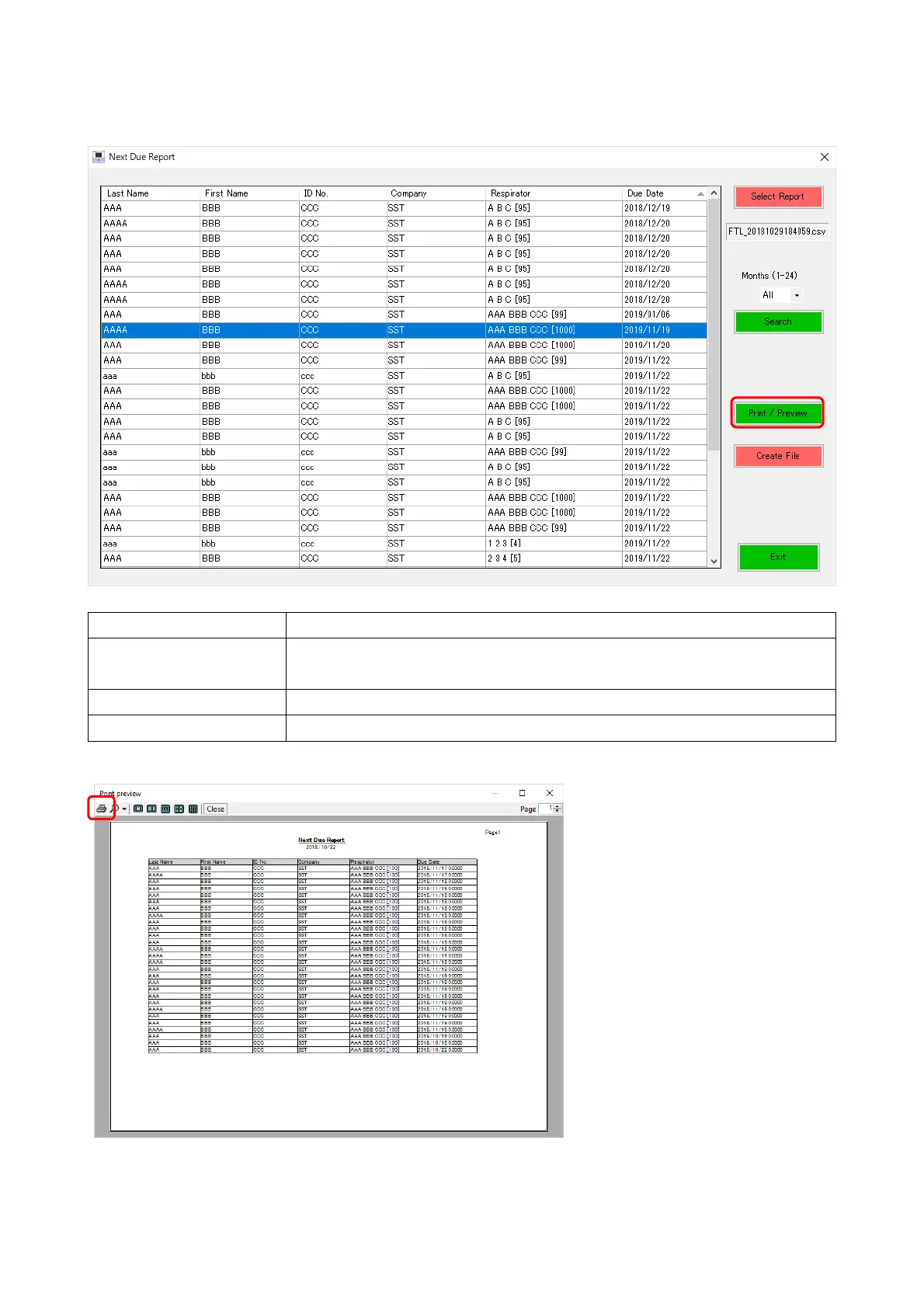
The date and time for the next test is displayed based on the selected FTL file in this window.
Select Report Select a data file. See “17-2 Select Report.”
Search Edit the list display so that the list shows only files with the specified
due date within the selected drop-down lists.(1-24,All,Passed)
Print / Preview Display a screen for printing.
Create File Save the information of the displayed list.
After checking the preview, click the [Print] button to print the list.



 To Next Page