41
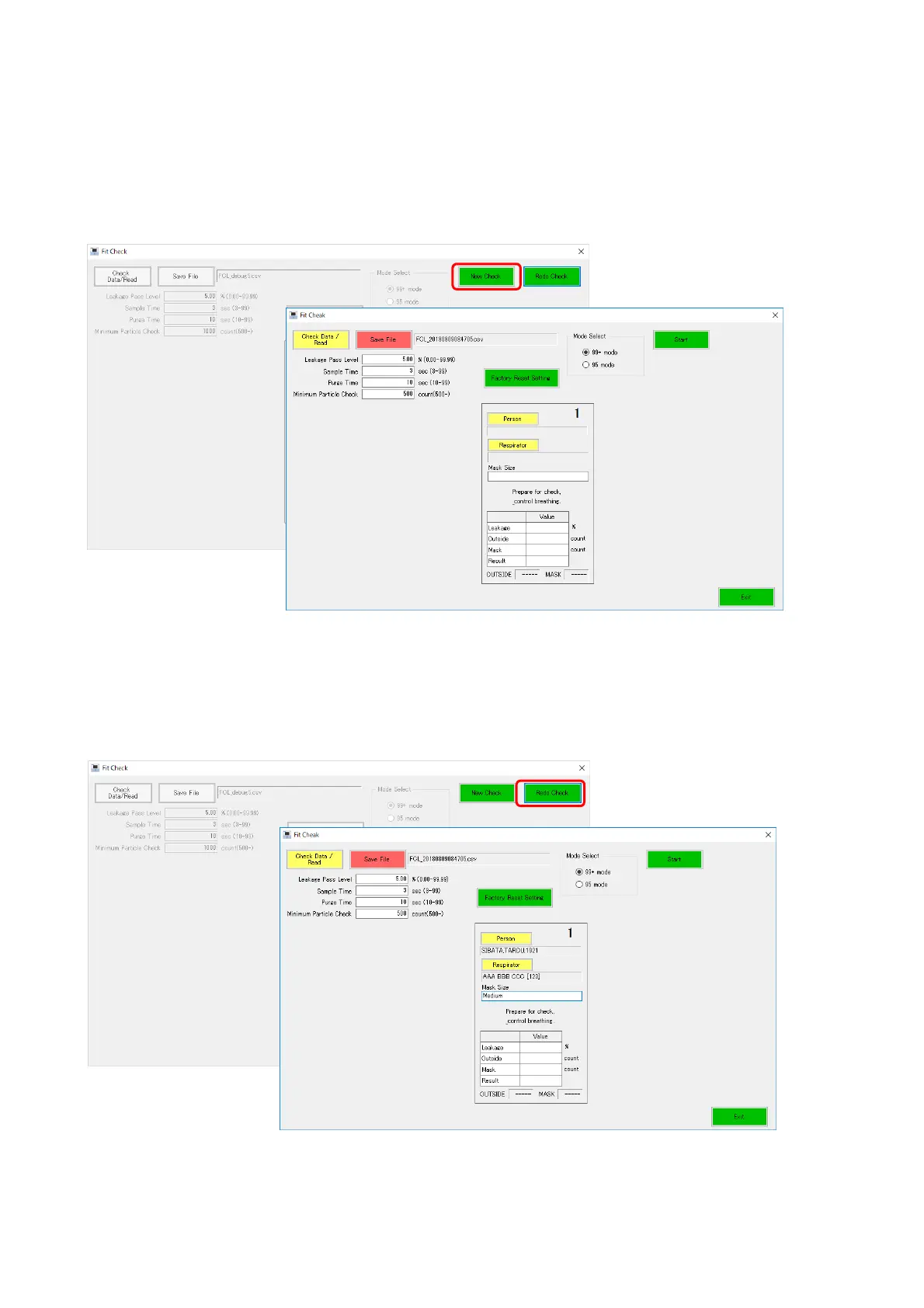
12-7 New Check
After the fit check measurement is finished, the [New Check] and [Redo Check] buttons are
displayed.
Click the [New Check] button to perform a new measurement (measurement of another person
and mask). Select or enter information in the People, Respirator, or Mask Size field.
The [Start] button is enabled and measurement can be started.
12-8 Redo Check
Clicking the [Redo Check] button returns to the state before fit check measurement again with
the settings unchanged. The initial state is restored.



 To Next Page