8
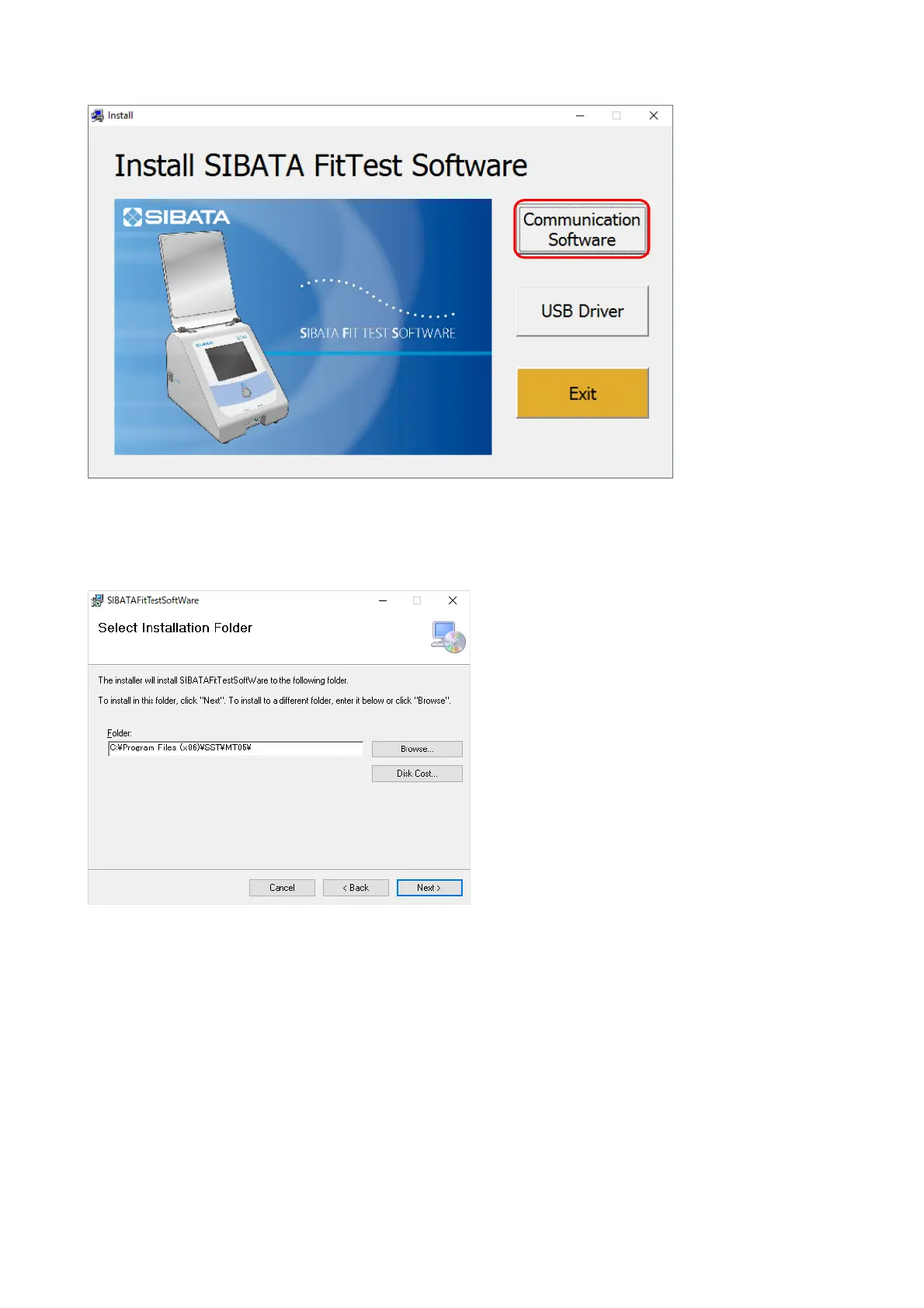
The installation program starts.
Click [Communication Software].
The preparation for installation starts.
To change the installation location, click [Browse…] and specify the desired folder. If you do
not want to change the location, click [Next>].



 To Next Page