COD.642400 Rev. 1
14
BASIC SETTING OF THE WHEEL BALANCER
1 - Mount the cone flange solidly on the axis.
2 - Press C 7 2 E
3 - The display shows C A L 1
4 - Run the machine
5 - When the flange has stopped turning the display shows C A L 2
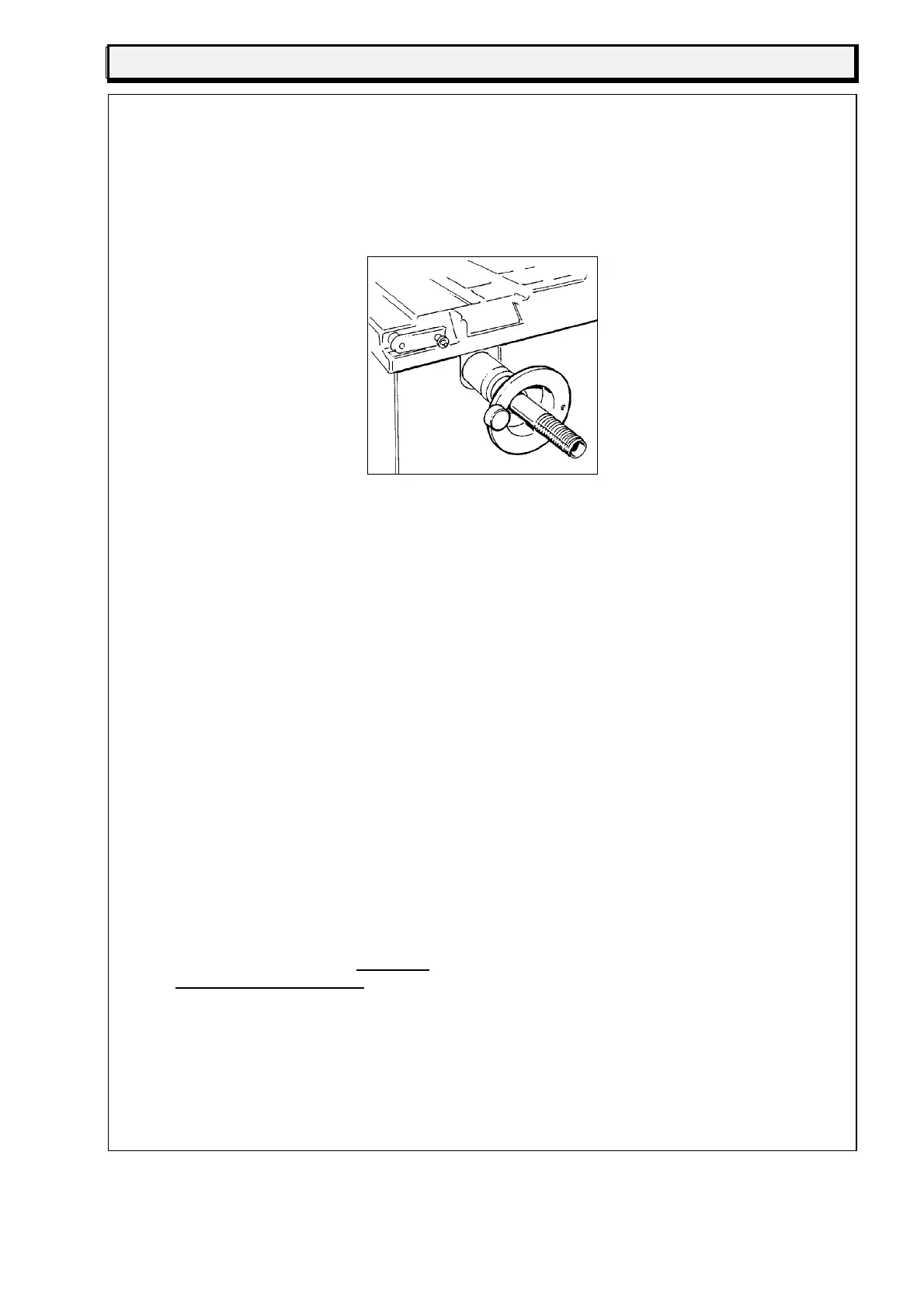
6 - Fix the wheel sample weight on the outside of the cone (fig. 20)
fig.20
7 - Run the machine
8 - When the flange has stopped turning the display shows O O
9 - Press C A L 5 2 6 E to memorize the data
10 - Remove the weight from the cone
11 - Mount a wheel in good condition of either 13" or 14" on the
cone flange and fix it tightly. Remove any weights that might
already be on the wheel
12 - Enter the wheel data as follows:
a) Press 3 (fig. 16) and set the wheel width in inches (ex. 6.0", 5.5" etc.), then press E
b) Press 4 (fig. 16) and set the diameter of the wheel in inches (ex. 13" or 14"), then
press E
c) Press 5 (fig. 16) and set the distance in mm of the wheel from the body of the
machine (ex. 80 mm, 65 mm etc.). this distance is shown on the graduated scale (fig.
18), then press E
13 - Press S T O P
14 - Press C 7 2 E 1 9 E
15 - The display shows C A L 4
16 - Run the machine
17 - When the wheel has stopped turning the display shows C A L 5
18 - Press 1 O O E (fig. 16) (if the weight is of 80g, press 8 0 E)
19 - The display shows C A L 6
20 - Fix the 100g weight on the inside of the rim
21 - Run the machine
22 - When the wheel has stopped turning the display shows C A L 7
23 - Remove the weight from the inside of the rim and fit it in an
outside opposite position (in a symetrically opposite position)
24 - Run the machine
25 - When the wheel has stopped turning the display shows O O
26 - Press S T O P C A L 5 2 6 E to memorize the data
At this point the setting procedure has been correctly completed (and it is not necessary to
repeat it).


 To Next Page