Manually switch the logic for Q
1
to “Low Active”
Operating example or steps:
RUN mode
→ Q
1
Output
→ ModeQ
1
/ to → Manual Q
1
→ Q
1
Logic
→ High Active
/ to → Low Active
→ Saved
to → RUN mode
Necessary default settings:
User level = Advanced
Mode Q
1
= Alarm
Factory setting:
High Active
6.4.1.6 “SLWarning” switching mode
6.4.1.6.1 Description
The “SLWarning” switching mode is only accessible if the “Advanced” user level is
activated.
Output of a switching signal occurs if a set level threshold or signal level switching point
is undershot (High Active) or exceeded (Low Active).
Utilization of the signal level warning can be useful for outputting a warning message
if measurement conditions are marginal (for example, outputting a warning message
for objects that must be measured). When measuring a reference object using known,
uniform optical properties, the signal level warning can also be used to notify a user of
required cleaning of the optical boundary layers
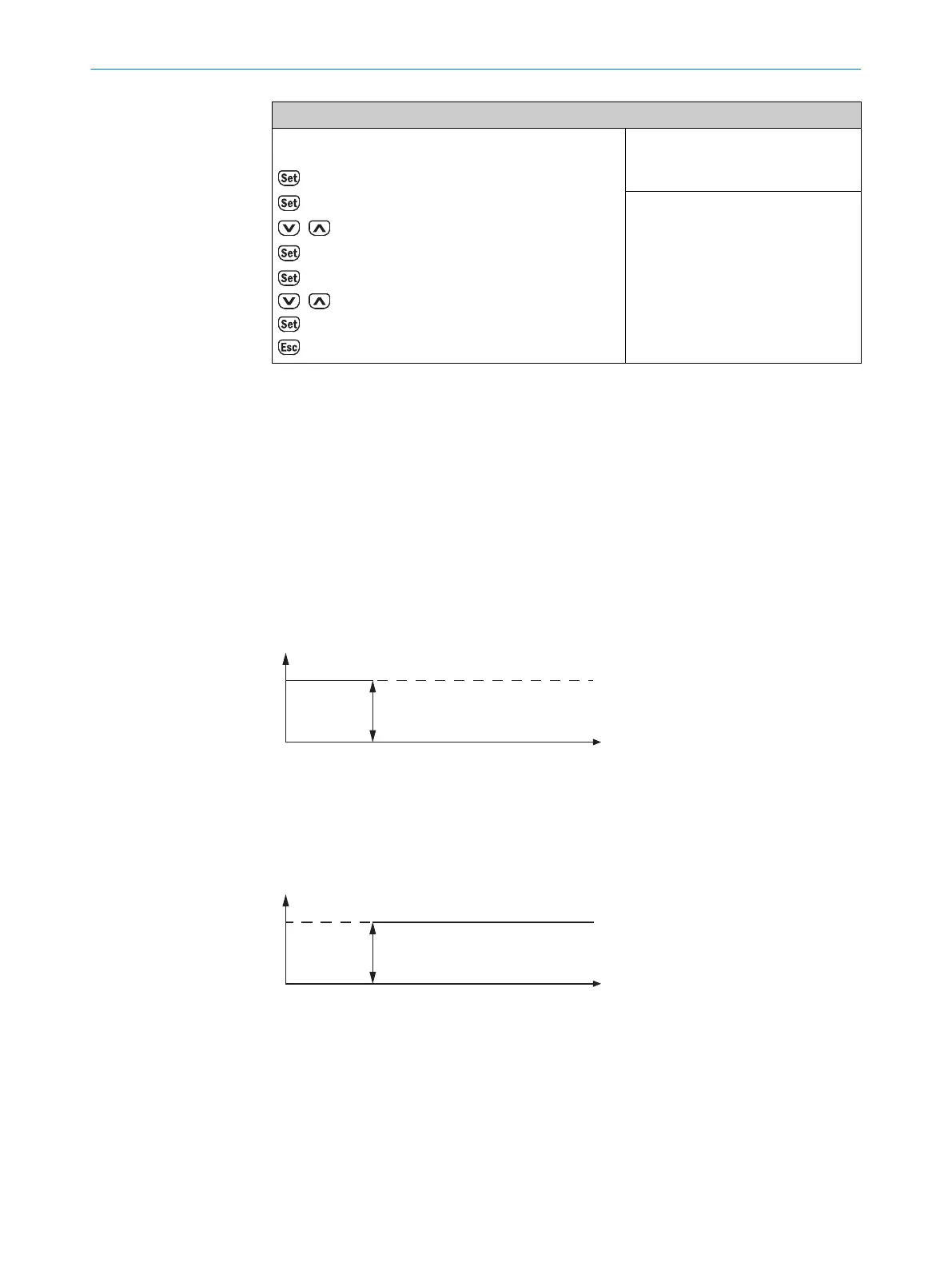
Figure 21: Signal level warning (“High Active”)
1
Minimum signal level
2
Signal level switching point
3
Maximum signal level
Figure 22: Signal level warning (“Low Active”)
1
Minimum signal level
2
Signal level switching point
3
Maximum signal level
If the “SLWarning” switching mode is activated, the level threshold to be defined can
either be taught in using a reference object or manually configured. These options are
described below.
OPERATION
6
8017154/1AVV/2021-03-24 | SICK O P E R A T I N G I N S T R U C T I O N S | DT50-2 Pro
45
Subject to change without notice



 To Next Page