4 INSTALLATION
18 Operating Instructions | InspectorP Rack Fine Positioning 8024534 / 16UW / 2020-02-26
Subject to change without notice
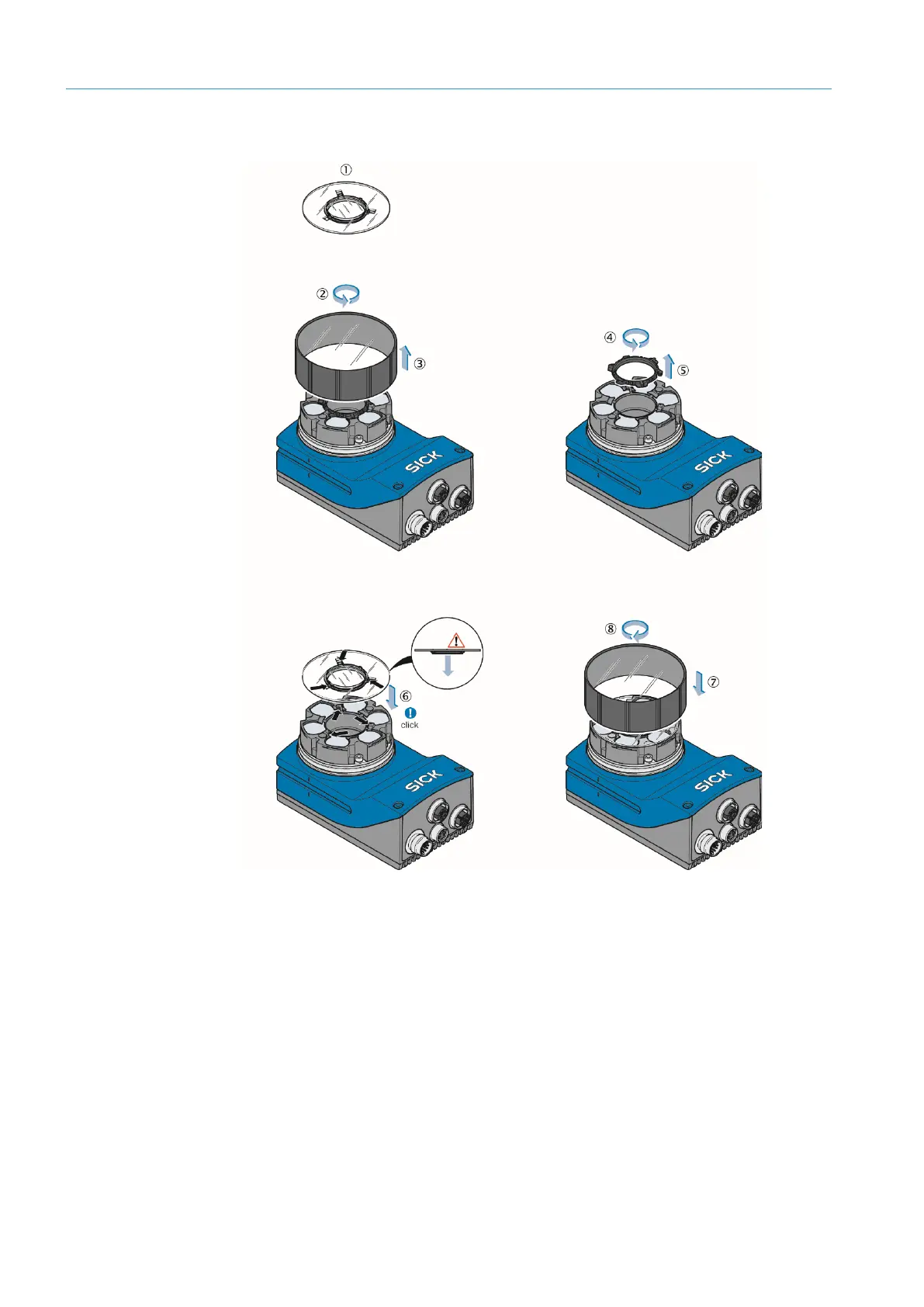
The following graphic shows step-by-step mounting of the polarizing filter:
(1) Scope of delivery of polarizing filter kit (part number: 2088229): Polarizing filter disk.
(2) Turn optics cover counterclockwise.
(3) Remove optics cover.
(4) Turn spacer ring counterclockwise.
(5) Remove spacer ring.
(6) Clip on the polarizing filter disk. Make sure the alignment is correct: Centering ring downwards,
recesses over retaining clips.
(7) Put on optics cover.
(8) Turn optics cover clockwise.
Figure 5: Polarizing filter mounting















 To Next Page